 11
11FinStat UA
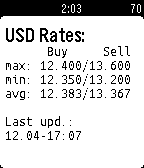
Tools & UtilitiesExchange rates of Ukrainian banks! Курсы гривны на Ваших часах :)
 11
11FlipCount
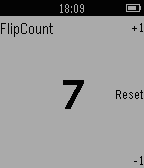
Tools & UtilitiesCounting app that responds to wrist flips
 11
11Mnemosyne Elixir
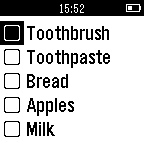
Tools & UtilitiesA useful checklist app that will move checked items out of the way when checked. The app is designed for shopping or todo applications, position unchecked items at the top of the stack for ease of use. The app requires an Android companion app to add and remove items. Test the functionality without the companion app. Thanks for supporting a single developer.
 11
11BTC Price
DailySee the Bitcoin price right now from Coinbase. Use up/down to switch between Dollars, Euros, Pounds and Yen.
 11
11Torrent helper
RemotesControl your torrent client from your wrist !
 11
11Tokipona
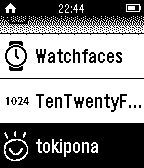
Tools & UtilitiesToki Pona is a constructed language designed to be small. Like a pidgin, it focuses on simple concepts and elements that are relatively universal among cultures. Lang designed Toki Pona to express maximal meaning with minimal complexity. The language has 14 phonemes and 120 root words.
 11
11Time To app. Countdown timer.
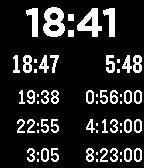
Tools & UtilitiesThis app shows the remaining time before the events. For example before trains or buses leave. It is tuned from the phone. The vibration time before events also tuned from the phone. And this is a multi countdown timer. Also you may download watchface Time To.
 11
11GoBroNoBro
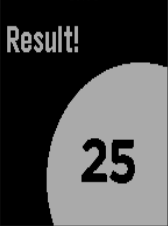
Tools & UtilitiesFun decision helper (with a bit of attitude). Includes coin tossing and roll 1-100. Life's more fun when you say "GO BRO!"
 11
11NS.NL Vertrektijden
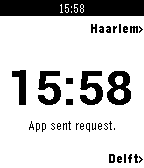
DailyDutch railroad departure times app for pebble.
 11
11Simple Translator
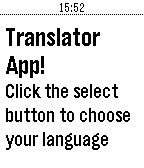
Tools & UtilitiesSimple translation app powered by Yandex.Translate http://translate.yandex.com/.
 11
11High or Low?
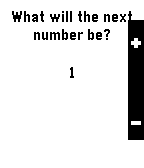
GamesThis is a simple High or Low game I made for pebble If you like High or Low give it a "❤" Click select to start the game on the main screen. A number will be displayed. You must choose if the next number will be higher or lower. If right, keep going. If wrong, game over.
 11
11Gentle Wake Plus - Daily Smart Alarm Clo
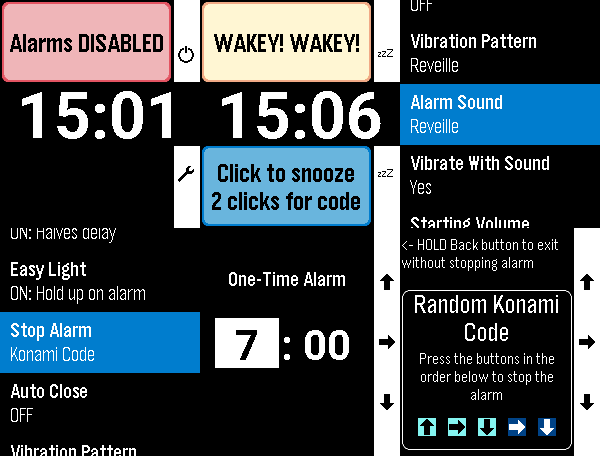
Tools & UtilitiesEvolution of the excellent original by SeaPea software This version adds: - Native Layouts for PT2 and PR2 - Alarm Sounds for PT2 and P2Duo - multiple options including some of the system options like Reveille - More vibration patterns (all watches except Aplite - OG and Steel) - Some small changes to Aplite to prevent crashes - Respects menu text size selected on watch (enabling increased text size on PT2 and PR2) All other functions work as per the original: - Alarms for each day of the week - Smart Alarm attempts to wake you if it detects you stirring shortly before the alarm time, which is the Monitor Period (doesn't interfere with background activity apps) - All settings are in-app (Down button on main screen) - Alarm vibration starts gentle and gets longer and longer to gradually wake you and this can be adjusted with the Vibration Pattern setting - Alarm will vibrate for just over a minute and will then auto-snooze to save battery - Doesn't need to be manually started for the alarms to work (set and forget) - While Alarm is vibrating, a single click on any button snoozes the alarm. 2 quick clicks are required by to turn off the alarm to reduce the chance of accidentally turning it off - Change the 'Stop Alarm' setting to 'Konami Code' to show a random sequence of buttons to turn off the alarm to help really make sure you are awake - Dynamic snooze halves the initial snooze time on each snooze until it reaches 3 minutes - for those of us with a habit of hitting snooze repeatedly ;) - Can temporarily disable all alarms (Single Up button click on main screen) - 'Easy Light' - hold your Pebble vertically to turn on the backlight while the alarm is vibrating/snoozing (no need to shake your wrist!). Can be turned off. - Skip alarms by holding Up on the main screen and choose a date to skip until (alarms restart on that date.) Disabling & enabling alarms, or going into the settings resets skips - DST Check sets the day of the week on which it checks if your location has switched to/from Daylight Savings Time
 11
11Phone Sound Mode
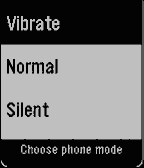
Tools & UtilitiesPhone Sound Mode puts your phone's ringer at most 2-clicks-out*. Switch your phone to Normal, Silent, or Vibrate straight from your Pebble watch. Open the app, choose a mode, and you're done; the list can be reordered from the Pebble app. A short vibration confirms that your phone has changed, and the app returns to your watch-face after the confirmation. If the change can't be made, the app stays open and tells you why, so you can try again. Clear icons for each mode make it easy to pick the right one at a glance. Android only. Phone Sound Mode requires its free Android companion app, located on our website: https://ark-am.com/projects/pebble-apps Or Download the app directly from: https://ark-am.s3.us-east-1.amazonaws.com/App_Pebble/phone-sound-mode-version-1.apk Once installed, open the companion app and allow Do Not Disturb access, which Android needs to reliably switch into and out of Silent mode. Nothing is sent to a server; the watch talks only to your phone. Created by Ark-am LLC. Discover our work and custom software development services: https://ark-am.com/ *Shout out to the YouTube channel, "Dave Moss Tuning".
 11
11Pickle Pal
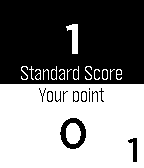
Health & FitnessPickle Pal is the score keeper especially designed for Pickleball. - Easily tracks score, server position and number (1/2) - Works for both regulation and rally scoring - Simple and easy to view display - Simple interface with error correction Display Layout: - Layout matches court - Opponents score is always on top - Your teams score is always on bottom - Serving team is highlighted in white - Current server (1 or 2) and position is indicated at the corners of the display To Start Pickle Pal Application: - Click [Select] button - Click [Down] button until Pickle Pal application is highlighted - Click [Select] button Button Quick Reference: - Double click [BACK] button - Starts a new game - [Select] button - Toggles the starting server position between your team and opponent's team (at start of new game only) - [UP] button - Increments score when your opponent wins the rally - [DOWN] button - Increments score when your teams wins the rally - Holding the [UP] button - Decrements your opponent's score - Holding the [DOWN] button - Decrements your team's score - [SELECT] button - Changes the server position - Holding the [SELECT] - Changes the server number (1/2) - [BACK] button - Exit game or exit setting menu (with confirm)
 11
11Gym Zones
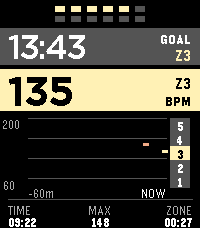
Health & FitnessGym Zones is a focused strength-training companion for Pebble Time 2. Start and finish workouts manually, see current BPM and a rolling one-hour graph, track a stable heart-rate zone, and run a configurable between-set rest timer. The app can reopen when rest ends and preserves an active workout for ten minutes after you exit. Outside a workout, take a one-minute resting PPG-RMSSD measurement and compare it with a personal seven-day baseline. HRV is an optical wellness estimate, not a medical measurement or readiness score. Gym Zones has no account, server, GPS, or network service and does not transmit workout or sensor data. Settings stay locally on the watch and in Clay on the phone; Pebble Health synchronization, if enabled, is managed by PebbleOS. Assign Gym Zones to Settings → Quick Launch → Tap Up for direct access.