 14
14Log - Data Collection and Visualization
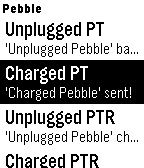
Tools & UtilitiesLog transforms your Pebble into a powerful data collection tool that's ready to capture information wherever you go. Whether you want to track smartstrap output (e.g. GPS or heart rate), built-in sensor data (compass, accelerometer), or your own custom-defined events and properties, Log allows you to collect the data that's important to you, and easily visualize the results. *** OPEN BETA *** This version of Log features limited functionality. We need your help validating the underlying technology - give it a download, press some buttons, look at the graphs (currently via config) and let us know what you think! The current build allows you to manually track your charging habits - and at present all user data is aggregated. If you like the idea, let us know, and we may invite you to test smartstrap, health, voice, and other custom functionality! :) Thank you for your help, and feel free to get in touch with any questions, feedback, or suggestions! :)
 14
14Perihelion
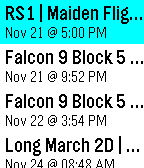
Tools & UtilitiesThis app displays the names, dates, and times of the next 10 rocket launches from around the world, using data provided by LaunchLibrary. Made as part of the first Rebble Hackathon
 14
14Counting 7-Minute Workout
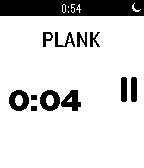
Health & FitnessBased on the New York Times magazine column, this app takes you through 12 high intensity exercises, lasting 30 seconds each, and 10 seconds rest in between, completing in about 7 minutes. The exercise name and the count of seconds are shown, and you may pause and resume as you please. Vibrating pulse alerts you to the start and end of an exercise.
 14
14OpenMensa
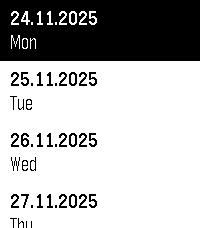
DailyYour local Mensa, right on your Pebble! Compatible with any Mensa on https://openmensa.org
 14
14Diving Watch
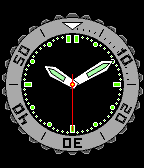
Health & FitnessThis is just a joke. Please DO NOT use this app in actual diving situation. Up - Rotate unidirectional bezel 10 minutes. Down - Rotate unidirectional bezel 1 minute. Select(long press) - Lock/Reset unidirectional bezel. License notation The original image of this app's icon was created by johnny_automatic.
 14
14The Beautiful Walk
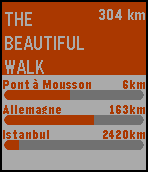
Health & FitnessL'objet de cette application est de visualiser votre progression sur The Beautiful Walk Si vous ne connaissez pas The Beautiful Walk, plutôt que de long discours je vous encourage à aller voir le site http://www.thebeautifulwalk.com/ Précision, cette application n'est pas une application officielle et sa fiabilité n'est pas garantie. (mais c'est sans danger elle ne fait que lire votre page) En cas de soucis, de commentaire ou de suggestion, vous pouvez me contacter sur twitter: @kpouer
 14
14Sheep3
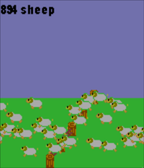
Tools & UtilitiesNow it's a time to send out sheep on your Pebble Time! Happy sleeping ;-)
 14
14StatsKeeper
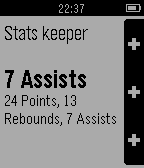
Health & FitnessKeeping track of your performance while playing basketball has never been easier. Register points, rebounds and assists and try to earn a triple-double like your favourite NBA star. Function: - Points: UP - Rebounds: SELECT - Assists: DOWN - 3 pointer: UP-(longpress) - Block: SELECT-(longpress) - Steal: DOWN-(longpress)
 14
14Steins;Gate Divergence Meter
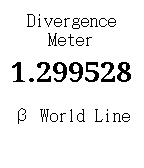
GetSomeAppsGenerates a world line between 0.000000 and 1.999999. Learn if you're in an alpha or beta world at that very moment! Find out how
 14
14KAZY one
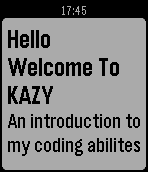
GamesSimple and incomplete app made by a 12 year old
 14
14Rocket Blue
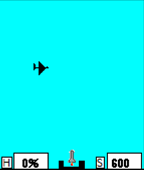
GamesThis is a Zen type game. You use rockets to destroy drones. You can never get better than 100% so once you fire and hit 1 drone you are at 100%. The best you can ever do is 100% so don't worry about it. You never need to fire the rocket and can just watch the drones fly by. If you want to be clever you can set the speed to be very slow and then launch your rocket and when you spot your prey speed up, or slow down, the rocket while it is in flight.
 14
14Beam
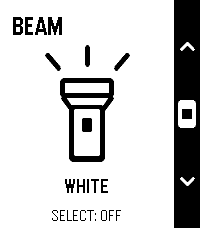
Tools & UtilitiesBeam — Small app. Bright idea. Your toes called. They’d like fewer surprise meetings with the furniture. Beam turns your Pebble’s screen into a simple flashlight—perfect for finding your way to the fridge when those late-night snacks aren’t going to fetch themselves. Bold outlines. Crisp contrast. That unmistakable Pebble aesthetic. An everyday essential that looks right at home on your wrist. -Launch it and the light is on. -Choose white, amber or red. -Tap Select to switch on or off. -Controls disappear after three seconds for full-screen illumination. No phone connection. No menus to dig through. Just a little light when you need it. Add Beam to Quick Launch and make your next midnight fridge expedition a one-button operation. Simple. Essential. Toe-friendly.
 14
14WTF per Minute
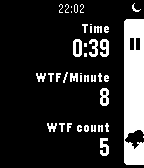
Tools & UtilitiesThere is only one metric for code quality. WTF per minute. Start the timer, read the code, press the counter button on every curse you yell. The app calculates the WTF/Minute for you. The lesser the number, the better the code. Let's hope for 0 WTF/Minute.
 14
14Words
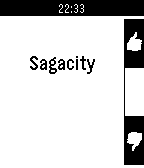
Tools & UtilitiesPebble Words lets you practice words on the go. You get a score at the end to see how you did. If you are preparing for the difficult vocabulary sections in SAT or GRE, Words helps you practice words without worrying about misplacing those pesky paper flash cards. Want words to automatically play? Try the Pebble Words Auto app instead.
 14
14River Depth
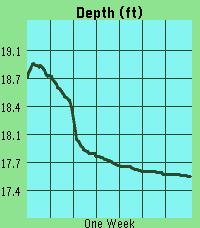
Tools & UtilitiesThis app pulls gage height from river monitoring locations tracked by USGS. It then plots the last week of data, scaling automatically to your screen. The ID will default to a location near downtown Iowa City, IA. However, you can update the ID in the settings page at any time and the graph will update once you press save. Units can also be selected between feet and meters. DISCLAIMER : This app contains code generated by Gemini. The vast majority of which is in the index.js file.