 16
16SQL Episode 2
GamesThis is an app that is full of dork codes, vpns, and other information that new hackers find useful! We at SAVAGEO hope you enjoy this app! It is episode 2 in it's series of hacking apps / articles. DISCLAIMER: WE HERE AT SAVAGEO DO NOT PROMOTE THE USE OF HACKING FOR ILLEGAL OR IRRESPONSIBLE PURPOSES! SAVAGEO, RUSSIAN OTTER, AND PEBBLE ARE NOT RESPONSIBLE FOR ANY ACTIONS YOU MAY OR MAY NOT TAKE FROM GETTING INFORMATION FROM THIS APP! THIS APP IS FOR EDUCATIONAL PURPOSES ONLY!!! These disclaimers make it so if someone goes to court for hacking they can't blame us for their "possible sources". ANYWAYS check out some of my other apps and watchfaces and if you found this useful please like! tags: color time pebble hack hacking anonymous anon vpn code coding
 16
16Run Tracker
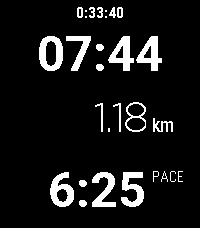
Health & FitnessThis is a run / walk tracker for Pebble with a focus on simplicity. It doesn't require a companion app but it does require a connection to a phone for GPS. The app shows the time, distance and pace of your run as well as the wall time. Press Select to start/pause/resume your run. While running, it shows your current pace. Wile paused, it shows your overall (average) pace. The app doesn't save any data about your previous runs. At the moment, the distance can be shown in kilometers but not in miles. The Pebble watch doesn't have GPS so it needs to use your phone to get the current position. It seems that Pebble can query the current position but can't trigger a precise GPS lock. The location will be inaccurate unless another app on the phone is requesting the location. Therefore, I recommend that you use a separate app on your phone, such as Strava or Google Fit, to record an activity to ensure that precise location data is available.
 16
16REcounter
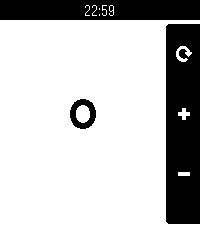
Tools & UtilitiesWhy? Because, in an era where a simple counter app would likely be left up to the AI overlords, I'd rather just fork something some guy made in 2014 and add touch support. This fork of the original adds support for all current and past Pebbles and enables touch support for incrementing the counter. This ended up being a pretty cool micro-project, as I learned about how the Pebble SDK has changed over the years. Immediately upon porting to the new SDK, there were various things that didn't quite look like they used to. This includes the lack of a status bar, the lack of margin&rounded corners on the action bar, the inability to render the previously valid menu icon, and the weird way bitmaps used to work regarding color and translucency. I addressed all of these to preserve the legacy Pebble SDK look with this app! In addition to Emery+touch support, this version of the app also supports all other Pebbles. Original app by Matthew Bauer.
 16
16DontPanic
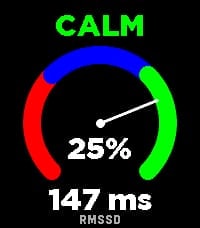
Health & FitnessDontPanic measures your Heart Rate Variability (HRV) right on your wrist to help you monitor your physical stress and autonomic nervous system balance. The app evaluates RMSSD (Root Mean Square of Successive Differences) - the gold standard time-domain metric for measuring parasympathetic activity and physical recovery. How to Measure: 1. Tighten your Pebble watchband comfortably above your wrist bone. 2. Lay down, relax, and keep your hand calm and still for 2 minutes. 3. A synchronized breathing visual and countdown guide you through the session. 4. You will feel a gentle vibration when the measurement is complete. Features: Dynamic Stress Gauge: Visualizes your stress percentage and status (CALM, NORMAL, or STRESS) across an analog arc gauge. Direct RMSSD Value: Accurate millisecond readout of your HRV. Personalized Calibration: Calibrates to your individual physiology over the first 7 days, continuously refining your baseline over time. History Trend Graph: Flip through with Up/Down buttons to track your latest 16 measurements and observe long-term trends. On-Wrist Guide: Press the middle (Select) button anytime to view tips for the most accurate readings. Screen & Backlight Control: Keeps the display legible throughout the measurement without turning off. Tip: For consistent results, take your measurement every day around the same time and in the same position (e.g., right after waking up). Want to track how your body recovers overnight based on HRV? Connect with Sleep as Android!
 16
16WristList (Index 01 for your watch!)
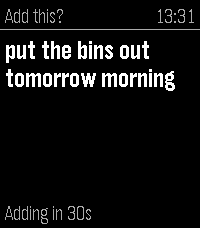
DailyPebble Index for your watch. This app allows you to dictate a message on your watch and publish the dictation to a CalDav server (Nextcloud/Ownecloud etc.) as a Task. Just add the CalDav address into settings along with the user and password to send messages to the server. Map the app to a physical Quick Launch button and adjust the "Quick Launch Action" settings in WristLists watch app to 'Dictate'. This will open the dictation function when the app is launched from a watch button. Speak the Task and either confirm with the select or wait a specified period and it will save automatically. No intermediate processing, uses the Pebble dictation capability and your task is sent direct to your server. Features include: -View your Task Lists -Dictate Task Notes -Edit Tasks (including Task properties) -Mark as Done / Delete Task -Open Dictate on Quick Launch setting option If you like this app please heart it, and if you find it useful feel free to buy me a coffee on Ko-Fi, can say thanks here https://ko-fi.com/ben839721
 16
16Arrow Mate Indoor
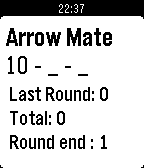
Health & FitnessIndoor archery target scoring app. View old scores by holding the up button. Select score with the up and down buttons. Enter score with the select button. Delete last score by holding down the select button. At the end: it gives the total score and each round total. Outdoor version: pebble://appstore/53c8f40cc745de4fca000163
 16
16GymSpotter
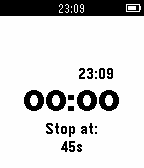
Health & FitnessTimer app that helps you manage rest time between sets. Set your preferred rest time and when you are done with your shake the watch a bit and let the timer begin. When the timer is done your watch will vibrate, its time to pump iron again.
 16
16Minum Obat
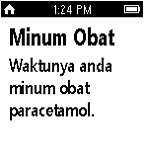
Health & FitnessMinum Obat allows you to remember what medicine you should take at the right time. This watchapp is inspired from a watchapp called "Pebble Diet Reminder" made by Mr. Bodnàr Istvàn. You can check his profile and his great projects at https://github.com/bodnaristvan. Thank you very much.
 16
16Randomzr
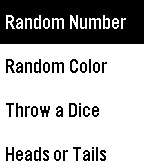
Tools & UtilitiesRANDOMZR **IT IS ONLY USEFUL ON PEBBLE TIME** An app to get 'really' random things on your pebble time. Currently available colors, 1 dice, heads or tails and numbers from 0 to 9999. **How to: - Random number: Click up and down buttons to manage every digit. Click select button to go to the next digit. Long click select button to get a random number, click select button again to get another one. - Random color: Click select to get a random color (I have omitted very light colors to get useful ones). - Throw a Dice: Click select to throw the dice. - Heads or Tails: Click select to flip the coin. **Roadmap: - Add a settings page to trick the numbers, dices, and coin flips. - Improve the header, banner, icon... Thanks.
 16
16#OsloTravel
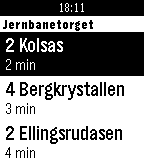
DailyTransport schedules for Oslo in real-time. At the current time there is only a few predefined stops to choose among. Email me if you want me to add a specific stop to the list. Shake your watch at the schedule view to update the time schedule. There is also a known bug with Pebble that prevents me from using 'ÆØÅ' in the title of the element in the schedule list. Hope it will be fixed soon.
 16
16MoreDeepThoughts
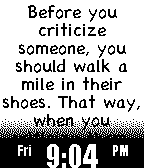
DailyMore Deep Thoughts by Jack Handey There were too many deep thoughts for just one watch app, so here are more! A random Deep Thought is displayed every minute. The up and down buttons are used to scroll through the longer Deep Thoughts.
 16
16Chimer
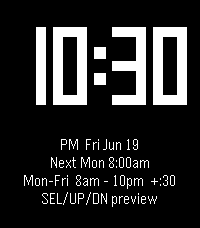
Daily*Chimer brings back the classic hourly beep... Casio-style, but yours to tune* Inspired by Casio watches and the Sensor & Ollee mods, Chimer sounds a chime and/or buzzes your wrist at the top of every hour, then flashes a big, easy-to-read clock for two seconds. Make it yours: When: choose the days and the hour range it runs How often: add optional half-hour chimes What you feel & hear: distinct beep + vibration patterns for the top of the hour, the half hour, and the first and last chime of the day, so you always know which is which without looking _Set it once and let your wrist keep time_
 16
16Futbolive
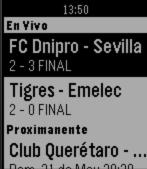
DailySoccer Live Results / Resultados de Futbol en Vivo Liga Mx, Libertadores, La Liga
 16
16Urbble
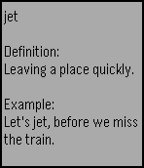
Tools & UtilitiesLoad a random Urban Dictionary definition on your smartwatch. WARNING: Urban Dictionary contains very adult content. There are no filters. You have been warned.