![Check-in with Foursquare [Pebble Rocker]](https://assets.repebble.com/screenshots/52e1ac5a9d19018dd800009a-0.png) 19
19Check-in with Foursquare [Pebble Rocker]
Daily- Find nearby venues based on your current location. - Check in directly from your watch. - Check in options: private, public, Facebook, & Twitter. IMPORTANT: This watch app requires the Pebble Rocker companion app available via the Google Play store.
 19
19Price Charts
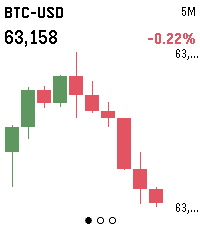
DailyLive candlestick charts for stocks, futures, crypto and FX, right on your wrist. Three screens — 5-minute, 1-hour and 1-day intervals — each showing the last 10 candles, auto-scaled to fit the display. Build a watchlist of any Yahoo Finance symbols (AAPL, ES=F, BTC-USD, EURUSD=X) in Settings, then press SELECT to flip between them and UP/DOWN to change the timeframe. Hold SELECT to refresh. Crypto data comes from Binance; stocks, futures and FX from Yahoo Finance. No account or API key required.
 19
19ClawPet
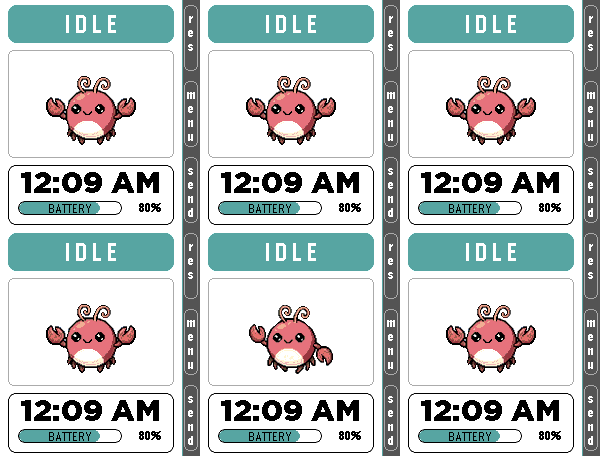
Tools & UtilitiesClawPet 🦞 x Pomodoro 🍅 ClawPet is a Pebble companion app that brings OpenClaw-inspired interactions to your wrist through a playful pixel pet interface. Features: • A pixel pet that reflects system states such as idle, thinking, working, happy, and error • Fully functional Pomodoro timer with lightweight animations for focused work sessions • Voice command interface using microphone (speech-to-text → OpenClaw interaction, currently simulated) • Clean UI designed for Pebble Time 2 OpenClaw Integration: • Currently uses simulated responses and emulator-based interactions • Designed as a preview of future AI-powered companion features Note: Some advanced features are under development and may be represented through mock interactions. Built for productivity, experimentation, and fun.
 19
19Floe
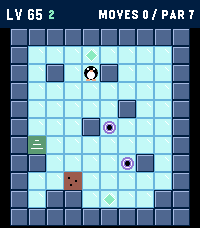
GamesFloe is an ice-slide puzzle campaign built for Pebble: one button press is one slide, and the little penguin glides until something stops him. Plan the whole route, collect the gems, and reach the stairs in as few slides as you can. 1000 LEVELS the first ten chapters each teach a trick: - Gems that gate the exit - Gravel that stops you mid-slide - Thin ice that collapses behind you - Keys and colored doors - Force arrows that bend your slide - Warp portals - Switches and toggle walls - Patrolling critters that follow the beat of your moves - A gauntlet that mixes everything EARN YOUR GEMS - every level has a par (the proven optimal solution). Match it for 3 gems, 100 points per gem. WATCH-NATIVE CONTROLS: - UP / DOWN slide up and down - SELECT and BACK slide left and right - Flip them from the menu to match how you wear your watch (HAND: LEFT / RIGHT) - Hold SELECT to pause (undo, retry, menu) - Hold UP/DOWN in level select to fast-scroll Levels 1 and 2 teach you everything you need. Good luck on level 1000.
 19
19Hourguard
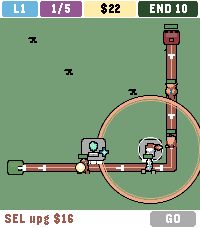
GamesHOURGUARD is lane tower defence for Pebble Time 2. Creeps walk a unique path each level. Green IN. Red END with 10 HP. Ten leaks and the gate falls. 50 levels. 5 waves each. Wave 5 is a crowned boss — 25 different looks. Level 50 wave 5 is the titan. Odd levels are day. Even levels are night. Two pads on level 1. Six on level 50. Gold is tight: place the right type and upgrade, or later lanes will leak. Your two strongest towers ride to the next map. END heals each new level. CONTROLS - Up / Down cycle pads and GO - SEL empty pad pick a type, SEL again to place - SEL tower upgrade - Hold SEL sell half (build) or 2x (wave) - SEL GO in a wave zap $10 TYPES (all six on every map) - SHOOT $10 bolt - SLOW $14 freeze - FIRE $16 splash - BEAM $12 two in a row - NOVA $16 hits all in range - HEX $18 heavy hit plus slow
 19
19HASS To Do List
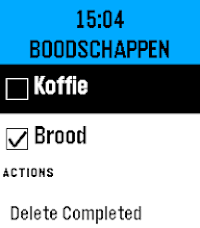
Tools & UtilitiesHASS To Do List is a simple watchapp that lists to do items of a single Home Assistant Local To Do List (https://www.home-assistant.io/integrations/local_todo/). You can complete items on the to do list by pressing the center button to check the checkboxes and you can also remove the checkbox again. Completed items can be removed, only all at once. It only supports one Home Assistant Local To Do List. It does not support adding items to the to do list. For that you can use (Voice) Assist supported by the much richer Home Assistant app: Home Assistant WS (https://apps.repebble.com/home-assistant-ws_68dea5734be9cb0009429595). The connection with Home Assistant is configured via the Pebble phone app. You need: - Your Home Assistant url - A long-lived access token, created in Home Assistant - entityID of your todo list, e.g. todo.groceries The font size is rather big, that's because my old man eyes can't read the tiny text anymore on the new higher res screen of the Pebble Time 2. This app is fully created using Claude Code, so no guarantees it works flawlessly.
 19
19Polly
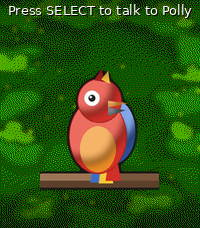
Tools & UtilitiesPolly — your talking parrot Polly is a colourful parrot for your Pebble Time 2 that actually talks out loud through the watch speaker. - **SELECT** — dictate a sentence and Polly speaks it back. - **UP** — ask a question and Polly answers in a sentence or two, powered by Google Gemini's free tier. - **DOWN** — pick one of your own preset "quick phrases" and say it instantly. Speech is generated by Google Cloud Text-to-Speech, with dozens of languages and voices to choose from. Between chats the parrot blinks, tilts its head, steps, hops and flaps on its branch. Requires a Pebble Time 2 (speaker + microphone). Bring your own free Google API keys — Cloud Text-to-Speech for the voice, and an AI Studio (Gemini) key for the optional ask-AI button. Both are entered in the app settings and stay on your phone. Voice, language, volume, animation frequency and quick phrases are all configurable.
 19
19Fatal Run
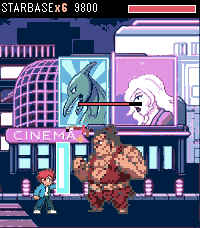
GamesFatal Run is a side-scrolling brawler for Pebble Time 2. You auto-run the street. Punch, kick, and jump-kick through ten stages, then finish the boss. Combos go up to six hits Fill the yellow bar with landed hits, then hold the bottom two (SELECT + DOWN) for FIRE PUNCH. FEATURES • Time 2 only • 10 photo stages, four enemy types, foes drop and stay • Street props from the full sheet: crate, pipe, barrel, logs, cones, bottle, hydrant, drum, boxes • Random street clutter with per-prop damage; mid-stage burger restores half your health • HP bars on every fighter • Six-hit combo meter, two-button block, and FIRE PUNCH special • Fatality sequences on every boss • Boss Run: all ten bosses, unlocked after campaign clear • Sound, music, vibrate, volume
 19
19DICE QUEST
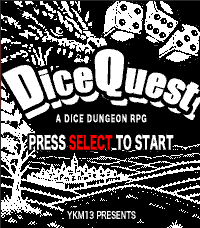
GamesDICE QUEST — A Dice Dungeon RPG Roll your way through six stages of an ancient dungeon and face the Abyssal Dragon King at its heart. Every battle comes down to three dice — read the roll, then decide how to act. Combat Land a Pair or Triple, then press SELECT to attack Triple — critical hit, plus a bonus potion and a full heal, instantly when the dice stop Pair — a solid hit Straight (any three numbers in a row, any order) — an automatic full dodge, resolved the instant the dice stop Roll anything else, and SELECT triggers a guard attempt instead: roll over 10 and you halve the damage ("GRD"), roll 10 or under and you take it all Items Potion — heals 15 HP, tucked away in dungeon dead ends, and one of your Triple rewards ★ Triple Item — guarantees your next roll comes up Triple (one per stage) ■ Pair Item — guarantees your next roll comes up Pair (one per stage) How to Play Dungeon: UP / DOWN to turn, SELECT to move forward or confirm a prompt Battle, 1st roll: UP to start rolling, UP again to stop Battle, reroll: DOWN to start rolling, DOWN again to stop SELECT to confirm your roll and act Hold SELECT to open your item bag — UP / DOWN to choose, SELECT to use How far can you roll?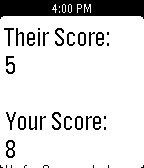 19
19Keep Score
Tools & UtilitiesA simple app to keep the score, whether you're playing golf with a buddy, ping-pong with some friends, or watching your daughter's soccer tournament, "Keep Score" will keep the score for you, so you can focus on the game, stress free!!! New update: Allows you to decrease score by holding down the respective button, and a new home screen.
 19
19UptimeRobot
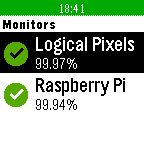
DailyUptimeRobot for Pebble lets you quickly view the status of your UptimeRobot monitors. Glance from your wrist to ensure that all of your servers are up and running. UptimeRobot for Pebble requires an account at http://uptimerobot.com and is not affiliated with UptimeRobot.
 19
19DSN Now
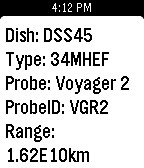
DailyThe Deep Space Network on your Pebble. Displays the dishes at various stations that are currently communicating with our deep space probes and the type of link (uplink/downlink). Cards also contain additional info about the dish and probe. Example: the second sreenshot shows dish DSS55 at Madrid, ES is currently uplinking to New Horizons.
 19
19Death Clock
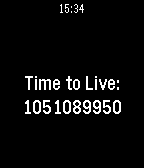
Tools & UtilitiesThe Death Clock provides a countdown of how many seconds you have left to live.
 19
19Deck of Cards Workout
Health & FitnessChallenge yourself to be more fit with the Deck of Cards Workout. Assign an exercise to each of the four suits and then do the number shown on each card, with face cards representing 10 (or higher if you prefer a stronger challenge). After each set of eight cards, you'll be prompted to alternate exercises, at which point you can also insert additional exercises as you see fit. As the cards are random, each workout is slightly different. Example workout: ------------------------ Spades: Push-ups Clubs: Leg Lifts Diamonds: Burpees Hearts: Squats Interval Exercise: 200 yd. Dash. (Optional) Even-numbered sets: Spades: Crunches Clubs: Planks (10 seconds x number on card) Diamonds: Standing Lunges Hearts: Ab Twists
 19
19LiftSlow
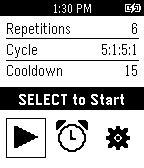
Health & FitnessStruggling to break a plateau? Experiment with slow and deliberate weight lifting. The app features timing for slow up and down lift strokes, and variable rest, warmup and cool down intervals. The adjustable watch vibe, not the watch display, is the primary mode for indicating the timed intervals