 21
21Hourly Rate
Tools & UtilitiesSee time as money. Good for anyone who works by the hour, or who puts a $$$ value on their time. Great for attorneys, consultants, et al. Configurable hourly rate with a start / stop timer. Shake wrist to toggle between seeing hours or dollar value as main display. Works with iOS and Android.
 21
21RChrono
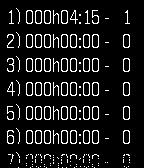
Health & FitnessRChrono is a chronometer watchapp for the PEBBLE watch. Features are: - 30 laps - Up to 999h59min59s - Final time calculation - Auto-distance feature - Interval timer - Hydration alarm - Time display - Completely offline (no need of a smartphone) - Data saved if you quit the application
 21
21EMS
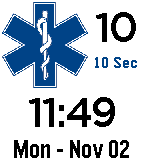
DailyEMS is a conversion from a watch face to an app in order to support selectable time intervals using the upper right button.
 21
21Countdown
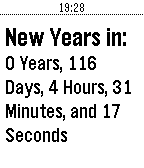
Tools & UtilitiesIf you love Countdown, give it a Heart! This app enables you to count down to any date and time you want. It is preset to New Years Day. Use the settings to change it
 21
21Nasu
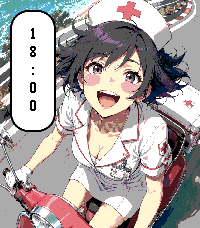
Tools & UtilitiesDeutsch Nasu ist eine Medikamenten-Erinnerungs-App für die Pebble Time 2 – mit einer kleinen Krankenschwester, die dich auf ihrer Vespa begleitet und daran erinnert, deine Medikamente zu nehmen. Weil ich vergesslich bin und nichts Cooles gefunden habe, habe ich mir die App einfach selbst programmiert. Der Name spielt auf das japanische ナース (nāsu) für „Nurse / Krankenschwester“ an. Verwalte bis zu 16 Medikamente. Deine Tabletten werden mit Form, Farbe, Größe und Beschriftung möglichst realistisch nachgebildet und als kleine physikalische Objekte auf der Uhr dargestellt, die auf die Bewegung deines Handgelenks reagieren. Darunter findest du eine detaillierte Liste mit Name, Dosierung, Menge und Beschreibung. Auch Injektionspens werden unterstützt. Ob täglich, wöchentlich, monatlich oder alle X Tage: Du bestimmst den Einnahmerhythmus. „Alle X Tage“ lässt sich zwischen 2 und 255 Tagen mit einem Startdatum konfigurieren – beispielsweise alle 10 Tage. Alternativ kannst du Stundenintervalle von 2, 3, 4, 6, 8 oder 12 Stunden mit einer Startzeit einstellen. Erinnerungen können per Ton und Vibration erfolgen und wiederholt werden, bis die Einnahme bewusst per Gedrückthalten bestätigt wurde. Auf dem Smartphone kannst du Medikamente hinzufügen, bearbeiten, kopieren und per Ziehen umordnen. Mit Hell-/Dunkel-Theme und deutscher und englischer Oberfläche passt du Nasu an deine Wünsche an. Nasu ist freie Software unter der GPLv3, ein Komfortwerkzeug und kein Medizinprodukt. English Nasu is a medication reminder app for the Pebble Time 2, featuring a little nurse who accompanies you on her Vespa and reminds you to take your medication. Because I’m forgetful and couldn’t find anything cool, I just programmed it myself. The name is a play on the Japanese word ナース (nāsu), meaning “nurse”. Manage up to 16 medications. Your pills can be recreated with their shape, color, size and imprint and appear on the watch as small physical objects that react to the movement of your wrist. Below the simulation, a detailed list shows the medication name, dosage, quantity and description. Injection pens are also supported. Choose daily, weekly, monthly or every-X-days schedules. Every-X-days schedules support intervals from 2 to 255 days with a start date—for example, every 10 days. Alternatively, set an hourly interval of 2, 3, 4, 6, 8 or 12 hours with a start time. Reminders can use sound and vibration and repeat until the medication is deliberately confirmed with a press-and-hold interaction. Add, edit, copy and reorder medications by dragging on your phone. Light and dark themes and German and English interfaces let you customize Nasu to your preferences. Nasu is free software licensed under the GPLv3, a convenience tool and not a medical device.
 21
21Insteon Control
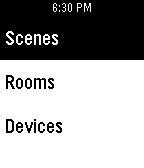
RemotesInsteon control Not functioning for everyone, and I haven't been able to find the source of the issue. Only reason it's up is because the users who it *was* functioning for requested I leave it up. This app uses Insteon's API, letting you control your home lights and scenes. I wanted to stop looking for my phone when I wanted to activate my "Movies" scene, or when I wanted to turn the house off as I went to bed, so I wrote this. Directions: Start by setting up the config inside the Pebble app on your phone. When selecting a device or scene, a short press turns it on, long press is off. NOTE: One user has informed the the config option did not work for them. Please let me know by email or on IRC if you hit the same issue, and I'll be happy to help diagnose it. Compatibility: This app is only compatible with the Hub 2 (2245-222) since Insteon's API doesn't work with the others. Notes: I named my Insteon API key account "TBD" because I never planned on actually publishing an app. The shown pictures are lame, because the app isn't very featured yet, and I currently don't have plans for it to become much more featured. Known Bugs/Issues: - Does not show current status - 2-device wall outlets will only control the top outlet (This is a limitation of the API) - Nothing outside of lights/outlets works (no thermostat, remote sensors, etc. Known issue with the API) Feel free to contact me with comments/bugs/suggestions. I also idle in the #insteon and #pebble channels on Freenode as swiss.
 21
21Tip and Split
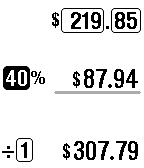
Tools & UtilitiesEnter your bill amount and tip percentage and the watch does the rest. Like to go dutch? Enter a number to divide (split) the bill.
 21
21Sickbeard
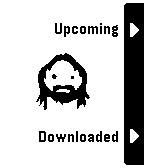
DailyShow your recent Sickbeard downloaded and upcoming shows on your Pebble. It is required that your Sickbeard is reachable through the internet. (So that the watchapp can be updated when on 3G) Get your Sickbeard API key from "general > config" in Sickbeard and enter it in the config screen together with your server's address.
 21
21Skateboard+
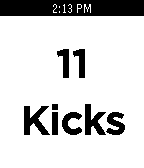
Health & FitnessA skateboard kick counter for the pebble! Hold select to clear for your next ride. Created By A 14 Year Old
 21
21Rocket
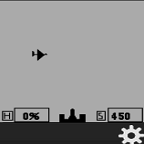
GamesRocket - Fire rockets to destroy drones. Rocket is a Zen game to shoot drones with a rocket. You can select, even in mid-rocket-flight, your speed, with the right-side top and bottom buttons. You fire your rockets with the middle button. The % of hits is based on the number hits over the number of rocket launches. The Zen of this is that the % of hits is only counted when you fire the rocket. You can let the drones go by for hours with no change to your score.
 21
21Mapit
Tools & UtilitiesApp updated every day, i'm still coding. Anounces and bug reports at: Twitter @autommatic With mapit you can send your location to yourself or others, via SMS or email, or post it on the Internet or whatever you want. The possibilities are endless because IFTTT is behind this. Creating a IFTTT recipe with a Maker Channel "like a trigger" you can send your location to anyone or just keep it for yourself and of course without using your mobile, just using our Pebble. Also you can get GPS persistent information. The first thing you need is to be user of IFTTT app, is a GREAT service/app, the second is activate the Maker Channel. On settings you can see a video that explains how to make it and you'll find a field to enter the url that gives you Maker Channel. Like this: "https://maker.ifttt.com/trigger/{EVENT_NAME}/with/key/{YOUR_KEY}"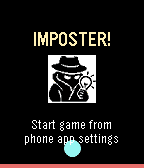 21
21IMPOSTER!
GamesThe classic game IMPOSTER, now on your wrist. Set up the players in the settings, choose your category (optional) and hit Start. Pass your Pebble around and play in a fun new way... Play like a spy with your Pebble smart watch! - Features 80 different clues for plenty of variety - Supports 3 to 10 players - Automatic score tracking
 21
21GW2 Boss Timers
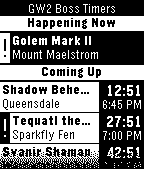
DailyThis app displays a simple list of timers for the next several world boss events in Guild Wars 2. No Internet connection required. Uses the schedule information from the June 17, 2014 game update. See the README at the source link and the GW2 forum thread for more detailed information. Guild Wars 2 and all related assets are the property of ArenaNet, Inc.
 21
21Music Synthesizer with Pebble
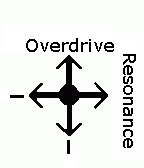
RemotesThis is a companion app for Music Synthesizer for Pebble. It allows the user to use the Pebble to apply effects to the Synthesizer in real time by simply rotating their wrist and elbow. Rotating about the wrist from a neutral position modulates the Overdrive effect. Likewise, rotating about the elbow modulates the Resonance effect.
 21
21Spanglish
GamesSpanish practice application - 10 levels with simple vocabulary to make learning Spanish words fun and easy on the go!