 21
21Dashboard 2
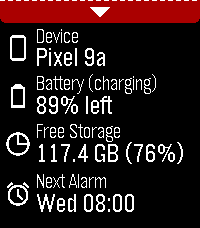
Tools & Utilities**IMPORTANT**: Requires Android companion app which is available from GitHub (https://github.com/C-D-Lewis/pebble-dev/tree/master/watchapps/dashboard2) or compiled from source with Android Studio. Modern successor to Dashboard, which is largely defunct now due to background app Android policy and permissions clampdowns since 2016. Starting with minimal features, and adding more as they are deemed possible with opt-in special device access as required. The focus is on modularity, maintainability, and re-usability. Data available: - Device name - Device battery level and charging status - Device free storage space - Next Android alarm Toggles / features available: - Find Phone with loud sound - Cycle through ringer modes (requires opt-in permission, see below) Uses PebbleKit Android 2 to retrieve information about the phone and control some toggles / features via the official Pebble Android app.
 21
21Nudge
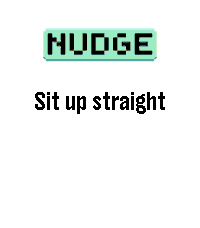
Tools & Utilities## Repeating reminders that actually reach you, even in Quiet Time. Nudge is a configurable interval reminder for your wrist. Set it up once and it buzzes you on a schedule you control: every 25 minutes on weekday afternoons, every 90 minutes all day, or anything in between or longer. Unlike a phone reminder, Nudge keeps working when you have Do Not Disturb on. Its vibrations are explicit app vibrations, so they fire through Quiet Time, using the pattern you picked. # WHAT YOU GET - Up to 6 independent reminders, each switched on and off on its own. - Intervals from 1 minute to 24 hours, set to the second if you want (4 min 20 s). - Variable interval: instead of a fixed gap, roll a new random interval between a minimum and a maximum on every fire, so it never gets predictable. - 5 vibration patterns: short-short, short-long, long-long, triple-short, long-short-long. - An optional short message shown on the watch, and raised as a notification on top of whatever you were looking at. - A daily time window and day-of-week picker per reminder, so nothing buzzes you at 3am or on a Sunday unless you ask it to. - Three buzz modes, so you choose between your pattern, a single buzz, or a silent message only. Everything is configured from the Pebble app's own settings screen. There is no companion app to install and no account to create. Reminders survive closing the app and rebooting the watch: each one schedules the next with the OS wakeup service. # GOOD TO KNOW Nudge surfaces on screen for a second or two when a reminder fires. That foreground moment is what lets the full vibration pattern play, rather than the single truncated pulse a background app is limited to. Each reminder covers one same-day window. For an overnight schedule, use two reminder slots.
 21
21RPG Dice
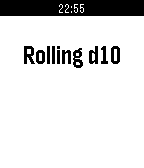
GamesRoll from a set of standard RPG dice; D4, D6, D8, D10, D12, D20, D100. Flick your wrist to re-roll. Coming soon: use companion app to create custom dice configurations (e.g. 2D6+1).
 21
21Sand Sim
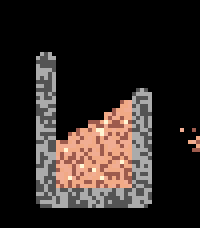
GamesA fun little sand simulation for your wrist. Hope you enjoy! 😊 Requires Touch Support Interactions - Up → Quick select tools - Down → Quick select materials - Select → Open menu (navigate with up, down, select, and back) - Touch the screen to place and interact with particles - Tilt the watch to shift gravity Tools - Brush — Place sand - Attract — Creates a gravity well that pulls particles in - Repel — Creates a repulsive force that pushes particles away - Push — Slides particles around the screen - Eraser — Removes particles from the screen Materials Choose from Sand, Water, Stone, and Lava — or create your own! Select a behavior (Liquid, Powder, or Solid) and one of 9 colors, then add it to your material palette.
 21
21Fact-a-Minute!
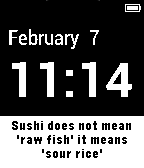
DailyWhat better than a bit of trivia every time you check your watch! The fact-a-minute gives you a random fact every minute (80 as of Version 3 and more coming!). The facts have been taken from reliable sources and each one checked via multiple locations and can be given true fact status.
 21
21Swiss Chronograph
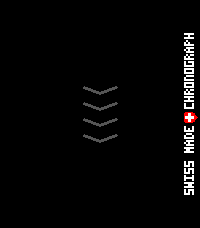
Tools & UtilitiesEnglish One swipe. That’s it. Are you tired of timer apps where your finger covers exactly what you are trying to set? Or of tapping through menus again and again just to start a simple countdown? Swiss Chronograph is different. Swipe once along the vertical ruler, choose your time, and you are done. The interface was designed to be as minimal as possible: as little visual clutter as possible and as few clicks as possible. The timer can be minimised and continues running in the background. When the countdown finishes, the display alternates between light and dark once per second while the digits invert with it. The alarm plays a proper 8-bit sound: 10 seconds of sound followed by a 2-second pause, repeated until the alarm is dismissed or stops automatically. Choose a permanent Light or Dark theme, or use Shake mode to switch between them with a movement of your wrist. Touch is the fastest way to use Swiss Chronograph, but every essential action is also available through the hardware buttons. That means the timer remains fully usable when the screen is wet, your hands are dirty, or you are wearing gloves. And yes, it is genuinely Swiss: it was designed and developed in Switzerland by a Swiss developer. The project is open source. Have fun with it! Greetings, Maru Deutsch Ein Swipe. Das war’s. Bist du es auch leid, dass du bei Timer-Apps mit dem Finger genau das verdeckst, was du einstellen möchtest? Oder dass du dich durch Menüs klicken musst, nur um einen einfachen Countdown zu starten? Swiss Chronograph ist anders. Ein Swipe über das vertikale Lineal, Zeit auswählen, fertig. Die Oberfläche wurde so minimalistisch wie möglich gestaltet: so wenig visuelle Ablenkung und so wenige Klicks wie möglich. Der Timer kann minimiert werden und läuft im Hintergrund weiter. Wenn der Countdown endet, wechselt der gesamte Bildschirm einmal pro Sekunde zwischen hell und dunkel, während sich die Ziffern passend dazu umkehren. Dazu spielt ein richtiger 8-Bit-Alarmton: 10 Sekunden Ton, danach 2 Sekunden Pause, bis der Alarm beendet wird oder automatisch stoppt. Du kannst dauerhaft ein helles oder dunkles Theme verwenden. Im Shake-Modus wechselst du mit einer Bewegung des Handgelenks zwischen beiden. Am schnellsten funktioniert Swiss Chronograph über Touch. Trotzdem ist jede wichtige Funktion auch vollständig über die Hardwaretasten bedienbar. Damit kannst du den Timer auch verwenden, wenn das Display nass ist, deine Hände schmutzig sind oder du Handschuhe trägst. Und ja, er ist tatsächlich schweizerisch: Er wurde in der Schweiz von einem Schweizer entwickelt. Das Projekt ist Open Source. Viel Spass damit! Gruss, Maru
 21
21Edo Clock
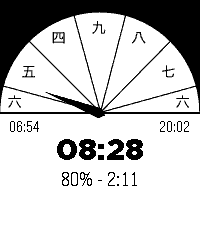
Tools & UtilitiesThis app is an Edo Clock. Edo period clocks are based on 6 hours spaced from sun rise to sun set. Summer hours are longer then winter hours.
 21
21Golf GPS range finder
Health & FitnessShow distances to the green; front, middle and back. Show distances to doglegs Show distances to hazards like water, bunkers. Track how far you hit with your clubs. Show club suggestions. Settings Hide certain hazards Automatically go to next hole Course search radius Coming features: Automatic swing detection Scoring: First strokeplay and later stableford. Statistics This is a beta release, please send me your feature request to [email protected]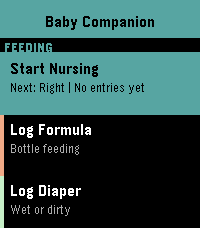 21
21Baby Companion
Health & FitnessThe complete baby tracking suite for your Pebble watch. Everything a new parent needs, right on their wrist. Feeding -Nursing tracker with left/right side, duration timer, and automatic next-side suggestion -Formula tracker with adjustable oz and a bottle fill indicator — age-based volume suggestions from your baby's birth date -Feed reminders via wakeup alarm (7 intervals from 1h to 4h) Health & Diapers -Diaper tracker (wet or dirty) with a 24-hour warning if diaper count drops below healthy levels -Medication tracker for Tylenol and Motrin with dose logging Sleep -Sleep tracker with automatic nap vs. night tagging based on time of day Medical Timers -Colic timer to track crying episodes -Contraction timer with automatic 5-1-1 and 4-1-1 rule detection — alerts you when it's time to call your doctor Milestones -Log 15 developmental milestones with timestamps — Social Smile, First Laugh, First Steps, and more History & Settings -Full activity history with timestamps -3 color themes: Neutral, Boy, Girl -Baby name and birth date settings -Fully supports both Time 2 (rectangular) and Round 2 (circular) displays
 21
21Coin Flip
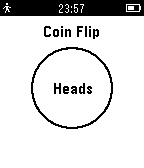
DailyHeads or Tails! Cannot make up your mind between two choices? This app will do it for you! Just tilt your watch to throw the coin and watch as it flips and lands on either heads or tails!
 21
21NHL Scores
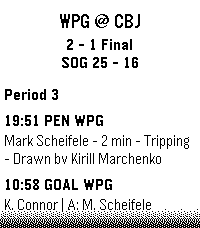
DailyKeep updated with your favorite teams with NHL Scores, the ultimate daily companion for hockey fans on the Pebble watch! Whether you're tracking a live matchup or checking the final results from earlier in the evening, NHL Scores focuses exclusively on the current day's action, bringing the scoreboard right to your wrist. Get a quick glance at today's game scores, or dive into detailed views to see team records, division standings, and play-by-play events including goals, assists, and penalties. Configuration Settings Customize your experience right from the Pebble app on your phone: - Favorite Teams: Select up to 5 of your favorite NHL teams to always pin their games to the top of your daily list. - Show Penalties: Choose whether to display or hide penalty events in the play-by-play view. - Event Sort Order: Read through today's game events sequentially (from puck drop in Period 1 to the final horn), or set it to "Latest Event First" to see the most recent goals and action at a glance. Credits Score data is made possible thanks to the excellent open-source nhl-score-api project and official NHL web APIs. The configuration menu is powered by the @rebble/clay library. About the Developer - Comet Designs creates fun content for the Pebble platform. - Please send any feedback to [email protected] ! - Buy me a coffee https://ko-fi.com/cometdesigns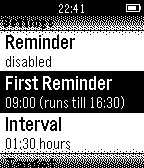 21
21Drink!
Health & FitnessNEW: The optional companion app can fetch logged data from the watch to your Android smartphone! Stay hydrated! Reminds you to drink during the day, includes reminders, vibration, snoozing and more! Check out http://astifter.github.io/Drink/ for details.
 21
21Peek a boo (Where is my phone?)
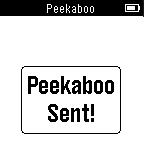
Tools & UtilitiesWhere is my phone? This app send a peek to phone to play your default notification. you can associate it to button up or down using Pebble Quick Launch. In this way you can execute it using any watchfaces.
 21
21PebbleHAB
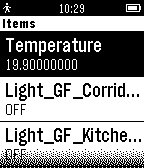
RemotesPebbleHAB is an OpenHAB client for the Pebble. Current capabilities include: -connecting to HTTP servers (no HTTPS) -connecting to my.openhab (only HTTPS) -displaying switch items and state -displaying Temperature items (the name of the item has to contain "temp" or "Temp") -displaying contact items -displaying dimmer items -toggling switch items -toggling dimmer items Please contact me for all issues or ideas on how to improve.
 21
21Diamond Clicker
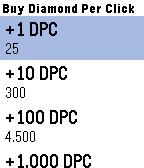
GamesGain as many diamonds as you can by pressing up/down button! As soon as you have enough diamonds, visit the shop by pressing middle button and use your diamonds to buy DPC (Diamond per click) to gain diamonds even quicker! This is a mini version of Diamond Clicker (Android). Full version : https://goo.gl/aXb571