 46
46Wrstlytics
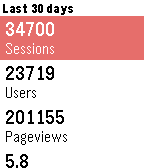
Tools & UtilitiesWrstlytics - Google Analytics on your wrist. Wrstlytics shows your important site metrics right on your wrist. Check past performance and live traffic! NEW: Custom reports! Simply sign in with your Google account.
 66
66MyTodoist
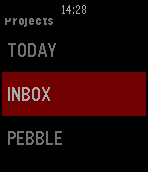
DailyThis app displays your Todoist's task list and allows you to complete or uncomplete tasks. It is basic but it does the work. You need your api key to use it. Go in the settings of the Todoist website, in the "Account" tab. You can use one of my app to copy paste it on your phone : http://www.filesdnd.com
 18
18SleepyTime App
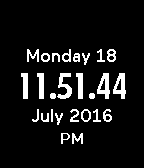
Tools & UtilitiesSleepy Time is an app that saves your battery by only displaying the time when the Select/Middle button is clicked! View the date with the Up Key; you may also hide the date with the Down Key. Clicking the Middle button again will turn off the screen or you can let it be as it will automatically turn off after 10 seconds.
 21
21Countdown
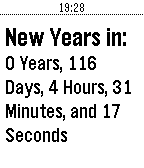
Tools & UtilitiesIf you love Countdown, give it a Heart! This app enables you to count down to any date and time you want. It is preset to New Years Day. Use the settings to change it
 12
12Bilbikes 2.0
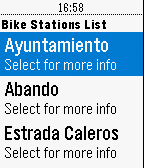
RemotesIt´s a service for Bilbao's cyclists community. The users can query the bike service available in real time.
 56
56TYLT Vu Pulse
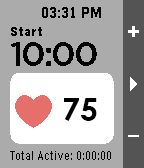
Health & FitnessThis is the companion app to the TYLT Vu Pulse for Pebble Time and Time Steel. Seamlessly integrating Heart Rate and Wireless charging for your Pebble! ** TYLT Vu Pulse “Smartstrap” is required for this app to perform Heart Rate functionality.
 13
13Notebble
Tools & UtilitiesPush text from your phone to Pebble!
 56
56KOERS
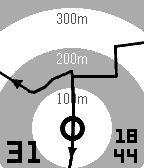
Health & FitnessExplore new roads with your Pebble: select a GPS route on your phone and start riding. Quickly select existing routes nearby, routes and segments from you and your friends on Strava. Or import a route in GPX or TCX from your favourite route builder. Features: - Course navigation on Pebble: show current location on your route. - Show distance and direction to route when not on screen. - Map rotation based on heading (default) or device orientation. - Offline import of GPX and TCX files. iOS only - Search for existing routes nearby you. - Connect with Strava to select routes, activities and segments. - Show current speed and time. - Turn backlight always on. You can try KOERS for free while in beta. KOERS has proven its practice for me on the bike, let me know if you find it useful during your activities.
 9
9PantaMazi
Health & FitnessThis is a Pebble Watchapp of PantaMazi, the assisted living platform of BioAssist S.A. The application currently presents reminders to the users as well as the current weather conditions. Stay tuned for more exciting features!
 25
25Food Finder
Tools & UtilitiesFind a great place to eat! Food Finder shows you the best places to go based on rating, distance and price. Credits: Restaurant information from Zomato Wonderful burger image by Artem Kovyazin
 11
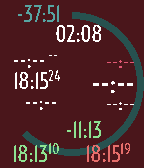
11PilotWatch
Tools & UtilitiesPilotWatch is a watchapp dedicated to pilots doing dead reckoning navigation. It requires no preparation. Just run the app when on board. It is the perfect companion for your navigation log. Set the flight duration directly on the watch then start your flight. PilotWatch records the start time. Set the estimated leg duration on the watch directly at each turning point. PilotWatch gives you instantly the estimated leg end time, the difference between the estimated and actual duration for the past leg. PilotWatch will always warn you if you're approaching the end of your flight or if you've exceeded your estimated leg duration. Finally end your flight. PilotWatch gives you the total actual flight time, the end time and the difference between the estimate and actual flight duration. All data is on the screen. No pages. Colors help you identify quickly the time data.
 20
20Visual Metronome
Tools & UtilitiesThis fantastic metronome allows for simple haptic feedback while you play, removing the need to hear anything. It can now model an older metronome by showing a moving metronome arm (shown by holding select then pressing select)! It can flash if you so choose, and it displays the current tempo marking that you are under (subject to change and heavy debate). You can also jump between the tempo markings by holding the select button then hitting up or down.
 129
129Hebrew and Arabic support for Pebble - e
DailyelbbeP lets you read Arabic and Hebrew everywhere on your Pebble smartwatch: text messages, calendar alerts, apps & more. Any Pebble can be upgraded to display Hebrew and Arabic, and there's no extra phone app required. Tap "Website Link" below to get started.
 246
246Find My Android Phone
Tools & UtilitiesFind your phone from your watch. No need to get someone to phone you. If you misplace or lose your phone, open this app to make your phone ring. If your phone isn't connected, the Bluetooth is set to high power mode: walk around and your watch will search out your phone. Your Android phone vibrates, plays your alarm sound on full volume, and turns the screen on white.
 9
9Sleepy-Watch
NotificationsThere is a world as tangible as our own, impossible to see yet unavoidable to sense, a world enveloped by an unending ocean of forests. Buried deep in that forest, tucked away neatly by a blanket of twilight, lies a quaint little cabin and in that cabin... lies abuncha guys doing a bunch of bullshit ------------------------------------------- Know when these guys publish their next podcast, introducing SleepyWatch! (Watch as in keeping an eye on them and like the thing you wear... it works on many levels ok?) SleepyWatch has more features than a barrel full of monkeys: -Know what season and episode number the current podcast episode is! -Know what the title of the current podcast episode is! -Read a brief description of the current podcast episode! -Know what season, episode number, and title of the current podcast episode is without even opening the app thanks to AppGlance (Pebble OS 4 only!) -See through time and space itself! Known Bugs: -If you have lightening fast internet speeds unknown to man, the app WILL crash ------------------------------------------- I don't own SleepyCabin or SleepyCast, nor do I own the logo I used in this app, thanks for your support!