 161
161Escape the Room
GamesYou are locked in a room, and must find keys to unlock the door to escape. Use the up and down buttons to zoom in and out, and the middle button to select an item. A long press to the middle button will open the inventory, action, and custom settings menu. If you get stuck, look closely at everything. There are clues hidden everywhere. There are no instructions for the locked puzzles - just figure them out. There are several methods for navigating the room though the custom settings menu. Choose the one that is easiest for you. Good luck! Credits to Mathew Reiss for the idea and Jérôme Motte for the background image.
 9
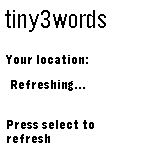
9tiny3words
Tools & UtilitiesTakes your current location and uses the what3words location system to feed it back in 3 words! Now with autorefresh, configurable in settings!
 38
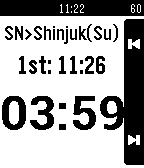
38Time Table
DailyDo you want to know the time of next train easily? This watchapp make it ! And it also shows countdown timer to departure. The demo movie is as follows. http://www.youtube.com/watch?v=ff90cKxljyc
 133
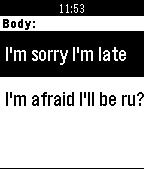
133Step Mail
DailyThis app construct mail body line by line, and send it. You can edit all mail contents by registering to SmartWatch SandBox site( http://www.sw-sandbox.info/ ). The demo movie is as follows. https://www.youtube.com/watch?v=EiFgAOH7WpE
 241
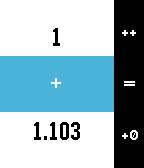
241Calculabble
Tools & UtilitiesCalculabble puts an easy to use calculator on your wrist. It's designed for three-button operation: - Click up to increase the current figure; hold down to negate the operand; - Click down once to add a zero to the right; double click down to remove it; hold down to insert point; - Click select to choose the operation and start inputting the second operand; hold to select the last operation; - Click select when you have both numbers to perform the calculation! FEATURES: - Up to 8 figures; - Floating point up to 3 decimals; - Addition, subtraction, multiplication, division, squares, roots; NOTE: roots are implemented using Babylon method. Results are approximations. TODOs: - Implement memory storage; - Implement more operations; - Add customization.
 48
48Badminton score
Health & FitnessAn easy to use pebble app to count the points during your badminton game. Hit the bottom button when you score, the top button when your opponent scores. The final score will be displayed at the end of the game. The last result will be available from the app launcher (new App Glance feature of OS 4). This app is an adaptation of Ben Gourley's Pebble Tennis to the badminton game.
 2.1K
2.1KPinyWings
GamesVisually stunning and highly addictive game for Pebble. Help a little bird with piny wings to reach distant islands! Requires you to unlock full game after reaching 2nd island. Bird graphics by Rostislav Blaha. Inspired by Andreas Illiger.
 134
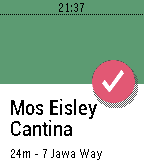
134Spoon
DailySpoon is a simple Foursquare/Swarm check-in app for Pebble. The watchapp lists nearby venues using your phone's GPS location. Pick a venue and check-in. All from your wrist. Español Spoon es un app simple para Foursquare y Swarm. Usando el GPS del su celular para listar los lugares cercano. Elige uno y haz "check-in" desde tu pulsera.
 660
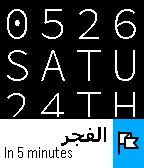
660Qibla - Prayer Times & Compass
NotificationsPrayer times & notifications on your Timeline, plus a Qibla compass for your Pebble. Automatically calculates prayer times based on your location - so make sure "location services" is enabled on your phone. Use the settings screen to customize the calculation method and Asr setting. The following calculation methods are supported: - Diyanet (Turkey) - Egypt - ISNA - Jafari - Karachi - MWL - Makkah - Tehran
 18
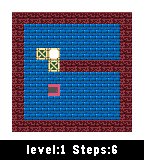
18Super BoxMan
GamesBoxman or Sokoban is a type of transport puzzle, in which the player pushes boxes or crates around in a warehouse, trying to get them to storage locations. -use the select button to move -UP and Down button -long click in Select to restart the level enjoy. my wish lisy in amazon https://amzn.com/w/3V1J0TATJUUOQ
 109
109G bus
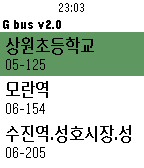
Daily이 앱은 현재 내가 이용하는 버스의 도착 시간을 열람할 수 있는 앱입니다. 앱 설치 후 먼저 설정에서 버스를 추가하시고 앱을 사용하세요. 인터넷 연결이 반드시 필요합니다. 새로고침은 가운데(Select)버튼입니다. 전국 지역 대부분을 지원합니다.
 98
98Golf Pad: Golf GPS Rangefinder and Score
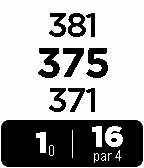
Health & FitnessGolf Pad GPS is a fast accurate golf GPS rangefinder, scorecard and shot tracker. It works on over 30,000 golf courses worldwide. As you play a round, Golf Pad keeps your phone and Pebble in perfect sync. Instantly see distance to front/middle/back of the green, record shot positions and keep score from Pebble. View aerial maps, statistics and share with friends on the phone.
 7
7Positive Reminder
DailyLife can be rough. Positive reminders can help you push through. Check the app every week or on Mondays ;)
 7
7Counter proportion
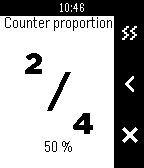
Tools & UtilitiesFrançais Cette application est un compteur à 2 chiffres. Le premier fait référence à une "portion" et le deuxième à une "quantité totale". L'application affiche: - Le rapport "portion" / "quantité totale" - Le pourcentage: ("portion" / "quantité totale") * 100 Elle propose les options suivantes: - L'appuis sur le bouton sélection permet d'ajouter ou de retirer une unité (+1 ou -1) aux valeurs "portion" et "quantité totale". - L'appuis long sur le bouton sélection permet d'afficher plus d'options: activer ou désactiver le vibreur ou réinitialiser les valeurs de "portion" et "quantité totale". A noter que: - Ajouter +1 à la "portion" ajoute aussi +1 à la "quantité totale" - Retirer -1 à la "portion" retire aussi -1 à la "quantité totale"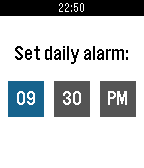 116
116Quebble
DailyBecause some days can be tough, Quebble sends you one motivational quote every day on your wrist. Get inspirational ideas and upgrade your mood with a simple quote. Be inspire and move forward! How Does It Work? -------------------------- 1. Download and install the app on your watch. 2. Set your daily alarm. It allows you to choose when you want to receive your quote. 3. That's it! Your quote will be sent every day on your watch. Enjoy! Contact & Thanks -------------------------- If you find bugs, have problems using the app or if you're just interested in this project, feel free to contact me on Twitter (@bellanger_q) or to email me. Thanks to Maxime (@DCMaxxx) and David (@davidmiotti) for helping me developing this app, — Quentin.