 28
28SnapCounter
Tools & UtilitiesAn app to count things and calculate percentages using the Pebble buttons or finger motion (snapping/tapping)
 27
27Tennis Score
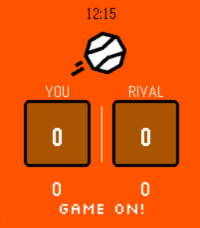
Tools & UtilitiesNever lose track of the score again. Tennis turns your Pebble into a sleek courtside scoreboard that keeps up with every rally. How to play: - Press UP to select your score, press DOWN to select your rival's - Tap SELECT to add a point - Long-press SELECT to undo a point - Confirm each game with a tap -- sets are tracked automatically Full scoring built in: Standard tennis scoring (0, 15, 30, 40, AD), tiebreaks at 6-6, and set history across the match. Stay pumped with pixel-art messages: Your watch cheers you on! See "GAME ON!" at the start, "ONE MORE POINT!" when you're close, "DEUCE! DIG IN!" when it's tight, and "FINISH THEM!" at match point. Your rival leading? "STAY ALIVE!" — you got this. Make it yours: Open Settings on your phone to pick your court color — classic Orange clay, lush Green grass, bold Blue hard court, or cool Teal for the stylish player. Works on every Pebble, designed for all platforms! Game on!
 42
42No.
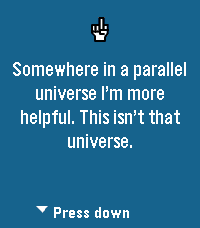
Tools & UtilitiesTired of saying yes to everything? No. is the app for people who have finally embraced their inner introvert. Press any button on your Pebble and receive an instant, professionally-crafted excuse to decline whatever life throws at you. The background changes colors because even our pixels refuse to commit to one aesthetic. This release fixes a bug where the loading bar would spin forever, much like your excuses when someone asks why you skipped their party. We also taught the app how to actually talk to the internet, which turns out is pretty important for an app that fetches excuses from the cloud. Powered by NAAS (No As A Service) because of course that exists. Side effects may include free evenings, confused friends, and an overwhelming sense of peace. Not responsible for any bridges burned or family dinners missed.
 8
8OctoPebble
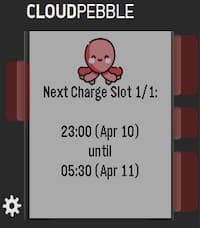
Tools & UtilitiesA quick, way to view your FlexPlannedDispatches from the Octopus Energy API. Perfect for Intelligent Octopus Go users who want to know exactly when their EV is scheduled to charge—especially when checking for dynamic smart slots outside the standard 23:30–05:30 window. Setup Notes: To use this app, you will need to enter your API Key, Account Number, and Device ID in the Pebble app settings. API Key: Can be obtained directly from your account via the https://octopus.energy/help-and-faqs/articles/how-do-i-access-the-octopus-api/. Account Number: Found by logging into your Octopus Energy dashboard. It is listed under your username or in the URL of your main account page (e.g., .../accounts/A-A1B1C1D1/...). It is typically formatted as A-########. Device ID: This is the unique identifier for your specific EV charger (e.g., a Zappi). Because an account might have multiple smart devices (like a heat pump or solar inverter), you currently need to select this manually. The format looks like this: 00000000-0000-0000-0000-000000000000. How to get your Device ID: I have provided a simple Python helper script (get_device_id.py) that will fetch this for you. You can find the script here: https://github.com/sunrisesteel/octopebble_script . You will need to enter your API key and Account Number to fetch the device IDs on your account.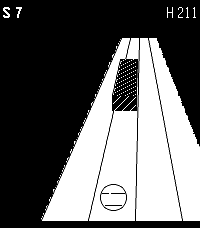 15
15SlopeShift
GamesA perfect way to waste your time or keep someone else from wasting it for you. In slopeshift you try to avoid rolling into things.
 8
8Golf-Card Game
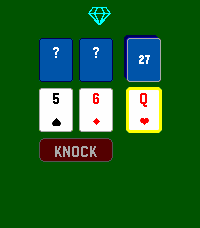
GamesPass & Play 2-6 Player Golf Card Game Get the lowest score! Pass the watch around to take turns. Hold up to see everyones standing, hold down to see the last turns made. Look at my other Pass & Play games.
 27
27Mole
GamesThis is a joke app, but you can whack a mole. You can whack it. That's all.
 72
72Pebble Points
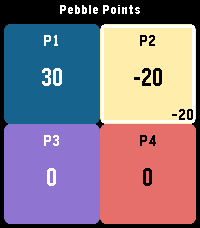
GamesPebble Points Pebble Points is a fast, button-first scorekeeping app for Pebble smartwatches. It is designed for in-the-moment tabletop, card, party, and casual competitive games where you need quick score changes without leaving gameplay. What Pebble Points Does Pebble Points lets you: Track scores for 2 to 4 players with Customize player count and player names from phone settings Switch the active player instantly Increment or decrement scores with one click Use negative scores when your game rules allow it Keep up to 3 saved games and continue later Replay a saved game using checkpoint playback Toggle haptic feedback from phone settings Set score step from watch settings (1, 5, or 10 points per click) Reset only the active player to 0 with a long Select press Core Features (Detailed) 1) Flexible Player Support Supports 2, 3, or 4 players. Layout adapts automatically: 2 players: vertical split 3 players: top full-width + two bottom panels 4 players: 2x2 grid Active player is visually highlighted. 2) Fast, One-Handed Scoring Up: add points to active player Down: subtract points from active player Select: rotate to next player Long Select (~700ms): reset active player score to 0 3) Count-By Methods (Scoring Step) Pebble Points supports multiple “count by” methods via score step: Count by 1: +1 / -1 Count by 5: +5 / -5 Count by 10: +10 / -10 Set this from the app’s on-watch Settings menu. 4) Save and Continue Sessions Keeps the 3 most recent games. Stores creation and last-played timestamps. Promotes a continued game to the newest slot automatically. Preserves player names, scores, active player, and settings-backed behavior. 5) Phone Settings (Clay) From companion settings you can configure: Player count (2/3/4) Player names (up to 15 chars each) Haptic feedback on/off 6) Responsive Visual/Haptic Feedback Haptic pulses for key scoring and selection actions (when enabled). Score-delta indicator for recent change context. Built-in animation scaffolding for pop/slash/confetti style effects. How Pebble Points Differs from Typical Pebble Score Apps Pebble Points focuses on speed + persistence + replay context rather than only raw counters: Session-centric design instead of a single volatile scoreboard You can keep multiple recent games and return later. Replay-aware storage Each saved game has a checkpoint track for playback. Immediate replay-to-live handoff You can watch a replay, then continue directly into live scoring. Watch-first interaction model Most core flow (new game, continue, step changes, scoring) works directly on watch. Practical count-by control Native score-step selection (1/5/10) enables faster game-specific scoring patterns. Replay Feature: Big Overview Replay in Pebble Points is a checkpoint replay system, not a full event-by-event log. Replay Flow Open Continue Game. Pick a saved game. Choose Replay (when checkpoints exist). Watch checkpoint playback. At end, press Select to continue directly into live game. What Replay Can Do Reconstruct score snapshots over time for a saved game. Show progression of scores and active player across checkpoints. Play checkpoints automatically on a timer (~300ms step). Skip to replay end with Select while playback is running. Restart replay after completion with Up. Continue directly from replay end into active gameplay. What Replay Cannot Do (Current Limits) It is not a full tap-by-tap action history. It does not store unlimited history (bounded checkpoint ring). It does not allow editing while in replay mode (read-only replay view). It does not branch/fork from arbitrary mid-replay checkpoints. Replay availability depends on checkpoint data existing for that save. Replay Data Model (Practical Constraints) Up to 8 checkpoints per saved game. Checkpoints are recorded from key moments (start, player switch, interval-based taps, larger deltas). Data is bounded to stay lightweight on Pebble hardware.
 6
6CycleSerein
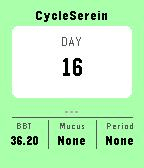
Health & FitnessCyclesSerein is a companion app to track basal body temperature (BBT) for natural family planning. Features - Daily log your BBT temperature, mucus and periods. - View you current cycle BBT graph. Setup & Requirements It requires the installation of the main mobile app.
 7
7Color Picker
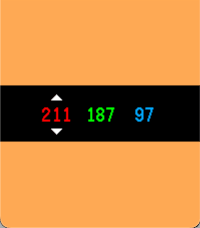
Tools & UtilitiesColor Picker turns your Pebble into a fast, tactile RGB playground. The screen fills with your current color, while bold red, green, and blue values sit centered on a clean black control bar. Start from a random color, tap SELECT to switch channels, and use UP or DOWN to fine-tune each value from 0 to 255. Hold a button to accelerate through values quickly and watch the full-screen preview update instantly as you dial in the exact shade you want.
 21
21NHL Scores
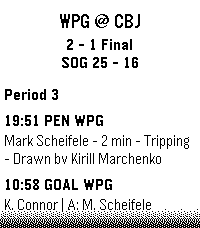
DailyKeep updated with your favorite teams with NHL Scores, the ultimate daily companion for hockey fans on the Pebble watch! Whether you're tracking a live matchup or checking the final results from earlier in the evening, NHL Scores focuses exclusively on the current day's action, bringing the scoreboard right to your wrist. Get a quick glance at today's game scores, or dive into detailed views to see team records, division standings, and play-by-play events including goals, assists, and penalties. Configuration Settings Customize your experience right from the Pebble app on your phone: - Favorite Teams: Select up to 5 of your favorite NHL teams to always pin their games to the top of your daily list. - Show Penalties: Choose whether to display or hide penalty events in the play-by-play view. - Event Sort Order: Read through today's game events sequentially (from puck drop in Period 1 to the final horn), or set it to "Latest Event First" to see the most recent goals and action at a glance. Credits Score data is made possible thanks to the excellent open-source nhl-score-api project and official NHL web APIs. The configuration menu is powered by the @rebble/clay library. About the Developer - Comet Designs creates fun content for the Pebble platform. - Please send any feedback to [email protected] ! - Buy me a coffee https://ko-fi.com/cometdesigns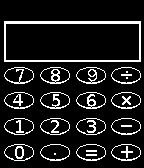 299
299Calculator
Tools & UtilitiesA simple 4-function calculator for your wrist.
 10
10Farkle-Solo/Pass&Play
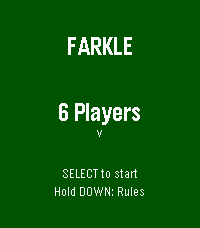
GamesChoose 1-6 Player, pick an icon and randomize turn order. Keeps Score, auto selects, and registers High score with minimum turns. Hold Down anytime for reminder of scoring rules, or hold up to see players/order/score.
 25
25Twebble for Twitch
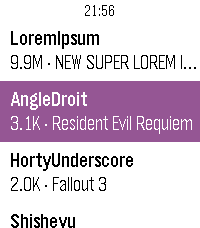
DailyTwebble is a Pebble app to see what the streamers you follow are currently playing on Twitch!
 11
11Dancing Dino
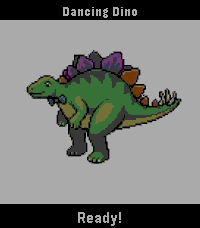
GamesDancing dino app (mostly made for my toddler).