 32
32Tide
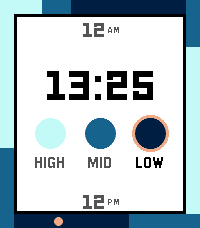
Tools & UtilitiesAn offline surf spot information app for Pebble smartwatch. Browse 194 surf spots across 5 regions and 52 countries to view spot details including best tide conditions, swell direction, wave type, bottom type, skill level, and a 24-hour tide ring visualization with sunrise/sunset times — all calculated offline directly on the watch. The design of the tide screen is based on the Watchface "Halcyon". The overall thinking of having an app like this is to replace my old Nixon watch which had this information.
 328
328Pomodoro
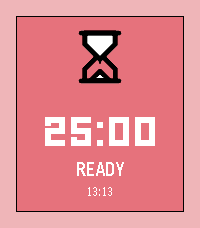
Tools & UtilitiesStay focused, one tomato at a time! Pomodoro turns your Pebble into a tiny productivity coach. Work for 25 minutes (or set the time you prefer), earn your break, and repeat until you've crushed your to-do list. A satisfying progress ring fills up as you go, gentle vibes every 4 minutes keep you on track, and the whole thing runs right on your wrist with zero phone needed. Adjust your session length, pause when life interrupts, and always know what time it is. Works on every Pebble ever made. Now stop scrolling and go focus!
 44
44Color View Sample
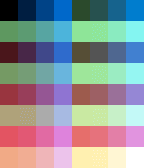
Tools & UtilitiesThis app is intended for development purposes. It allows you to view and check the 64 colors available on color-capable Pebble devices (currently only “Pebble Time” and “Pebble Time Round” are supported). This App is free. There are no additional charges. If you'd like to make a donation, please use the link below: https://square.link/u/R4JNLUWs (Explanation in Japanese follows) 開発のためのアプリとなります。 カラー対応のPebble(現在のところ、"Pebble Time"、"Pebble Time Round"のみ対応)で利用可能な64色を一覧表示したり、確認できます。 本アプリは無料です。特に追加料金も不要です。もし寄付したくなったら下記リンクからお願いします https://square.link/u/R4JNLUWs
 0
0Timeline Token
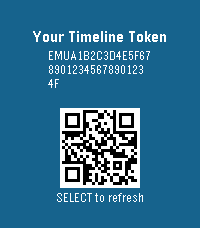
Tools & UtilitiesA test to generate token required to enable custom timeline pins!
 229
229OW Camera Remote
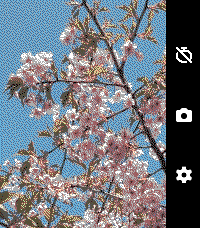
RemotesOW Camera Remote lets you preview your phone's camera and remotely take pictures with a timer. Rebuilt and enhanced from the original app version from 10 years ago. Set a timer, strike a pose, and have your pic taken. Controls: Up: Toggle timer duration (max 15 seconds) Middle: Start the timer capture Down: Open the settings window Settings: Switch Camera: Toggle between front and rear phone cameras Preview: Toggle whether to show a live preview from your camera Timer: Toggle timer duration (max 15 seconds) Timer Vibration: Toggle whether to vibrate on each countdown second Dither: Choose the dither mode for the preview image (defaults to Floyd-Steinberg) Color Mode: Choose between color and black-and-white preview (color devices only). Black-and-white previews have a faster frame rate. Does not support iOS. Requires the Android companion app, OW Camera 2 for Pebble.
 19
19Heartrate2Pebble
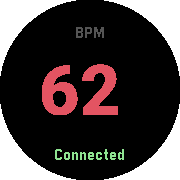
Health & FitnessTurn any Pebble watch into a heartrate monitor. This app is designed for owners of Pebble watchs without builtin heart rate monitor but own standalone Bluetooth wearables and want to view their heartrate without constantly checking their phone. The Android companion app can be found at: https://github.com/meerkat42/heartrate2pebble/releases Please dont hesitate to report Bugs and Feature Requests at: https://github.com/meerkat42/heartrate2pebble/issues
 11
11Gist Reader
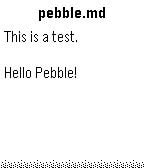
Tools & UtilitiesAccess GitHub Gists on your wrist! - Simple configuration with just a Gist ID - Support for multiple files in one Gist - Markdown files are rendered with basic formatting (headings, lists, etc.)
 75
75WikiRadius
Tools & UtilitiesWhether you are a tourist exploring a new city or a local wanting to uncover the hidden history of your hometown: WikiRadius turns every simple walk into an interactive journey of discovery. The app uses your smartphone’s high-precision GPS to scan your current coordinates and automatically delivers fascinating facts about landmarks, historical sites, and geographical features right to your wrist. No manual searching required, just start walking, and the world around you begins to "speak". How the Smart 3-Stage Radar Works WikiRadius isn't a normal browser; it's a pure "location-to-information" bridge. To always show you the most relevant destination, an intelligent search logic works in the background in three stages: Local Area (200m): The app primarily searches for major, relevant Wikipedia articles in your immediate vicinity. Monument Scanner (200m): If there is no Wikipedia entry, WikiRadius taps into OpenStreetMap, explicitly searching for hidden historical monuments or structures (historic). Wide-Angle Radar (1km): If your direct surroundings are completely empty, the app automatically expands its search radius to 1,000 meters to find the next major destination for you. Display Symbols Explained So you know exactly what the radar has locked onto at a glance, WikiRadius uses special visual indicators in the headline: No Prefix (e.g., Space Needle): A classic Wikipedia article in your immediate vicinity (under 200m). The [H] Symbol (e.g., [H] Old Water Tower): A historical monument, building, or relic found via the OpenStreetMap scanner. The Double Arrow >> (e.g., >> Golden Gate Bridge): A destination from the wide-angle radar. It is further away (up to 1km) but serves as an excellent long-distance goal for your walk. Once you cross the 200m mark, the arrow disappears. Key Features Live Navigation Cockpit: A smooth real-time compass and dynamic distance display guide you to your discovery, meter by meter. Smart Feedback: Your watch vibrates subtly only when a new destination appears on the radar. No annoying continuous vibrations while navigating. Universal Compatibility: Flawlessly supports all Pebble models (Emery, Basalt, Chalk, Diorite, Aplite, Gabbro...), adapting its UI perfectly to round, rectangular, color, and monochrome screens. Independent Integration: WikiRadius retrieves public data from the Wikipedia API and Overpass API to deliver high-quality knowledge. However, the app is not affiliated with, endorsed by, or connected to the Wikimedia Foundation or OpenStreetMap. It acts purely as an independent, location-based client. Discover what you would have otherwise just walked right past. Best https://atomlabor.de
 24
24YarraTrak
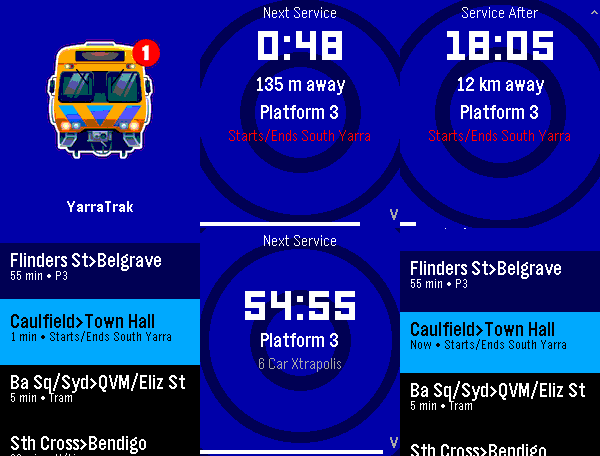
DailyReal-time Melbourne public transport departures on your Pebble smartwatch. YarraTrak shows live train, tram, and V/Line departure times directly on your wrist. Configure your favourite stations and get instant, glanceable info, with vibration patterns that encode the wait time, so you know when to leave without looking at the screen. It also keeps you aware of upcoming and current disruptions to services on your favourite lines. It also includes an AI assistant where you can natural language questions ("next train from Richmond to the city"), to obtain information of services that are outside of your favourites list, via the dictation feature. The app comes pre-loaded with 4 demo entries. Open it and you'll see live departures immediately Open Settings on your phone to customise your favourite stations. The server collects anonymous metrics about query and request volumes so performance and scalability can be monitored over time. (I don't want to flood PTV's API too much). The endpoint server uses Department of Transport and Planning (DTP) data but is not affiliated with DTP or PTV / Transport Victoria.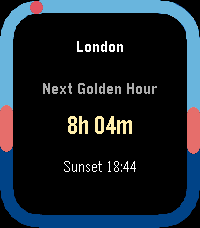 44
44Apollo
Tools & UtilitiesApollo — Sun Tracking on Your Wrist Apollo lets you save multiple locations from the phone settings page and sync them to your Pebble, so you can check sunrise and sunset times for each place right on your watch. It shows dawn, dusk, golden hour, sunrise, and sunset, with all calculations done directly on the watch. The main screen highlights the time remaining until the next key solar event, and you can use the up and down buttons to view today’s and tomorrow’s detailed sun times.
 14
14River Depth
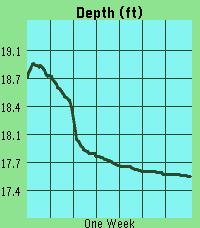
Tools & UtilitiesThis app pulls gage height from river monitoring locations tracked by USGS. It then plots the last week of data, scaling automatically to your screen. The ID will default to a location near downtown Iowa City, IA. However, you can update the ID in the settings page at any time and the graph will update once you press save. Units can also be selected between feet and meters. DISCLAIMER : This app contains code generated by Gemini. The vast majority of which is in the index.js file.
 11
11igi-Assistant
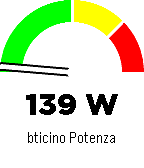
RemotesA comprehensive control interface for Home Assistant on your Pebble smartwatch. Monitor sensors, control lights, manage music, and chat with your home, all from your wrist with a high-contrast, readable interface. Key Features Sensor Monitoring: Display a specific sensor (e.g., car battery, power usage) directly on the main screen with a visual gauge and large, readable fonts. Light Control: Quick menu to toggle selected lights on and off. Home Assistant Chat: Send and receive text messages to Home Assistant (requires input_text). Supports voice dictation (on microphone-enabled models) and customizable canned messages. Music Control: Control active media players (Play/Pause, Volume, Next/Prev Track). Accessible Design: High-contrast black-on-white interface with color support for modern Pebble models (Time, Time Round, P2). Home Assistant Requirements To use all features, add the following to your configuration.yaml or create the helpers via UI: Chat: Create an input_text entity named pebble_chat. input_text: pebble_chat: name: Pebble Chat initial: "" max: 255 CORS (Important for Configuration): To allow the Pebble app configuration page to fetch your lights list, you must enable CORS: http: cors_allowed_origins: - "*" App Configuration Open the app settings within the Pebble mobile app. Enter your Home Assistant URL (e.g., https://your-home.duckdns.org or local IP if on WiFi). Enter a Long-Lived Access Token (create one in your HA User Profile -> Long-Lived Access Tokens). Enter your Nickname for the chat. Select the Lights you want to control and the Sensor to display on the home screen. Note: If the configuration page fails to load your entities, ensure CORS is correctly configured in Home Assistant (see requirements above). Controls Main Screen: UP: Open Music Control. SELECT: Open Lights Menu. DOWN: Open Chat. Lights Menu: UP/DOWN: Scroll through lights. SELECT: Toggle On/Off. SHAKE (Wrist): Toggle the currently selected light. Chat: UP/DOWN: Scroll through message history. SELECT: Open dictation or canned messages menu. Music: UP/DOWN (Click): Previous / Next Track. UP/DOWN (Long Press): Volume Up / Down. SELECT: Play / Pause.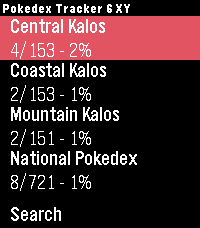 12
12Pokedex Tracker Gen 6 (X & Y)
Tools & UtilitiesKeep track of your captured Pokémon from the Generation 6 games right from your wrist. Featuring the complete set of all 721 Pokémon from the X and Y versions. Track both the Kalos region and the National Pokedex.
 7
7Viber
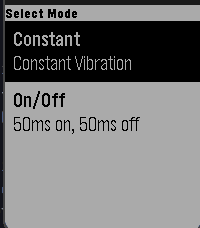
Tools & UtilitiesViber is an app that vibrates your watch! Currently there are 2 different modes: 1. Constant vibration 2. On/Off vibration that pulses in 50ms intervals Once you choose a vibration, press any button to vibrate and then press any button to pause vibration Note: This app can drain battery rather quickly
 65
65Brush teeth
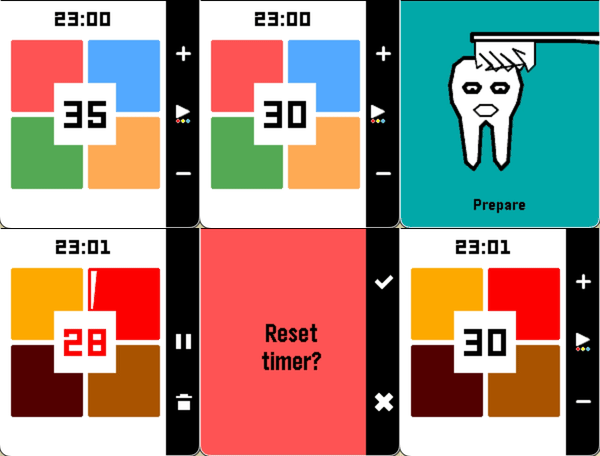
Health & FitnessA tooth-brushing timer divided into four sections — your wrist vibrates at each transition. Adjust the duration per section (up/down), swap color themes (long press select), or pause and cancel mid-brush. Supports app glances: start the timer, close the app, come back when your wrist tells you to.