 66
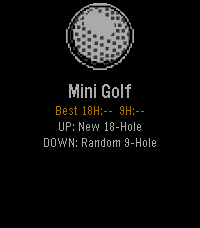
66Mini Golf Touch
Games⛳ Pebble Mini Golf... Now with Touch Controls A fully playable mini golf game for Pebble smartwatches — now with full touch screen support on Pebble Time 2 and other touch-enabled models. Take on 18 hand-crafted holes or a randomly generated 9-hole course. Drag to aim, drag to set power, tap SHOOT — or use the buttons if you prefer. Sink it in as few strokes as possible — hit too hard and the ball lips out, just like real golf. Features 18-hole course — hand-crafted holes ranging from simple straights to tricky doglegs, bumpers, and moving obstacles Random 9-hole course — procedurally generated every round so no two games are the same Realistic physics — fixed-point ball movement, wall bounces, friction, and lip-out on hard putts Scorecard — tracks every hole with a clean two-column layout and your total vs par Best score tracking — your best round is saved and shown on the home screen Save & resume — quit mid-round and pick up right where you left off Haptic feedback — feel every bounce and hole-in on your wrist Touch Controls Aim - Drag anywhere on the green Set power - Drag the power bar on the right Shoot - Tap the SHOOT! button Button Controls Aim Phase: UP - Rotate aim clockwise DOWN - Rotate aim counter-clockwise SELECT - Lock direction BACK - Return to menu Power Phase: UP - Increase power DOWN - Decrease power SELECT - Shoot BACK - Back to aim Platforms Supports all Pebble models: Aplite, Basalt, Diorite, Emery, and Flint. By Brooman Inks Check out my other apps and watchfaces! Any suggestions let me know - [email protected] venmo.com/u/brooman-inks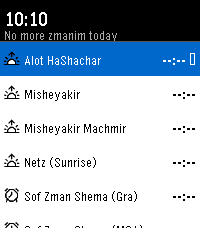 5
5Zmanim
Tools & UtilitiesPrecise halachic times at a glance. View key zmanim, track the current time period, and stay aware of what’s coming next all in a clean, fast interface designed for Pebble.
 93
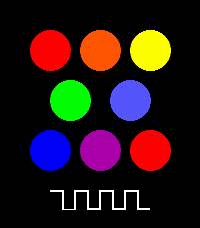
93PEBBLE-TONE
Tools & UtilitiesA simple piano app for Pebble Time 2. You can play one octave of notes.
 4
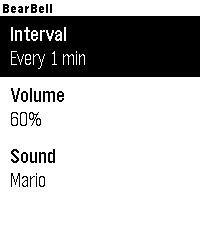
4BearBell
Health & FitnessThis app might serve as an alternative to a bear bell. Bear bells are known as an effective preventive measure for alerting bears to human presence through sound and preventing unexpected encounters. This app also emits sounds at regular intervals. It is compatible with models that have speakers (as of May 2026, it is only compatible with the “Pebble 2 duo” and “Pebble Time 2*” (I have confirmed it works on the Pebble 2 duo. I haven’t received the Pebble Time 2* yet, but I plan to test it as soon as it arrives). Since a real bear bell likely carries further, this app is unnecessary if you have one. However, I created it as a substitute for when you don’t have one or have forgotten it. Please note that bear bells are a preventive measure to deter bears from approaching you; they are not intended to scare bears away after an encounter. Additionally, they may not be effective depending on the bear species or individual differences. Furthermore, for bears that view humans as prey, using a bell may actually alert them to your presence. Therefore, please do not use this if there have been reports of bears attacking people. Please exercise extreme caution when entering bear habitats. This watch face is free. There are no additional charges. If you'd like to make a donation, please use the link below: https://square.link/u/R4JNLUWs -- Japanese instructions are below -- 熊よけ鈴の代わりになるかもしれないアプリです。 熊よけ鈴は、熊に人間の存在を音で知らせ、不意の遭遇(出会い頭)を防ぐための有効な予防策として知られています。 本アプリも、定期的に音を出すアプリになります。スピーカーに対応したモデル(2026/05現在だと、「Pebble 2 duo」と「Pebble Time 2*」にのみ対応しています(Pebble 2 duoで動作確認はしています。Pebble Time 2*はまだ手元に来てないので、到着次第、動作確認予定です) 本物の熊よけ鈴の方が、より広範囲に響くであろうことから、本物があるなら不要ですが、持っていなかったり忘れたりしたときの代用に利用できるかと思って作りました。 注意すべきは、熊よけ鈴は、熊の方から近づかないようになる予防策であり、遭遇した後追い払うものでもなく、また熊の種類や個体差などにより有効でない可能性もあります。 また、人間を餌と思っている熊の場合、逆に人間の場所を知らせてしまうようなので、人が熊に襲われた情報がある場合は使用しないでください。 熊の生息域に行くときは、十分に気をつけてください。 本ウォッチフェイスは無料です。特に追加料金も不要です。もし寄付したくなったら下記リンクからお願いします https://square.link/u/R4JNLUWs
 39
39Space Interlopers
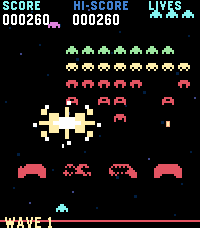
GamesSpace Interlopers is a retro arcade shooter for Pebble watches, built for quick touch-controlled battles against descending alien waves. Dodge enemy fire, blast invaders, defend your shields, and grab power-ups in a compact Space Invaders-inspired watch game.
 39
39Birdy Friend
GamesBirdy Friend is a virtual pet game where you feed, care for, and grow with your lovable bird companion. Earn Feathers, increase your Love Level, purchase new treats and extras. Features - Feed and care for Birdy while managing hunger, happiness, and overall progress. - Earn Feathers, raise your Love Level, and unlock new treats, extras, and special rewards as you play. - Check in throughout the day and night. Birdy will fall asleep after inactivity, slowing his hunger and happiness status degradation. - Supports Touch Controls on the Time 2 and Round 2 platforms About the Developer - Comet Designs creates fun content for the Pebble platform - This is our first app release, please send any feedback to [email protected] ! - https://ko-fi.com/cometdesigns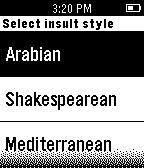 59
59Autoinsult for Pebble
DailyWhenever you need an unorthodox insult line - this app will be there for you. Select insult style from - Arabian - Shakespearean - Modern - Mediterranean. Based on autoinsult.com
 18
18Nashki
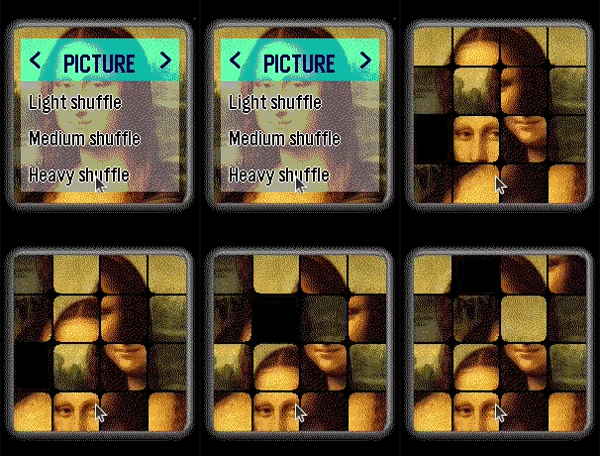
GamesNashki is a sliding puzzle game tests your visual, logic, and memory skills. Shuffle the pic then try to restore it by tapping on tiles next to empty space to slide them. Game tracks the best score (least moves to solve the puzzle) separately for each shuffle level: Light, Medium, Heavy. Can you beat your own best? Choose from 10 pictures: - Cool Cat - Taj Mahal - Nature - Mona Lisa - Spaceship - Butterfly - Tower Clock - Martishor - Vintage PC - 15 puzzle
 101
101BreakerBrick
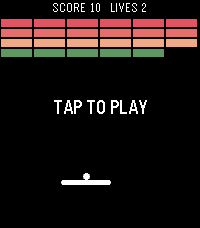
GamesA breakout clone using touch and speaker Note: this was made as a tech demo, I probably won't update this. Please stop sending me messages with feature requests :)
 11
11Yonderu! DoujinSoft
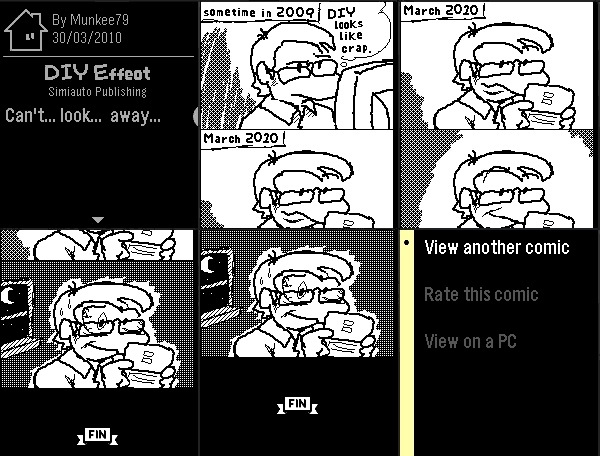
DailyA tiny 4-panel comic reader for Pebble! Access thousands of comics from the 2010 Nintendo DS game WarioWare DIY. Through the power of PebbleKit JS, get one curated B&W 4-panel comic from DoujinSoft's 40000+ collection every day by just opening up the app! You can also go beyond the daily curation and take a gamble on completely random comics from the archive. This app works best on Pebble Time 2, but smaller watches can also read along thanks to revolutionary accelerometer-powered scrolling! (aka, tilt the watch to scroll through the page)
 362
362GoogleTasks for Pebble
Tools & UtilitiesBrowse all your ToDo lists (from GoogleTasks) right on your wrist! Task notes are supported too. You can also mark tasks as Done. You will no longer need to look at your phone while buying groceries in store or something else. This app uses task lists stored in Google Tasks service. You can manage them from the web browser on your PC or phone. Also you can use any GoogleTasks-compatible mobile ToDo/notes app. Previous names: PebbleNotes, PebbleTasks.
 24
24Commute Timer
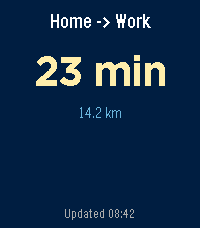
Tools & UtilitiesLive commute time on your wrist — Home ↔ Work, with real-time traffic from Google Maps.
 3
3outil de vocabulaire Francais-Anglais
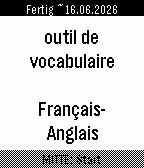
Tools & UtilitiesThis watchapp helps you to train 3000 French-English flashcards. As it is bidirectional, a French person can use it to learn the words in English. As well as an English speaking person can equally use it to learn French. Features: - uses Spaced Repetition System from Leitner/Ebbinghaus - learn difficult words in a dedicated deck that you marked as * (highlight) - option to have a rerun of all the wrong flashcards of the current learning session - estimated date of completion how to use the buttons during flashcard session: - DOWN: 1st click to reveal answer, 2nd click to mark it as known - UP: Repeat the wrong word - SELECT: highlight it and put it in a subdeck of hard words At the end of your flashcard learning session, you can repeat all your wrong flashcards you had wrong in this learning session. Have fun. If there is a mistake in the translations, feel free to tell it to me :) Credits: AnkiDeck 3000 Mots les plus courants Français-> Anglais from https://ankiweb.net/shared/info/899883645
 702
702skunk
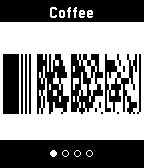
Tools & UtilitiesSkunk allows easy access to up to eight store cards and other barcodes. Linear Barcodes: Codabar, Code 39, Code 128, EAN-8, EAN-13, Interleaved 2 of 5 (ITF), UPC-A Matrix Barcodes: Aztec, Data Matrix, PDF417, QR
 2
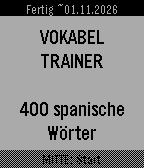
2400 Spanish/German flashcards
Tools & UtilitiesThis is my first ever developped Pebble App that I wrote with the help of Claude AI to revise the most important 400 words in Spanish. As it is bidirectional, a Spanish person can equally use it to learn 400 words in German. Features: - uses Spaced Repetition System from Leitner/Ebbinghaus - learn difficult words in a dedicated deck that you marked as * (highlight) - option to have a rerun of all the wrong flashcards of the current learning session - estimated date of completion how to use the buttons during flashcard session: - DOWN: 1st click to reveal answer, 2nd click to mark it as known - UP: Repeat the wrong word - SELECT: highlight it and put it in a subdeck of hard words At the end of your flashcard learning session, you can repeat all your wrong flashcards you had wrong in this learning session. Have fun. If there is a mistake in the translations, feel free to tell it to me :)