ChronoTwist Axis
Mike D
Watchface
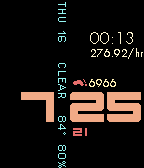
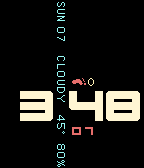
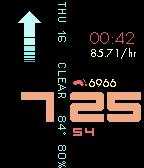
Description
ChronoTwist Axis is a watchface with a gesture based chronograph, Pebble Health step counter and current weather condition/temperature.
Instructions:
To initialize the chronograph, hold the watch facing up (watchface flat relative to the ground) until the twist symbol appears. Twist the watch so that it is facing away from you (~90 degrees from where you started) until you feel a brief vibration. When you are ready to start the chronograph, twist the watch back to the starting position (facing up) until you feel another brief vibration. At this point the chronograph and tachymeter will appear.

To stop the chronograph, repeat the previous steps and the time will turn red to indicate the chronograph is stopped. The chronograph can be restarted using the same actions.

To reset the chronograph, hold the watch facing up until the twist symbol appears. Twist the watch so that it is facing away from you (~90 degrees from where you started) until you feel a brief vibration. Next twist the watch so that it is facing directly downward (~180 degrees from where you started) until you feel a brief vibration.

Credits: merred's taller, loved the 90 degree text dividing the hour and minute.
- DeveloperMike D · Is this you? Claim your app ›
- CategoryFaces
- PlatformsTime/Time Steel, Time Round, Time 2 (scaled), Round 2 (scaled)
- Updated2016-02-07
- Version3.0