 32
32KCD
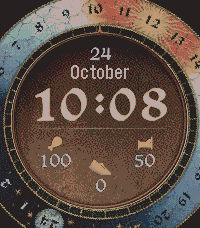
FacesThis watchface is inspired by the game Kingdom Come: Deliverance II. Graphic assets, including the rotating bezel and fonts, are taken directly from the game and tuned for the real colors of Pebble's display. It is designed primarily for the Pebble Round 2. You "can" technically use it on the Pebble Time 2, but it won't look great; it simply requires a large round display. Besides the time and date, it shows: * Watch battery (represented by food) * Body battery (represented by a bed) * Daily steps (represented by a foot) The Body Battery feature is my interpretation of the metric used by Garmin and others. It recharges while you sleep and drains through activity or simply staying awake. Note: The most compute-intensive part of this watchface is rotating the bezel bitmap, not calculating the body battery. Any slight delay when activating the watchface is due to the Pebble's tiny CPU.
 105
105PhotoWatch
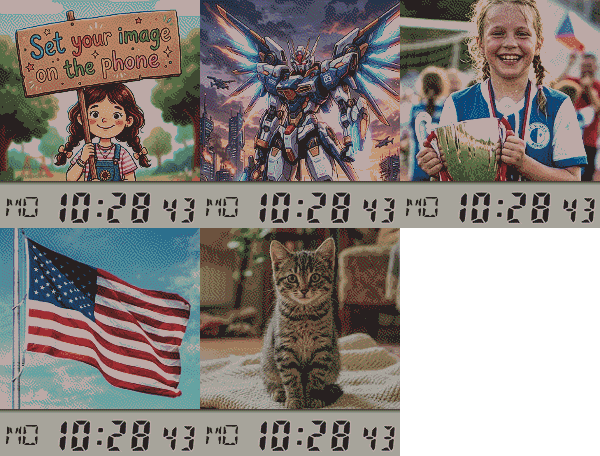
FacesA watchface that lets you use any photo you want and gives you all the tools to make it look perfect on the Pebble's e-paper display. Use Any Image: Upload a photo from your phone or paste a URL from the web. Advanced Image Tuning: Directly in the config page, you can adjust brightness, contrast, saturation, gamma, and sharpness to get the most out of every picture. Live Preview: All your changes are reflected instantly in a "Real Pebble View", including the time overlay, so you know exactly what you're getting. "Auto-Fix" Magic Button: Not sure about the settings? One click will try to automatically optimize the image for you. Multiple Time Styles: Choose whether you want the time bar at the top or bottom, and whether it shows seconds (fast refresh) or the date (per minute refresh). Save Your Presets: Found the perfect setup for a photo? Save the entire configuration (image, position, and all adjustments) into one of five preset slots to load it back anytime.
 232
232Casio A130WE
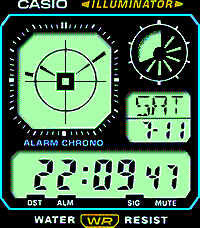
FacesThis is per pixel tuned fully animated copy of the watch Casio A130WE. Colors look maybe strange on the screenshot, but excelent on the Pebble Time 2 display. Bottom line is active too: DST, SIG (bluetooth) and MUTE (Quiet time). ALM is always on as there is no SDK access to active alarms. If you need less animation and more battery, you can use the configuration to switch to minute updates and enable full animation only with shaking the watch.
 11
11Watching Face
FacesSimple, stupid but funny watchface. It watches you back (based on the accelerometer) and sometimes blinks. It is smiling or sad according to the Bluetooth connection. It stops animating after a minute, but you can turn the animation back on by shaking.
 538
538BlockFace
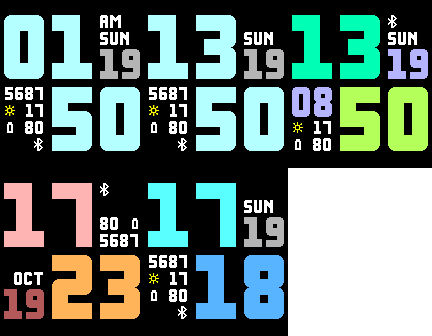
FacesHighly configurable watchface with a big time and optional complications. There are 8 slots for complications, some take two slots. You can choose from: * steps * heartrate * weather (condition and temperature in C or F) * battery * Bluetooth * name of the day of week * name of the month * date as MMDD * date as DDMM * year * month number (double) * day number (double) * time (hour) in a different (selectable) time zone (double) * seconds (double) You can select custom colors for hours, minutes and double slots. On black and white watches darker colors show as 50% dither, and you can invert the screen. You can switch sides of the hour or minute Supports Pebble 2, Pebble 2 HR, Pebble Time, Pebble 2 Duo, and the new larger Pebble Time 2 including Pebble Round 2.
 396
396MultiFit
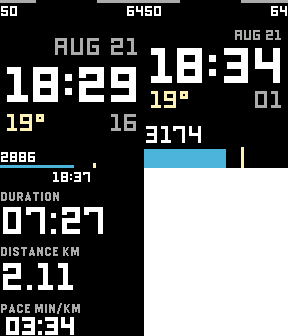
FacesMultiple fitness watchfaces in one. Automatically detects standing/sitting, walking and running. Each activity has its own watchface. Sitting: an elegant watchface with all the required items (time, date, the weather, battery for watch & Android phone, your daily progress) Walking: same information, but the step count and your daily progress are more visible Running: watchface turns into a fitness watch - shows the duration of the run, the distance and the pace (min/km or min/mi). Will support heart sensor on P2 and T2. When you stop running, the watch will continue to show your run for a minute. If you start to run again during this minute, the run will resume. The watchface doesn't need your phone for GPS while running. It gets information from the watch.
 24
24Flower
FacesShows the time using a flower. Fully customizable colors and the number of petals. Create your own personal flower or change it to match your dress or mood.
 210
210Matrix Time
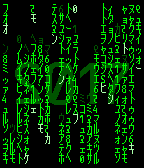
FacesAnimated Matrix code watch face. Animations are configurable. On Bluetooth disconnect the stripes disappear. Number of stripes corresponds to the battery level.
 141
141Knight Rider KITT
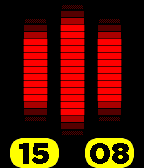
FacesAnimated K.I.T.T. like watch. Shows hours, minutes and Bluetooth status (small bars when disconnected). No affiliation with the official Knight Rider, created just as a noncommercial fan product.
 398
398Strike Force
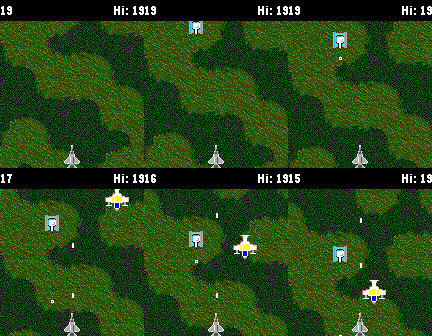
GamesAre you ready for this simple top down shooter? Tilt the watch to steer, push down button to shoot. But beware, shooting decreases the score. What will be your high score? You can compare yourself with the whole world and see how your top score ranks among the best.
 822
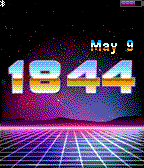
822Neon 80s
FacesNeon background plus chrome numbers for a sweet 80s retro look. Every minute you can see a small animation.
 22
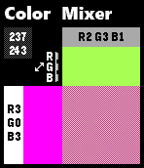
22Color Mixer
Tools & UtilitiesMade mainly for the developers, but also for those, who want to see what their Pebble Time can show. This app mixes two basic colors into 50% mix. Top button select Red, middle Green and the bottom one selects Blue. Longer push of the middle button switches between top and left colors. If you want to insert resulting color in your code, you use the numbers in the top left corner like (GColor8){ .argb = number1 } and (GColor8){ .argb = number2 } If you want to mix them, you can use the great Simple Dithering Library by Mathew Reiss: draw_dithered_rect(ctx, GRect(...),(GColor8){ .argb = number1 },(GColor8){ .argb = number2 },DITHER_50_PERCENT);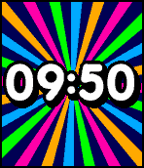 1.4K
1.4KHappy
FacesThis watch face really shines on Pebble Time, but you can use it on B&W Pebble too. It displays time with small animation each minute. If there is no Bluetooth, it hides stripes (Pebble) or make them gray (Pebble Time).
 118
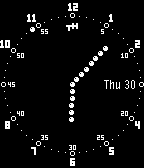
118Analog Dot
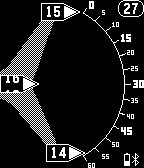
FacesA simple analog watch, which bypasses the aliasing of lines. No jaggies, lines, just dots forming hour and minute hands. Seconds are represented by a dot running around. Displays the day of the month and a "Bluetooth off" warning.
 118
118DigiRotate
FacesRotating digital watch based on a Reddit request. Original mechanical watch is this: http://imgur.com/gallery/XdjPP7R
 190
190Knight Lore Time
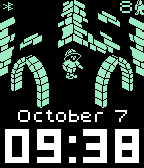
FacesThis is a homage to the first isometric dungeon Knight Lore on ZX Spectrum. Animated adventurer walks through the randomly generated dungeon. All sprite data including animations are taken from the Knight Lore source. Even with animations it conserves battery: After 60 seconds or when low on battery it switches off animation. After 10 minutes it stops the movement but changes the room every minute. Anytime you can shake the watch and start the animation. Battery is shown as game lives, BT status is in the top left corner. the game: torinak.com/qaop#!knightlore image data: retrospec.sgn.net/users/nwalker/filmation/
 1.8K
1.8KBig Shadow
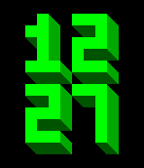
FacesSimple big numbers with a shadow. Shake or tap for date/battery/Bluetooth. Full color configuration on Pebble Time, gray configuration on Pebble.
 22
22Zastávka IDS-JMK
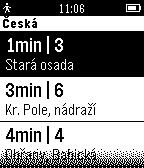
DailyZastávkové odjezdy pro MHD v rámci DPMB, IDS-JMK (integrovaného dopravního systému Jihomoravského kraje). Po spuštění najde v okolí zastávky, hned vybere tu nejbližší a zobrazí nejbližší odjezdy z jednotlivé zastávky podobně, jako je to občas vidět na svítících červených cedulích. Je-li v okolí více zastávek, můžete si je vybrat (pro vyšší rychlost a pohodlí samo skáče na nejbližší). Je-li pro danou zastávku více stanovišť v různých směrech, vyberete si požadovaný směr. Aplikace využívá informace systému Kordis IDS-JMK, který je na adrese www.idsjmk.cz/Map/Map.aspx
 33
33Useful time remaining
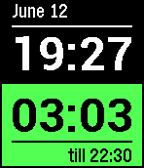
FacesLook at time as a resource 1. set your preferred time of the end of your productive day 2. see the remaining hours and minutes for today. For example: you know you're able to work till 22:00 (10 PM). You set 22:00 in the configuration. At 8:30 in the morning you will see 13:30 remaining. It works with working over the midnight. So at 10PM you will have 4 hours till 2 AM.
 15
15Fuzzy Czech
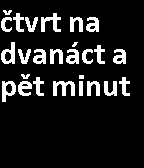
FacesDescribes time in czech language Zobrazuje čas v popisné formě: dvě hodiny dvě hodiny a pět minut za pět minut čtvrt na tři čtvrt na tři za pět minut půl třetí : .