 24
24Notification Sync
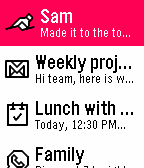
NotificationsHave you ever been annoyed that your watch notifications were a separate storage bucket of stale notices you may have already seen on your phone? Ever swap to an Android watch and miss the notification unification? Well Notification Center 2 (https://github.com/matejdro/PebbleNotificationCenter2) was great, but I forked it and really went nuts merging code from the now open source PebbleOS. This is a complete duplication of the stock notification system, enhanced, and most importantly, a full sync to your phone's notification shade. Dismiss a notification on one, it poofs from the other, either in real time or the next time you check the app. You can use this app to replace the stock notifications, or you can keep stock ones on and use this to check notifications. If you use this app for notifications, you can set it to interrupt your active watch app, or wait for a watch face so it doesn't kill your open app (a choice based on a limitation of PebbleOS). You can set it to not notify your watch if your phone is unlocked since you'll see the notification there anyway. There are tons of other settings too!
 41
41Billy
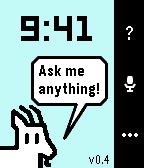
Tools & UtilitiesBilly is a spiritual successor to the legendary Bobby, itself an homage to the mythical Snowy the Dog. Katherine Berry has stepped away from Pebble development, but she generously left Bobby open source. I have attempted to take the reins and update it with my own spin. Billy has several modes. Just install it, and it's Bobby with a more powerful, up to date Gemini model and a few other tricks. Good for iPhone users. Install it with the companion app, and it gets WAY more powerful. Great for Android users who are willing to sideload, because I'm too lazy to publish on Google Play. But there's a third mode. One to really knock your socks off if you're willing to do the nerdy setup. Provide your own API keys and Google permissions, and, while also preserving what made Bobby so special - timeline pins and timers and alarms handled by PebbleOS -this app attempts to recreate a Pixel Watch Gemini experience on Pebble. With full Gemini, you can invoke almost anything your Phone Gemini can do. Ask it to find you an ancient email and reply to it for you. Ask it to search Google Photos for a 10 year old picture of a bird and it will show you in the watch. Ask for directions somewhere and get a map on your watch. Ask for it to make you a Google Sheets spreadsheet with... you get the point. The companion app walks you though the steps for setup.
 101
101Pebble Maps
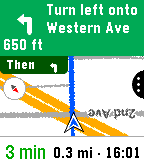
Tools & UtilitiesPebble Maps Google Maps on your wrist. Search for places, browse what's nearby and get turn-by-turn directions by car, on foot, by bike or by transit, all from your Pebble. You don't need an extra app on your phone. Free, using your own Google Maps key Pebble Maps is free. It runs on your own Google Maps API key, which you create in a few minutes. Google gives each key a free monthly allowance of about 10,000 map pictures and 5,000 searches, and normal use by one person should stay well within it. You won't be charged unless you go over and have billing set up to allow it. Why your own key? Google bills every key by how much it's used. If the app shipped with one shared key, every user's maps and searches would add up on one bill, and the free allowance would run out within days for everyone. With your own key, your allowance is yours alone. Step-by-step setup instructions are on the app's Settings page in the Pebble app. What it does -Search by voice or keyboard, with suggestions as you type on touch watches. -Browse nearby places by type, such as restaurants, coffee, gas, groceries or transit, nearest first. "Open now" hides anywhere that's closed. -Places on the map as dots or name flags, so you can get a feel for an unfamiliar neighborhood at a glance. -Place pages with rating, hours, reviews, photos, phone and website. -Directions by car, foot, bike or transit, with times side by side so you can pick the fastest. -Turn-by-turn navigation with turn cards, rerouting, and vibrate or spoken alerts. -Transit schedules: tap a ride to see the next departures, with live times where available, so you know whether to run for the train. -Live location that follows you heading up or north up, plus a battery-saver snapshot mode. -Favorites with their own default travel mode each, for example Home by transit and the gym by bike. -Works on every Pebble: color and black-and-white, round and rectangular, buttons or touch, with dark map and larger text options.
 81
81Pebblegram
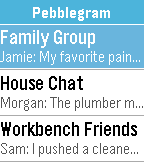
DailyA Telegram client for Pebble. New release does not require a companion app or a service running anywhere. Everything is kept securely in your phone. Works for Android and probably iOS, but I haven't tested iOS yet as I don't have an iPhone. Documentation is on the Github page.