 1
1Rooftop Raccoon
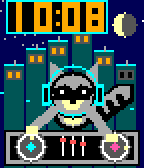
FacesA raccoon DJ scratching records, because why not. Design by Luke Steuber for Ambient Time.
 2
2Dick Tracy: Agent Command
Tools & UtilitiesAsk from your Pebble, keep the conversation going on Android, and choose the model, search tools and speaking voice independently. The watch shows a compact reply; the phone keeps the full answer, formatting and source links. Requires Android 8 or later, the Dick Tracy Watch companion, and your usual paired Pebble phone app. Get the companion and setup details: https://dr.eamer.dev/dicktracy/ ON THE WATCH Press Select to dictate a question or follow-up. It sends when Pebble dictation ends; choose Send: Review first to check the transcript before sending. Up/Down scroll, Back cancels, and holding Select marks the full reply to open on your phone. The menu includes New conversation, larger text, Tools On/Off, Watch voice, Voice test and Auto-read. Sending mode and text size persist. The backlight stays on while the app has focus. ANDROID CHAT AND HISTORY Type questions without a watch. Read selectable Markdown answers with clickable citations, a Sources list and a label showing which tools ran. Reopen saved replies to read or listen, continue an earlier conversation, start a new chat, or edit a failed question and retry. Up to 200 question/reply records are saved; Delete all clears history while keeping your provider keys and settings. The phone screen stays awake while the app is visible. ANSWER SOURCES OpenAI, Anthropic, xAI, Gemini, OpenRouter, Runware, Hugging Face, Mistral, Cohere, Ollama Cloud and Kimi, plus a custom HTTPS endpoint compatible with Chat Completions. Enter a model ID or choose a preset. Each provider keeps its own key, model and tool selection. Anthropic also has a workspace-ID field. Check saved setup sends a short test with tools off, without adding it to History. ON-DEVICE MODELS Gemini Nano uses Android AICore on supported phones and requires the companion to stay on screen. Gemma offers a resumable 2.59 GB Gemma 4 E2B download with size/SHA-256 checks, or import of a portable GPU/CPU .litertlm model. Downloads default to unmetered networks; local model files can be removed separately from chats. Models need compatible hardware and enough storage/RAM. Local inference never silently falls back to a hosted model. Optional search and hosted speech still send data to their selected services. SEARCH AND TOOLS Configure these in Android Settings → Tools, then toggle the saved selection from the watch. Tools start off. Availability depends on the chosen model and account. • OpenAI: web search/page reading and hosted calculations. • Anthropic: web search, link reading and hosted calculations. • xAI: web search/page reading, X search and hosted calculations. • Gemini: Google Search, URL context, hosted calculations and places/maps on supported models. • OpenRouter: web search, link reading and current time. • Mistral: web search and hosted calculations. • Ollama Cloud and Kimi: standalone search and link fetching. Any answer source, including local models, can instead use OpenAI, Ollama Cloud or Kimi for search. That service retrieves evidence; your selected model writes the answer. The watch shows a source count and the phone opens the links. Search budget offers 1–3 calls where supported; it is not a spending cap. Calculations run at the provider, and maps use a place you name rather than phone location. VOICES AND PLAYBACK Use any answer provider with ElevenLabs, OpenAI, Runware, Mistral or installed Android offline voices. ElevenLabs includes voice presets and your own account's voice ID. Listening settings have Slower/Normal/Faster speeds, Test voice and a separate saved speech selection. Tap Listen beside any saved answer for phone playback. Experimental watch speech uses the phone to synthesize the full answer and sends buffered audio sections to compatible Pebble Time 2 or Pebble 2 Duo firmware. No voice model is installed on the watch. Auto-read starts off; enable it on phone or watch to speak new watch-requested replies automatically. Phone questions do not trigger watch playback. Select or Back stops audio, and Listen moves playback to the phone. Watch mute is respected; pauses and limited speaker quality remain possible. PRIVACY, COSTS AND LIMITS Keys and conversations use AES-256-GCM with Android Keystore and are excluded from backup. Hosted answers receive the question and up to ten recent exchanges from the same conversation/provider/model. Hosted speech receives the reading text. Pebble's own dictation service handles speech recognition and when recording ends. The watch's text reply is limited to 900 UTF-8 bytes; the full answer remains on Android and is used for speech. Hosted requests use your provider accounts and may cost money; an app subscription may not include API credit. These details cover watch 1.8.0 with Android 0.9.0-dev (build 11). By Luke Steuber — https://lukesteuber.com
 10
10Cistercian Time
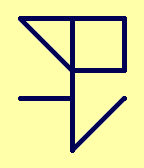
FacesCistercian numerals are really cool: https://en.wikipedia.org/wiki/Cistercian_numerals Four digits share one stave: minutes above, hours below, with tens on the left and units on the right. Zero adds no marks. Choose a single glyph, seconds ring, split reading or three glyphs in settings. Follow the watch’s time format, or choose 12-hour or 24-hour time. Paper and Night themes are included. Design by Luke Steuber for Ambient Time.
 19
19Pocket Artillery
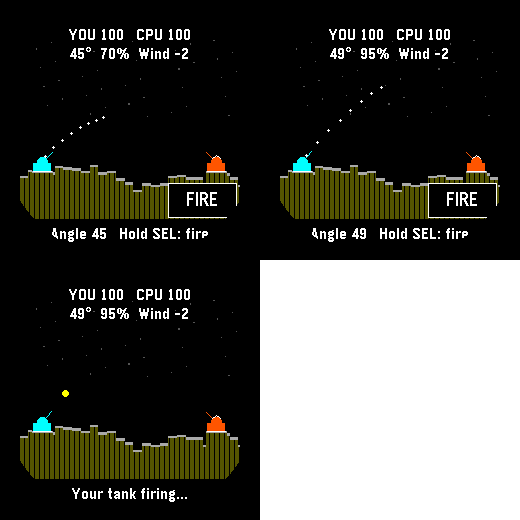
GamesA tank duel across a hillside that changes with every explosion. Set your angle and power, allow for the wind, and try to land a shot before the other tank gets you. Drag to aim and tap FIRE, or adjust with the buttons and hold Select to fire. Take your time: there is no aiming timer. Save and exit to continue later. For Pebble Time 2 and Round 2. Touch requires firmware 4.33.2 or later; buttons remain available. By Luke Steuber.
 7
7Space Salvage
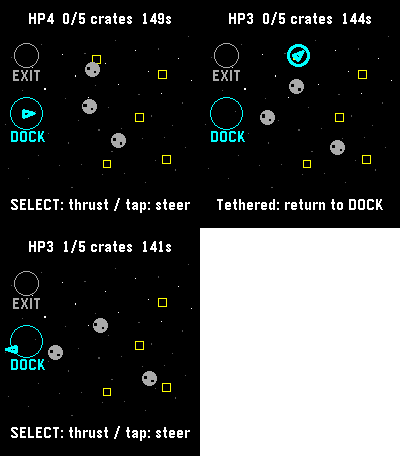
GamesFive crates. One battered tug. Bring the cargo home, then reach the exit before the clock or your hull runs out. Steer through drifting rocks, catch crates with your tether, and return them to the dock. Tap a destination or use the buttons to steer and thrust. A run has a 150-second limit. Save and exit to continue later. For Pebble Time 2 and Round 2. Touch requires firmware 4.33.2 or later; buttons remain available. By Luke Steuber.
 7
7Golden Hour
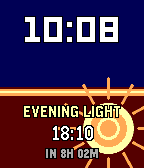
FacesA clock for catching the light. Outside golden hour, a solar poster shows the next morning or evening window and the wait until it opens. Inside, a sun print rises or falls through the event. Use automatic phone location or save fixed coordinates in Settings; three upcoming windows stay on the watch when the phone is away. By Luke Steuber for Ambient Time.
 7
7Signals
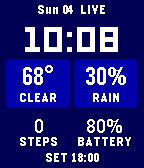
FacesTime first, then the useful bits: temperature, rain odds, steps, battery, and the next sunrise or sunset. Bigger numbers fill the screen, while a written status tells you whether weather is live, stale, waiting, or offline. Choose Fahrenheit or Celsius, three palettes, and how often the phone checks the forecast. Saved readings stay visible when the connection drops. By Luke Steuber for Ambient Time.
 10
10Time Enough
FacesDeep breath.. By Luke Steuber for Ambient Time.
 7
7Compliment
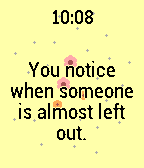
FacesI hand wrote most of these as compliments I want to aspire towards hearing. Maybe you'll like them too. Sixty-one short compliments, one at a time, on a clock that stays quiet about it. The pastel flower field opens from the center as the hour fills; if you would rather just read the line, there is a type-only version. Pick how often it changes, from every fifteen minutes to once a day. A deliberate double tap brings the next one early. By Luke Steuber for Ambient Time.
 7
7Micro Dose
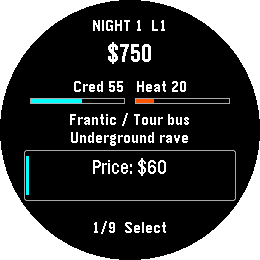
GamesRemember that drug game on your graphing calculator? ... that. A fictional calculator-era underworld economy. Read the night’s forecast, set price, quantity, quality and distribution, then run the night and see what happened. Climb six career levels from Runner to Empire. Earn profits, buy districts and fronts, and unlock new distribution routes. Career shows your next unfinished goal. Lay low reduces heat while your fronts still bring in income. Build the Empire by earning $60,000 net, owning all six districts and three fronts, and keeping heat below 60. You can keep playing afterward. Negative cash or heat at 100 ends the campaign. Up and Down browse; Select edits or acts. Progress saves automatically. For Pebble Time 2 and Round 2. Touch requires firmware 4.33.2; button controls remain available. By Luke Steuber.
 10
10Micro Moria
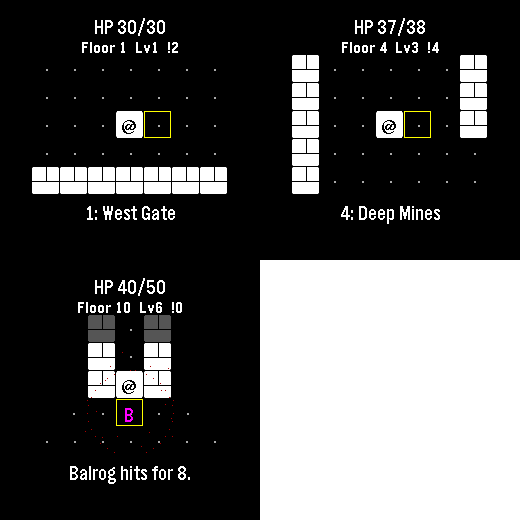
GamesI lost countless hours as a kid to a text Rogue derivative also themed after Moria, and I’m already zoned into playing it on the watch. Descend ten floors through Moria, collect treasure and equipment, and face the Balrog at the Bridge of Khazad-dum. Goblins pursue you, orc archers prepare ranged attacks, and cave trolls strike hard. Bump an enemy to fight. Play a few turns and come back later: the watch automatically saves your floor, position, enemies, health and gear. Gold and purchased equipment survive death or a return to camp. Spend gold between expeditions on blades, mail and lembas packs. Defeat the Balrog and take the final exit to unlock New Game+, up to five harder tiers. Up and Down turn; Select steps. Back opens healing, waiting and camp. Step onto stairs to choose whether to descend. Touch also moves you. No timer, account or connection required. For Pebble Time 2 and Round 2. Touch requires firmware 4.33.2; button controls remain available. By Luke Steuber.
 12
12Minesweeper Hex
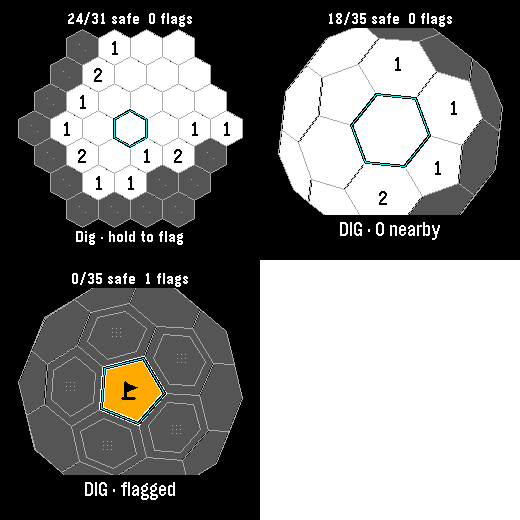
GamesClassic, Infinite and 3D minesweeper in one watch app. Each mode keeps its own board. Every launch offers a mode choice, then resumes that board where you left off. Classic has 37 cells and six mines: reveal all 31 safe cells to win. Hexsweeper 3D wraps 42 cells around a sphere, including twelve pentagons. Rotate it and uncover all 35 safe cells. Infinite lets you pan across a continuing hex field and build your safe-cell count, with no final board. Numbers count neighboring mines. Flag suspected mines, then select an open clue to chord when the neighboring flag count matches. Incorrect flags can lose the game. Your first dig and its neighbors are safe. Amber tiles and black pennants distinguish flags. Tap to aim; Select digs and hold Select flags. Drag pans Infinite or rotates 3D. Every mode also works with buttons. Infinite retains 64 explored 8-by-8 chunks; it warns when history is full and preserves existing discoveries. No account or connection required. For Pebble Time 2 and Round 2. Touch requires firmware 4.33.2; button controls remain available. By Luke Steuber.
 5
5Numerals • 29 Ways to Count
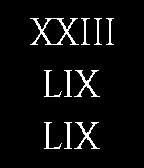
FacesTwenty-nine ways to write the time, from Roman and Maya numerals to binary, Braille and Tengwar. Choose a system in phone settings, where each has a reading guide. Hours, minutes and optional seconds sit in two or three rows or columns. It follows local 24-hour time and remembers your choice. By Luke Steuber.
 4
4USGS Earthquake Time
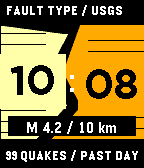
FacesThe largest earthquake in the USGS past-day feed shifts the time apart, its depth tilts the seams, and the earthquake count changes their density. Enable online readings in settings. This is a picture of reported earthquakes, not an alert service. Missing and expired readings are identified on the face. Design by Luke Steuber for Ambient Time.
 4
4Skein Abacus
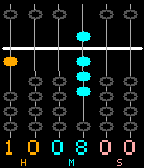
FacesSix hanging cords form a small abacus: two digits each for hours, minutes and seconds. A bead above the bar is worth five; each lower bead touching the active group is worth one. Filled beads count, hollow beads rest. The original digit references sit beneath the cords. Still motion stops their sway. Design by Luke Steuber for Ambient Time.
 3
3Coast Almanac
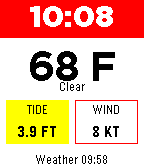
FacesA small coastal almanac with four views: weather and tide, a tide ledger, the moon, and daylight. This is for me, so I don't drown. The current time stays above each view. Choose a place or allow phone location, then enter a supported NOAA tide station. Weather and tide data need a connected phone; missing and expired readings stay visibly unavailable. Moon phases use an approximate local calculation. Design by Luke Steuber for Ambient Time.
 10
10Sight Read
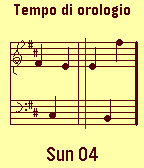
FacesAn artsy one by request. Hours and minutes become four notes on the upper staff; seconds occupy the lower pair. Each digit moves one diatonic step upward from zero on the bottom line. A moving playhead crosses the score, and the date remains below. Design by Luke Steuber for Ambient Time.
 6
6Moonshot
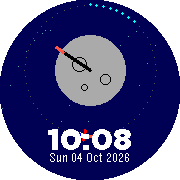
Faces🚀 zoooom A tiny rocket makes a one-minute trip around the moon. Lit marks count the minutes, and the moon's flag turns with the hour. The local time and date sit below the scene. Still motion keeps the clock moving in whole-second steps. Design by Luke Steuber for Ambient Time.
 2
2Signal Station
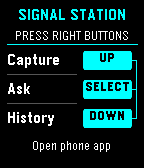
Tools & UtilitiesEXPERMENTAL This is a signal / presence awareness system with a Pebble face serving as interface and capture tool. It also offers chat from your wrist with the language model you choose, enriched by signal intelligence all around you and over time, whatever you choose. The phone keeps full conversations; the watch shows a short, scrollable reply. Install the separate Signal Station Android app first: https://dr.eamer.dev/downloads/apps/signal-station/ On your Android phone, tap Download for Android, open the APK, allow installation from your browser if asked, and tap Install. Open Signal Station, go to Ask, choose Set up answers, and add your provider, model and key. Provider usage charges apply. Capture and local History need no key. Keep your usual Pebble app installed and your watch paired there. In Signal Station on the phone, open Settings, Connected devices, Watch connection. Choose your Pebble app and watch, then tap Check connection. Open Signal Station on the watch. The right-side buttons are Up for Capture, middle for Ask, and Down for History. Up/Down scroll replies; Back returns home. Dictation depends on watch support. Hold the middle button while reading a reply, then open Signal Station on your phone and tap Open full reply. Requires Android build 16 or later. Resume conversation is a separate choice. The backlight stays on throughout app use. Hold Down at home to open the Home favorites chosen on your phone. Connect Home Assistant, openHAB or Geepers in Android build 17 or later. Home access is optional; actions ask for confirmation unless you have allowed that exact action. Still in testing. By Luke Steuber.
 9
9Wax Gauge
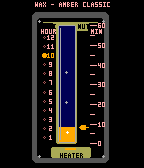
FacesA small glass instrument measures time in wax. The lit mark on the left gives the hour; read minutes from the wax level against the scale on the right. Bubbles rise through the column once every second, above a little amber heater. Turn on weather in settings to add the temperature and conditions beside the gauge. Choose Celsius or Fahrenheit. Weather is off until you enable it; the phone uses an approximate location to fetch conditions. Weather data: Open-Meteo, CC BY 4.0. Design by Luke Steuber for Ambient Time.