 2
2Eight Pebbles
Control your Eight Sleep mattress from your wrist. Designed around one use case: nudging the bed temperature at 3am without reaching for your phone.
 6
6Squeeze Lyrion LMS
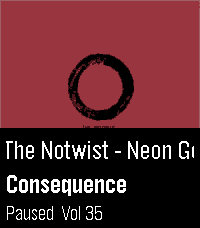
Leave your phone in your pocket! A native, touch-first remote for Squeezebox, squeezelite, and Lyrion Music Server — the server formerly known as Logitech Media Server (LMS) or SlimServer — tailored for the Pebble Time 2 and Pebble Round 2.

Browse your server's entire menu tree, start playback anywhere in your library, and control your Squeeze players right from your wrist without ever needing to unlock or pick up your smartphone.

Works with all Squeeze endpoints: original Squeezebox hardware (Classic, Boom, Duet, Radio, Touch), squeezelite, WiiM, piCorePlayer, Max2Play, and LMS software players.

✨ KEY FEATURES:
• Now Playing with Cover Art: Album sleeve rendered at full screen width for local files, streaming plugins (Spotify, Deezer, Tidal, Qobuz) and internet radio.
• Full Artwork Mode: Hold the SELECT button anytime to view the complete album cover without UI overlays.
• Intuitive Player Touch Controls: Tap to Play/Pause, Swipe left/right to skip tracks, Swipe up/down for volume — keeping all 4 physical buttons free for menu navigation!
• Complete Server Menu: Browse My Music, Radio, Favourites and Plugins. Paginated so folders with 2,000+ albums stay ultra-fast.
• Smart Path Memory: Reopening the menu returns straight to the folder you were browsing instead of resetting to root.
• Marquee Scrolling: Long track, artist and folder names scroll smoothly instead of being cut off.
• Multi-Player Support: Switch between all your Squeeze players right from the start screen.

🎮 CONTROLS:
• Tap screen: Play / Pause
• Swipe Left / Right: Previous / Next Track
• Swipe Up / Down: Volume ±5
• Up / Down buttons: Volume ±5 (repeating)
• Select button: Open Server Menu / Select Item
• Hold Select: Full Album Sleeve (or jump back to player from menu)
• Back button: Step back / Close

⚙️ SETUP:
1. Open the Pebble app on your phone.
2. Go to the app settings (Clay configuration).
3. Enter your LMS server's Hostname or IP address (e.g. 192.168.1.100) and Port (default: 9000).
4. Tap "Save Settings" — your player list will automatically appear on your watch!

☕ Support on Ko-fi: https://ko-fi.com/pagnotta34838

Open source under the MIT License.
 27
27Finamp Remote (Jellyfin)
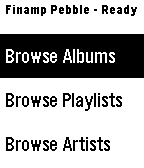
Pebble companion for Finamp, the Jellyfin music player. You can browse your music by album, playlist, artist, and genre. You can initiate playback of any of those items or add a single song to the queue under any of them. This required some changes that I've made to the finamp app for android. I'll be making a pull request to try to get them accepted into the official finamp app, but for now you can compile the app yourself from this repo: https://github.com/tannermeade/finamp/tree/redesign-pebble-support

I compiled a debug apk if you want to use it before finamp merges the PR: https://github.com/tannermeade/finamp/releases/tag/debug-pebble-1

The PR for the changes: https://github.com/UnicornsOnLSD/finamp/pull/1597
 356
356Treble
IMPORTANT: Version 1.0.0 of the Android app will stop working before October 2026. Update it to 1.1.0 before then, or you won’t be able to recognize any songs!

A song-finding app using Shazam’s audio recognition. It connects to an Android companion app to listen to nearby sound through your phone’s microphone, securely process it through Shazam’s service, and match it with any known audio signature in Apple’s music catalog.

You can install the Android app from the source link at the bottom of the page. After setting it up on your phone, launch the watch app at any point to listen for music. When a song is successfully found, you will feel a short vibration and be presented with the song name and artist (currently, only names with Latin letters are known to display correctly). The previous 10 found songs are saved right on your watch, organized by discovery date.
 23
23Klipper Monitor
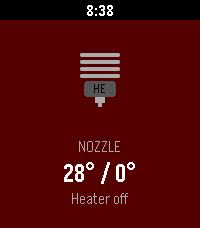
Monitor your Klipper 3D printer
 87
87Music Boss Media Browser
🎵🔍 Your full music library. On your wrist.
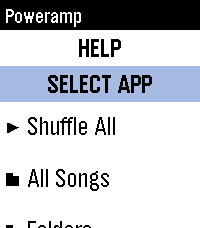
PowerAmp, Podcast Addict, Spotify, Musicolet, GoneMAD, VLC and more.

🎁 Try it now - no strings attached!
Activate a fully unlocked 3-day free trial of the Music Boss Deluxe companion app with all features included. No limitations. No surprises. Try it along side the Music Boss watch apps!

Music Boss Media Browser is a brand new experience for Music Boss Deluxe users - bringing full library browsing directly to your Pebble for the first time.

Browse playlists, explore your library, choose a track, and hit play - all without touching your phone. You can even select which media app to browse, right from your watch.

✨ What’s New
• Deep integration with Music Boss Classic and Music Boss Time - launch the browser directly from the watch app and jump right back when you're done
• Automatic app detection - Music Boss finds supported media apps for you
• Broad compatibility - works with apps like PowerAmp, Podcast Addict, Musicolet, and Spotify (Spotify requires a quick setup)
• Supports any Android app that implements media browsing

🆕 This is a brand new addition to Music Boss Deluxe
If you're already a user - you're ready to go.

⌚ Watch Compatibility
All Pebble models supported

📱 Companion App Compatibility
• Classic Pebble App / Rebble
• New Core Pebble App
• microPebble

🤖 Mobile Device compatibility
Android only
 49
49Fartini Maximo - Fart Machine
Whats funnier than a well timed fart? Featuring four delightful sound effects to really let you get the most out of your sophisticated new smartwatch.

Now featuring One Shot Mode for use with quicklaunch. Enable by holding down, now the app will launch, play a random fart sound and close. The disable just press any key while the screen is open and the process will be interrupted, now you can toggle it on and off again.

Make sure your speaker is enabled!

Settings // Sounds and Haptics // Mute Speaker "Off" & Volume "100"
 7
7myQ Garage Door Opener
Watch interface for opening your garage door
 4
4Wrist Key
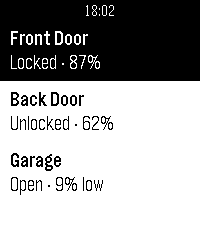
Control your WiFi-enabled Nuki Smart Lock straight from your Pebble watch. List your locks and open, unlock or lock the door without reaching for your phone.
 22
22HA Launcher
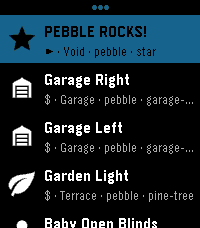
Stored shortcuts launch instantly — no browsing, no waiting. Setup is easy: the app fetches every available SCRIPT and SCENE from your HA automatically. Per-shortcut a confirmation checkpoint can be activated preventing accidental triggers for important ones. Touch navigation is ready, and auto-close keeps it a true quick-launch app. This brings whatever action you can imagine to your wrist!

Inspired by home-assistant-shortcuts (https://github.com/Carles-Figuerola/home-assistant-shortcuts), modernized for the newest SDKs. Built with AI, maintained with love.
 15
15PeBluelink
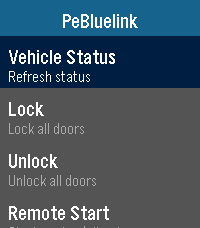
A remote for Hyundai Bluelink enabled vehicles that allows for communication with your car via your watch. Supports lock/unlock, remote start/stop, and more! Includes additional features for EVs that can be toggled off for ICE vehicles. Requires android companion app, which you can sideload through github for now. I need additional beta testers to get the app on the play store, so please contact me if you can help!

https://github.com/Ender97/PeBluelink-Companion
 9
9Find My iPhone
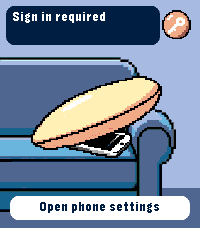
Ring your iPhone directly from Pebble Time 2. Open the watch app, select an iPhone with the Up and Down buttons, then hold Select for 650 ms to send the sound command.

The app runs through Pebble Core on your iPhone and talks directly to Apple over HTTPS. No separate companion app or intermediary server is required. Setup supports trusted-device two-factor authentication, multiple iPhones, automatic system language selection and clear states for offline devices, expired sessions and rate limits.

Your password and two-factor code are used only during sign-in and are not stored. Apple session tokens remain in Pebble Core local storage on the paired iPhone. You can remove the saved session from the settings page at any time.

Important: this is an independent, unofficial utility based on an undocumented Apple service. It is not affiliated with or endorsed by Apple. Apple may change the service without notice, which can temporarily or permanently stop sign-in or sound requests from working.

Requires Pebble Time 2 (emery), Pebble Core on iPhone, an internet connection and an Apple Account with Find My enabled.
 3
3OwnTone Remote
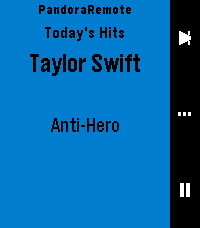
Control your OwnTone (owntone/owntone) music server from your Pebble watch. Browse results, play/pause, skip tracks, and adjust volume or outputs without touching your phone. Features - Search and browse results - Play, pause, next, previous - Adjust volume and switch outputs - Favorite items and quick access
 2
2Pandora Remote
Control Pandora from your wrist. PandoraRemote lets you manage playback, rate songs, and adjust volume directly from your Pebble watch.

FEATURES

- Skip tracks, play/pause with a single button press
- Thumbs up or thumbs down the current song
- Adjust phone volume from your watch
- See the current song, artist, and station on your watch
- Auto-launches when Pandora starts playing
- Works on all Pebble hardware except the OG (Time, Time Steel, Time Round, Pebble 2, Time 2, Core 2 Duo, Core Time)

HOW IT WORKS

PandoraRemote has three screens you cycle through with the select button:

Playback: Skip to the next track or play/pause.
Rating: Thumbs up or thumbs down the current song.
Volume: Turn the volume up or down on your phone.

WARNING:
This is a personal passion project, and frankly, if I don't see a need for a feature, I probably won't add it on my own. So if you have a feature request, please submit an issue on the github repo, and I'll evaluate if I think it would be nice to have.  The best way it to develop it yourself:  if you're not a developer,  it might be time to try out Claude Code (or similar) and submit a PR with your proposed changes.  I will review and merge if it looks good.

This project is open source and licensed under CC BY-NC-SA 4.0. See https://creativecommons.org/licenses/by-nc-sa/4.0/ for details.

SETUP

1. Install the PandoraRemote companion app on your Android phone. Until the app is available on the Google Play Store, download the APK from:
   https://github.com/gravity-rose/PandoraRemote/releases
2. After sideloading, you must grant the app restricted permissions and notification access. The app will walk you through this on first launch.
3. Start Pandora — the watch app launches automatically.

DISCLAIMER

Pandora is a registered trademark of Pandora Media, LLC. PandoraRemote is an independent project and is not affiliated with, endorsed by, or sponsored by Pandora Media, LLC.
 15
15LIFX Client
Control your LIFX smart lights from your Pebble.

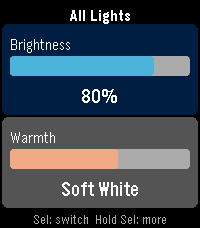
LIFX Client lets you adjust brightness and color temperature on the fly, or pick from a palette of colors.

Features:
- Adjust brightness in 5% steps
- Tune warmth from daylight (6500K) to candlelight (2500K)
- Choose a color from 8 presets
- Target any individual light or group from your LIFX account
- Works on every Pebble: round watches get a purpose-built arc UI, larger screens scale up automatically

Controls:
- UP / DOWN: adjust the active slider
- SELECT: switch between Brightness and Warmth
- HOLD SELECT: open the action menu

In Color Mode, the Warmth slider shows your chosen color. Press UP or DOWN on Warmth to return to white light.

Setup:
1. Go to cloud.lifx.com/settings and generate a Personal Access Token
2. Open the Pebble app on your phone and find LIFX Client
3. Open Settings, paste your token, and save
4. Launch the app -> HOLD SELECT -> Select Target to pick a light