 10
10STOXX Stock Tracker
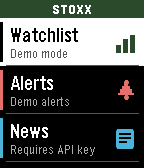
STOXX Stock Tracker lets you track prices, set alerts, as well as track entries and P/L. You can even set a target price to monitor. Instructions in the app and watch.
Requires a free API key from finnhub.io, paste your API key in the Settings page to use the app.
 19
19BigWeather
My eyesight isn't as great as it used to be when I bought the first Pebble watch many moons ago (pesky ageing.......)

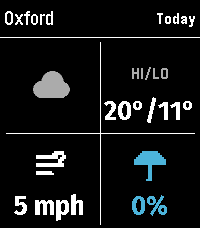
Anyway it seems like all the weather apps are trying to cram loads of information onto one small screen using tiny icons and small text, so Ive created this app with bigger text which is more suitable for a watch.

BigWeather shows current conditions for your location and also any town or city via search, with today, tomorrow, hourly, now/next (+2 hours) and 5-day forecasts with rain, temperature, wind data screens using Open-Meteo (no sign-up, no API key).

Features (as of Version 2.0 - August 2026)
  - Current location, stored and auto-refreshed on open
  - Improved search with ability to filter preferred location (Phone Settings),
  - Search any town/city worldwide
  - Add locations to Favourites
  - Customisable Today/Tomorrow screens, select which information you want to see (in Phone settings)
  - Hourly screens (Rain, Temperature, Wind - viewable by pressing Hourly and select to cycle through screens)
  - 5-day forecasts, per-day detail
  - Rain forecast (Now/Next) shows next rain, amount and intensity over the daytime, not just the peak %
  - No API key needed (Open-Meteo); optional OpenWeather with your own key
  - Units your way: °C/°F, mph/km/h, mm/in, 12/24-hour; large-text mode
  - Built for the Pebble Time 2 and classic Pebble models

If you like this app please heart it, and if you want to buy me a coffee on Ko-Fi you can say thanks here https://ko-fi.com/ben839721
 21
21NHL Scores
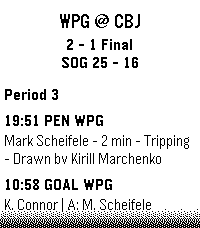
Keep updated with your favorite teams with NHL Scores, the ultimate daily companion for hockey fans on the Pebble watch! Whether you're tracking a live matchup or checking the final results from earlier in the evening, NHL Scores focuses exclusively on the current day's action, bringing the scoreboard right to your wrist. Get a quick glance at today's game scores, or dive into detailed views to see team records, division standings, and play-by-play events including goals, assists, and penalties. Configuration Settings Customize your experience right from the Pebble app on your phone: - Favorite Teams: Select up to 5 of your favorite NHL teams to always pin their games to the top of your daily list. - Show Penalties: Choose whether to display or hide penalty events in the play-by-play view. - Event Sort Order: Read through today's game events sequentially (from puck drop in Period 1 to the final horn), or set it to "Latest Event First" to see the most recent goals and action at a glance. Credits Score data is made possible thanks to the excellent open-source nhl-score-api project and official NHL web APIs. The configuration menu is powered by the @rebble/clay library. About the Developer - Comet Designs creates fun content for the Pebble platform. - Please send any feedback to [email protected] ! - Buy me a coffee https://ko-fi.com/cometdesigns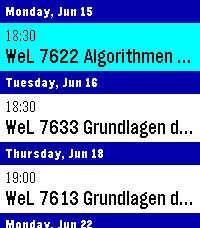 16
16CalDAV Calendar
This is a fork of Eric McCormick's 7day ICS Calendar (https://apps.repebble.com/7day-ics-calendar_82451ba23ca641ab82821fa6).

Your Calendar, at a Glance.

Leave your phone in your pocket. CalDAV Calendar brings your Nextcloud (or any CalDAV) Calendar directly to your wrist, beautifully organized and always available—even when you're offline.

Key Features:

Smart Grouping: Events are elegantly categorized into "Today," "Tomorrow," and upcoming days with a clean, cyan-highlighted interface.

True Offline Support: Going for a run without your phone? Your events are permanently saved to the watch's internal memory. Close the app, open it later, and your schedule is instantly there.

Battery-Conscious Sync: The app uses a configurable 1-hour caching system to prevent battery drain. It only wakes up your phone’s Bluetooth when you actually need fresh data.

On-Demand Refresh: Did your schedule just change? Simply Long-Press the Select button on any event to force an immediate, real-time sync with CalDAV.

Full Details: Click any event to open a dedicated detail view, displaying the full event title and exact start/end times without truncating text.

Global Formatting: Fully respects your preference for 12-hour (AM/PM) or 24-hour time formats.

Multiple Feeds: Can merge up to 4 CalDAV feeds into one feed for display, if you have multiple calendars.

How to Setup:

Depends heavily on your calDAV Provider. You will find options to share the calendar publicly, often the generated link will end in .ics or ?export.

Currently supports only public (unauthenticated) calendars - in case of Nextcloud this is not much of a problem, although it means security-by-obscurity.

Copy said link and paste it into the App Settings page on the Pebble phone app.

Hit Save, and your watch will securely sync your next days!
 25
25CTATrack
CTATrack gives you fast, focused transit info for Chicago right on your wrist.

Find nearby CTA train stations and bus stops, then scroll through live arrival times without pulling out your phone. The app is optimized for quick checks while commuting, with clear line colors, readable timing, and one-button mode switching between rail and bus.

Features
- Nearby CTA train arrivals with line-aware display
- Nearby CTA bus stop arrivals with route and direction hints
- Configurable search radius for train and bus results
- Metric or imperial units for both radius and distance display
- Distance shown for each selected stop/station
- Auto-refresh to keep arrival times current

Notes
- Designed for CTA service in Chicago
- Requires location access to find nearby stops
- Uses official CTA data sources for arrivals
 0
0ZURICH-Railway-Datum
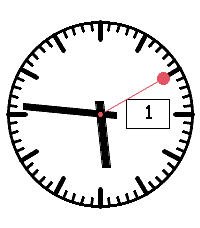
Analoges Swiss-Railway-Watchface mit größerer Datumsanzeige
 2
2Football for Pebble
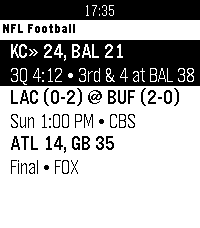
Live NFL football on your wrist featuring real-time down & distance, field position, drive tracking, and score alerts.
 1
1CFB for Pebble
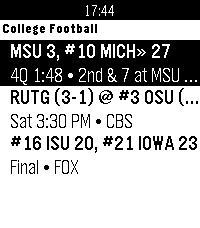
Live NCAA college football on your wrist featuring AP Top 25 rankings, real-time down & distance, field position, drive tracking, and score alerts.
 0
0VarnaBus
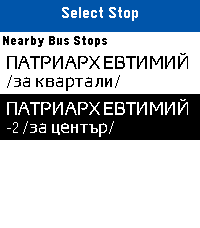
Live public transit arrivals and nearest bus stop locator for Varna, Bulgaria directly on your Pebble.
 4
4tvtime
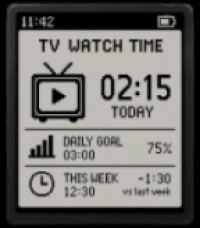
I want to make my private app that can track my plug's time on and off.
 219
219Wristotle
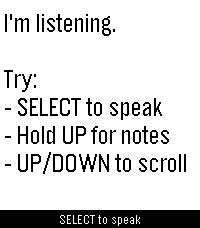
Wristotle turns your Pebble's dictation button into a voice command surface. Press the button, speak, and the Wristotle companion app on your Android phone handles it — calls, texts, reminders, alarms, music, notes, tasks, weather, sports, world clock, calculator, and an Ask-Agent path — then sends the answer back to your wrist.

Replies arrive as chat bubbles, and lookup-style answers render as full-screen cards: a colored band shows the action and an icon shows the subject, so you can read the result at a glance.

 Highlights
 - Voice commands straight from the dictation button — no extra hardware
 - Full-screen reply cards for sports, weather, and meetings
 - Browse your notes and tasks right on the watch
 - Set and view alarms on the watch (phone / watch / both)
 - Optional spoken replies on supported watches (Pebble Time 2)
 - Configurable buttons — bind SELECT and long-press Up/Down to Dictation, Menu, Notes, or Tasks
 - Optional colour theme and chat bubbles

 Requires the free Wristotle companion app on your Android phone (works with microPebble or Core Devices). Everything runs on-device by default — no account, no tracking. AGPLv3.

 Companion app + setup guide: https://wristotle.codeberg.page/

Needs a Pebble with a mic (basalt, chalk, diorite, emery, flint, gabbro — not aplite).
 81
81FaceBrowser
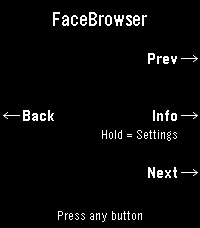
Browse watchfaces right from your wrist. FaceBrowser lets you scroll through the Rebble and Pebble app store catalog directly on your watch, showing you a live preview of each watchface so you can see exactly how it will look on your screen.

Use the up and down buttons to flip through faces one by one, or turn on random mode to discover something new. Filter by collection to browse all available faces or just the most loved ones. When you find a face you like, press select to see the app name, developer, and a QR code you can scan to quickly open it on your phone and install it.

Features:
  - Live watchface previews rendered on your watch
  - Browse sequentially or shuffle randomly
  - Filter by collection (all or most loved)
  - View app details including name and developer
  - QR code for quick install from your phone
  - Support for Rebble and Pebble app stores
  - Works on all Pebble hardware platforms
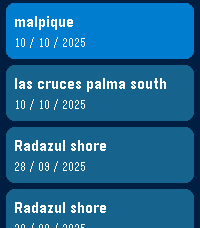 6
6Decompress Dive Log
A simple dive log on your watch.
Syncs with PADI Logbook, requires an account with PADI previous to any use.
Use voice dictation and intuitive menus to record easy to forget data just as you hop on the boat or arrive at the dive center, instead of fiddling with your phone! I've found over the years of diving I kept forgetting key details (dive site, bottle size, nitrogen mix, etc...) after coming out of the water and was not recording this data anywhere. Dictate what you saw, how the dive went and anything you might want to remember later in the notes for the dive.

App shows the last 5 dives in your account, this is also useful as I never remember which weights were good for different oceans/seas, and which combination of bottle/weight was best. Click on a dive to see the details.
Last menu item to add a new dive, will prompt for key details:
- Dive Title
- Dive Site
- Type of Dive
- Max Depth
- Bottom time
- Notes: dictate using microphone
- Water Type
- Weather
- Air Temp/Surface temp/Bottom temp
- Visibility
- Weights used
- Start/end pressure

Then you can check all details later (and edit them) on the PADI Logbook app on your phone or on the PADI website.
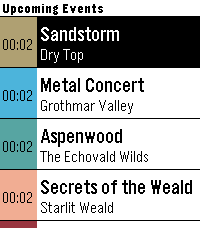 17
17GW2 Event Timers
Pebble app that displays upcoming ingame events in Guild Wars 2.
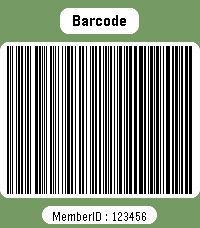 409
409Member card
Wear your membership cards on your wrist.

Works with linear and 2D barcodes:
CODE128, CODE39, CODE93, EAN8, EAN13, UPC-A, CODABAR, ITF, Data Matrix, PDF417, Aztec and QR Code.

QR Code helpers are included for vCard contact cards and Wi-Fi network sharing.

You can also add memo cards for short notes, IDs, locker codes, or any text you want to keep on your watch.

Select cards with the up/down buttons.
Press select to enter scan mode with forced backlight and a wider display area.

Cards are stored on the watch, so no phone is needed to display them.

Storage is limited by Pebble's persistent storage: the app uses up to about 4 KB for saved cards. The exact number of cards depends on barcode type and content size.