ZenNotes for Pebble
Unknown
Watchapp
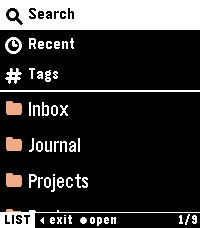


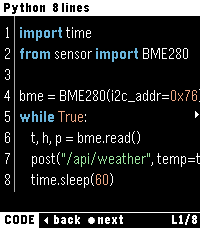

Description
Read your ZenNotes on your wrist.

ZenNotes for Pebble connects to your self-hosted ZenNotes server (znserver) and shows your Markdown notes on Pebble Time 2. It is read-only, so your vault is never changed.

- Browse folders, recent notes and tags
- Search note titles by voice
- Markdown: headings, lists, checkboxes, quotes, callouts and tables
- Code blocks with line numbers and syntax highlighting
- Follow [[wikilinks]] to other notes, and jump to headings
- Images from your vault or the web, resized for the watch
- Recently opened notes stay readable offline
- Dark or light theme, two text sizes, English or Japanese
- Touch support on Pebble Time 2

Setup: open the app settings on your phone and enter your server URL and auth token (ZENNOTES_AUTH_TOKEN). The server must be reachable from your phone. Use HTTPS or a VPN when away from home.

Unofficial app, not affiliated with the ZenNotes project. Open source (MIT): https://github.com/Rad1ally/pebble-zennotes
- DeveloperUnknown
- CategoryTools & Utilities
- PlatformsTime 2
- Updated2026-10-12
- Version0.1.0