Voice Relay
Maxim Lepekha
Watchapp

Description
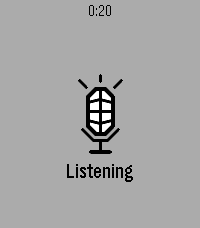
Launch Voice Relay and it starts listening straight away. Press Select when you've finished speaking, and what you said is sent to an HTTP endpoint you choose — your own server, your own model, your own key. The reply comes back as text on the watch.

Setup
Open the app's settings in the Pebble phone app and fill in two fields: the endpoint URL, and any headers you need (one per line, Name: value — an API key goes here). A Test button posts the word "test" so you can confirm the endpoint works before speaking to it.

The contract
Voice Relay posts {"text": "what you said"} and expects {"response": "what to show"} back. Anything that speaks JSON will do — a language model, a webhook, a note-taking service, a home automation script.

On the watch
Select speaks again. Up and Down scroll a long reply. Back exits. Errors are shown in plain words, not codes — a failed request tells you the status and whatever the server said about it.

You need your own endpoint. There is no built-in service and no account to create; nothing is sent anywhere except the address you enter. Speech recognition uses the same phone-based dictation as the rest of the watch, so a phone connection is required.- DeveloperMaxim Lepekha
- CategoryRemotes
- PlatformsTime 2
- Updated2026-09-12
- Version1.2.0