Typical Garmin Fitness
rukari / @hidea
Watchface
Description
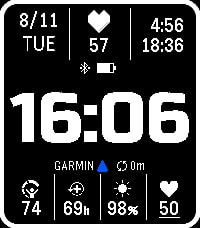
Garmin Fitness Face
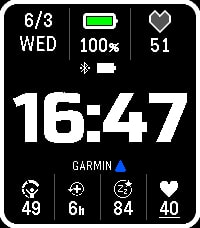
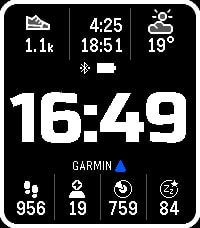
Display your Garmin Connect fitness data right on your Pebble.
Perfect companion for Garmin CIRQA.

Stay on top of your health and training with customizable data slots showing the latest synced metrics from Garmin Connect.

Features:
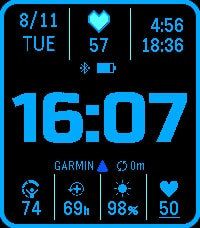
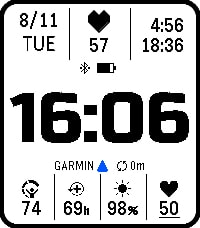
- Pebble battery and Bluetooth status
- Garmin Connect connection status indicator
- 3 top slots for Pebble native metrics — date, battery, heart rate, resting HR, steps, sleep, weather, sunrise/sunset
- 4 bottom slots for Garmin Connect metrics — choose from 17 metrics including Body Battery, Stress, HRV, Recovery Time, VO2 Max, Training Readiness, and more
- Six color themes with a reverse display option

Requirements:
- Garmin device synced to Garmin Connect
- Garmin Connect account (2FA must be disabled)

Setup:
Open the watchface settings, enter your Garmin Connect credentials, select your metrics, and you're good to go.

⚠️ Credentials are stored in plain text due to Pebble SDK limitations. Use a dedicated password and do not reuse your main Garmin account password.

Support my development by Buy me a coffee:
https://buymeacoffee.com/jca03271a
- Developerrukari / @hidea
- CategoryFaces
- PlatformsTime 2
- Updated2026-08-11
- Version1.0.1