SciPomodoro
SciPal
Watchapp
Description
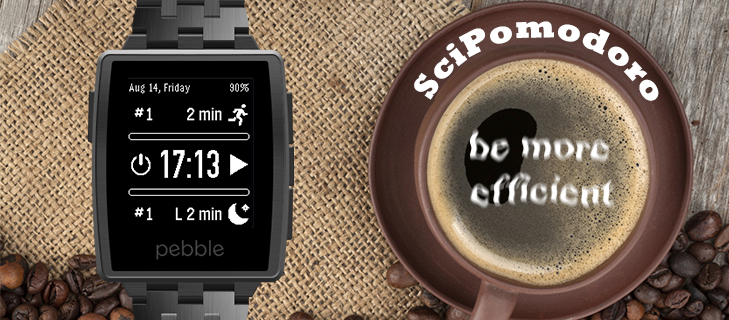
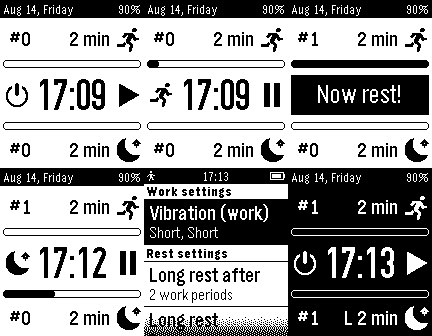
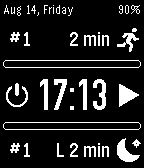
Yet another Pomodoro like timer. This time it can work either in the background (and will not drain the battery at all) or as a kind of watchface (draining the battery once a minute, like most of the watchfaces). It is possible to start the timer and quit the app using the BACK button. The app will wake up automatically when the "work" or "rest" events are finished, vibrate (depending on the event), will start the next event ("rest" or "work" respectively) and then will close itself in 5 - 20 sec (user settings) from that moment, until the next wakeup, or will switch to a watch-mode.

Navigation:
- button UP: (when no timer is active) sets the time for "work" (in minutes), (when timer is active) shows the elapsed time or time left
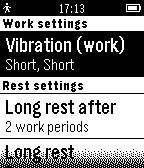
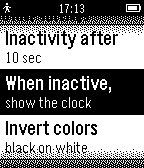
- button UP (long press): settings menu
- button DOWN: (when no timer is active) sets the time for "rest" (in minutes), (when timer is active) shows the elapsed time or time left
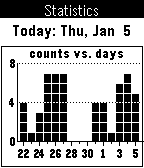
-button DOWN (long press): history over last 15 days
- button SELECT: start/pause the timer
- button SELECT (long press): stop the timer.
- SHAKE - hide the scipomodoro clock (not the watchface!) for a few seconds and show the current status of the (work or rest) timer
The statistics (counts of "work" and "rest" events which are visible in the left upper and lower corners) is reset every day automatically, or can also be done via the settings menu.- DeveloperSciPal · Is this you? Claim your app ›
- CategoryTools & Utilities
- PlatformsOG Pebble, Steel, Time/Time Steel, 2, 2 Duo, Time 2 (scaled)
- Updated2015-10-06
- Version1.9