Changelog
The Pebble Appstore changes based on your specific choices. Use the options below to look around!
Pebble smartwatch
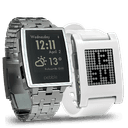 Pebble Original
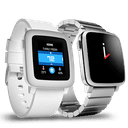 Pebble Time
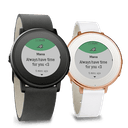 Pebble Time Round
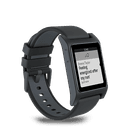 Pebble 2
 Pebble 2 Duo
 Pebble Time 2
 Pebble Round 2
Version 3.32016-12-02T00:40:08.385
No release notes available
Version 3.22016-10-25T08:53:39.158
No release notes available
Version 3.12016-08-15T22:26:31.652
No release notes available
Version 3.02015-10-24T00:55:39.028
No release notes available
Version 2.92015-02-07T13:49:44.04
No release notes available
Version 2.82015-01-25T17:45:13.474
No release notes available
Version 2.72014-11-30T01:52:11.034
No release notes available
Version 2.62014-10-29T22:54:01.452
No release notes available
Version 2.52014-10-13T23:24:31
No release notes available
Version 2.42014-09-29T22:58:30.698
No release notes available
Version 2.32014-09-09T22:24:30.471
No release notes available
Version 2.22014-08-24T00:56:36.118
No release notes available
Version 2.12014-08-02T22:08:43.798
No release notes available
Version 2.02014-06-21T22:20:46.264
tore and share your VCARD, Business Card or Contact information in a QR Code on your Pebble smartwatch.

This app could let you enter your VCARD information and turn it into a QR code containing a VCARD with your contact information.

The app sync the QR code image to Pebble and store the QR in pebble. You could share your QR VCARD infromation with your Pebble Smartwatch anywhere, anytime!

To read the QR VCARD in pebble, you could download and use 'RedLaser', 'QuickScan', 'QR Code Reader' to read the QR VCARD(Business Card) information.

This app allow anyone with a QR reader to read and import your VCARD(contact information) into their address book quick and easily!