Pulse Metronome
Robert Haist
Watchapp
Description
Pulse is a serious practice metronome for your wrist. Not a toy — it has the features working musicians actually need.

Rock-solid timing: Anchor-based tick scheduling eliminates the cumulative drift that plagues timer-based metronomes. At 130 BPM, a naive implementation drifts 54ms after 100 beats. Pulse drifts zero. The scheduler even rides out clock adjustments (like phone time syncs) without missing a beat.

Audible click on Pebble Time 2: A real metronome sound through the speaker — higher-pitched accent on the downbeat, lighter click on upbeats and subdivisions. Falls back to vibration automatically when the speaker is muted.

Haptic accent patterns: Beat 1 hits harder than the upbeats — you feel the downbeat, not just count it. Three click styles (Sharp, Double, Buzz) each have distinct accent variants. Two intensity levels (Short and Strong) scale the entire feel.

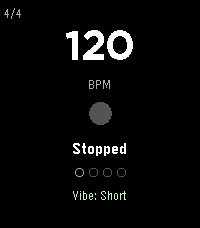
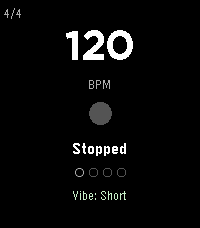
Time signatures: 2/4, 3/4, 4/4, 5/4, 6/8, 7/8. Beat position dots at the bottom show exactly where you are in the measure. The downbeat dot is visually distinct.

Subdivisions: Layer 8th notes, triplets, or 16th notes over any time signature. Subdivision pulses use a lighter vibration so you can feel the rhythmic grid without losing the main beats.

Tempo trainer: Automatically bumps BPM every N bars — set it and forget it. Default is +2 BPM every 4 bars. Great for building speed on a passage. Caps at 300 BPM.

Simple controls: UP/DOWN set the tempo, SELECT starts and stops. Everything else lives in a settings menu on long SELECT — no gesture memorization required. Power users still get shortcuts: double-tap UP/DOWN to cycle time signature/subdivision, long-press BACK to toggle the trainer.

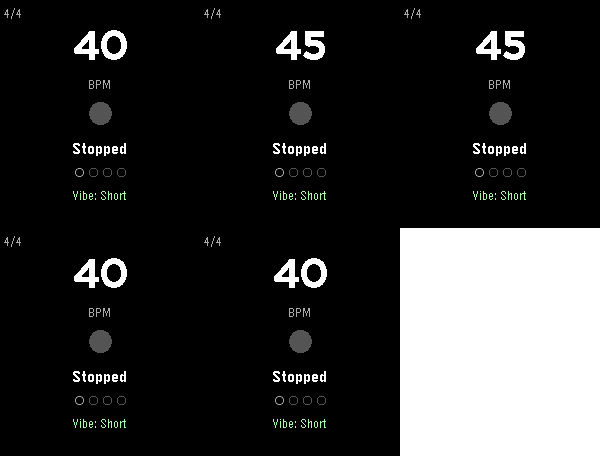
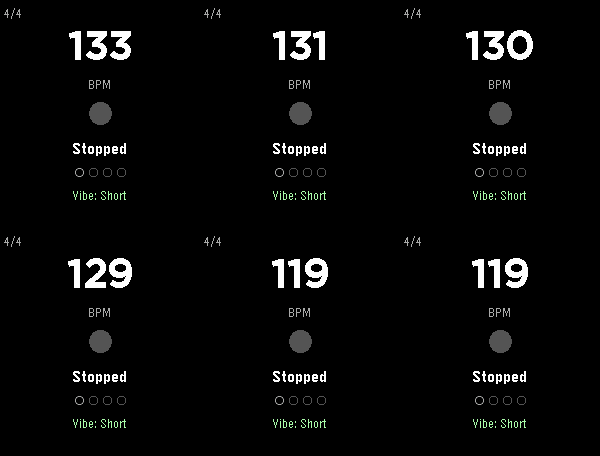
Tap tempo: A dedicated tap screen (settings menu > Tap Tempo): tap SELECT to the beat and the BPM follows your feel — while playing, the beat locks to your taps instantly. Averages up to 8 taps for a stable reading. Resets after 3 seconds of silence.

Everything persists: BPM, time signature, subdivision, haptic mode, click style, and tempo trainer settings all survive app restarts.

CONTROLS

UP - BPM +1 (hold to repeat — accelerates to +5, then +10)
DOWN - BPM -1 (hold to repeat — accelerates)
SELECT - Start / Stop
SELECT hold - Settings menu (tap tempo, time sig, subdivision, click mode, click style, trainer)
BACK - Exit (double-press; single press shows a hint)

Shortcuts: double-tap UP cycles time signature, double-tap DOWN cycles subdivision, hold BACK toggles the tempo trainer.

CLICK STYLES

Sharp - Single short tap. Clean and minimal. Best for fast tempos.
Double - Two quick taps with a gap. Easier to feel at slower tempos.
Buzz - Sustained vibration. Strongest presence on the wrist.

Each style has three intensity levels: normal (upbeats), accent (downbeats in Short mode / upbeats in Strong mode), and heavy (downbeats in Strong mode).

CLICK MODES

Off - No vibration. Visual-only metronome.
Vibe Short - Light upbeats, medium accent on beat 1, subtle subdivision taps.
Vibe Strong - Medium upbeats, heavy accent on beat 1, firmer subdivision taps. Full intensity for loud environments.
Sound (Pebble Time 2) - Audible clicks through the speaker: G6 downbeat, C6 upbeats, G5 subdivisions. Falls back to vibration when muted.

Vibration pulses are tuned per motor type — ERM (original Pebble, Time, Time Round) and LRA (Pebble 2 and newer) get different durations so every model feels crisp.

TIME SIGNATURES

2/4, 3/4, 4/4 (default), 5/4, 6/8, 7/8. Pick from the settings menu (long SELECT), or double-tap UP to cycle. Beat position dots update to show the new measure length. The beat counter resets to beat 1 when you switch.

SUBDIVISIONS

Off (quarter notes only), 8th, Triplet, 16th. Pick from the settings menu (long SELECT), or double-tap DOWN to cycle. Subdivision ticks use a lighter vibration than main beats so the rhythmic hierarchy stays clear.

TEMPO TRAINER

Toggle from the settings menu, or long-press BACK. When active, the BPM label shows the trainer settings (e.g. "BPM +2/4b" = +2 BPM every 4 bars). The increment applies at the start of each cycle. Stops at 300 BPM.

PLATFORMS

All Pebble models: Aplite, Basalt, Chalk (round), Diorite, Flint (Pebble 2 Duo), Emery (Pebble Time 2), Gabbro (Pebble Round 2). Layout adapts proportionally to each screen size — big 60px BPM digits on Pebble Time 2 and Round 2. Color accent (mint green) on color displays; clean white on B&W.

Supports quick launch: assign Pulse to a button shortcut and it starts ticking the moment it opens.
- DeveloperRobert Haist
- CategoryTools & Utilities
- PlatformsOG Pebble, Steel, Time/Time Steel, Time Round, 2, 2 Duo, Time 2, Round 2
- Updated2026-07-14
- Version1.2.0