Changelog
The Pebble Appstore changes based on your specific choices. Use the options below to look around!
Pebble smartwatch
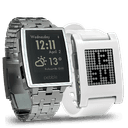 Pebble Original
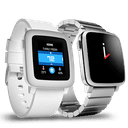 Pebble Time
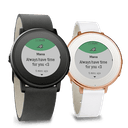 Pebble Time Round
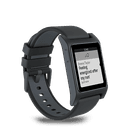 Pebble 2
 Pebble 2 Duo
 Pebble Time 2
 Pebble Round 2
Version 1.102015-11-28T12:17:45.682
Support for Time Round.
Version 1.92015-07-12T14:58:49.874
* Tracking is done in background worker - not interrupted by notificaitons.
* Tweaks for confirmations with vibrations.
* All parameters added to Companion sync protocol (can be set from Companion App).
Version 1.82015-06-02T16:25:50.566
Renamed to Pinsleep - requested by Pebble.
New profiles (Normal, No alarms, Everyday alarm).
Minor bugfixes for sync crashes.
Version 1.72015-05-25T11:44:20.138
Snooze function. Short click activates snooze (if set in settings), long click - cancels the alarm and tracking.
Version 1.62015-05-05T20:48:05.53
Fix sync crashes.
Voulez-vous coucher avec... PebSlee. - app speaks French.
Optimized memory usage.
Responds to companion app for toogle sleep mode.
Version 1.52015-01-18T14:12:34.094
Back button on main windows works only when sleep is not active (stopped) - can be used to light up display while active.
Added 2 new options for sensitivity that affect the statistics and wake up timers - Sensitivity of falling asleep (slow, normal, and fast) Sensitivity of movement (not sensitive, normal, very sensitive)
Version 1.42014-12-18T22:42:06.574
Fix stats persistence size (10)
Action menu with - View stats, Clear Stats, Set time, Version
DB and version maintanance
Version 1.32014-11-22T18:39:07.507
Fix bug in storing statistics when having more than 10 days tracking. Note that this version will delete old statistics data.
Version 1.22014-11-16T18:10:38.471
Sync Screen.
Persist motion values in byte scale.
Sync data - set start end time from phone.
Sync data - send last sleep motion values to phone app.
Version 1.12014-11-09T15:24:34.642
Store last 10 sleep statistics
Stat screen supports navigation between sleep stats
New UI for stat screen
Version 1.02014-11-02T18:20:32.696
Smart alarm - the alarm is set in interval, and the application chooses a moment in this interval, when your sleep is most light - this avoids the dizziness and the feeling of missing enough sleep.
Autonomous application - no need of applications running on your smart phone - you can configure and managed the alarms completely on your smart watch.
Reduced power usage - the application comes even with its first version with optimized algorithm for saving the energy of your Pebble.
Background process - the application is able to run in foreground and to suppress the background processes like fitness apps, that can interrupt the app execution during night.
Sleep monitor stats - just after stoping the alarm.