Pebble AI Assistant
kjullu
Watchapp
Description
**THIS IS A VIBE CODED PROJECT, THERE IS BUGS AND ROUGH EDGES.**
**THIS HAS ONLY BEEN TESTED ON THE Pebble Time 2, AND HAS BEEN OPENED ON THE Pebble Time.**

# Info
I would probably recommend you to just use Bobby or Wrist AI. Unless you have tried them and don't vibe with them. Also the code for this is on GitHub, if you want to modify or critique my (GPT-5.6-sol's) code.

You are also free to contact me on either GitHub though and issue or by pressing the `CONTACT DEVELOPER` button at the bottom of this page. I may be a bit slow when it comes to answering, sorry in advance.

If you want to know everything about the app and what tools it has, where data is send, stuff like that, head over to the GitHub (`SOURCE LINK` at the bottom of the page) and check out the README.md.

# Controls
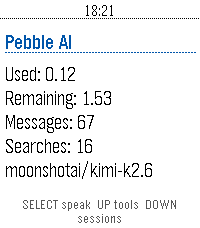
## Home Screen
- SELECT: Start voice dictation.
- UP: Open tool settings.
- DOWN: Open saved sessions.
- BACK: Exit the app.
- Hold SELECT: Clear the current conversation.
- Hold UP: Open tool settings from any screen except a choice prompt.
- Hold DOWN: Open saved sessions from any screen except a choice prompt.

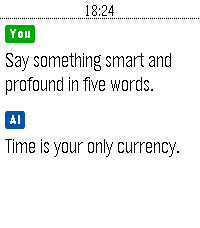
## Conversation Screen
- UP / DOWN: Scroll through the conversation.
- SELECT: Dictate another prompt.
- BACK: Cancel an active request. If no request is active, return to the home screen.
- Hold SELECT: Clear the conversation and start a new session.

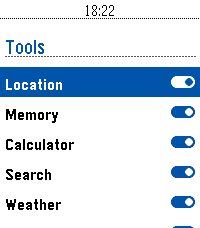
## Tool Settings
- UP / DOWN: Move between tools.
- SELECT: Enable or disable the selected tool.
- BACK: Return to the previous screen.

## Saved Sessions
- UP / DOWN: Scroll through saved conversations.
- SELECT: Start a new dictated prompt.
- BACK: Return to the previous screen.

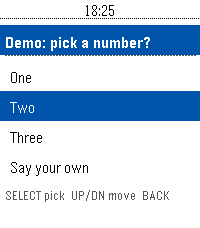
## Choice Prompts
- UP / DOWN: Move between choices.
- SELECT: Confirm the highlighted choice.
- Select Say your own: Dictate a custom answer.
- BACK: Cancel the choice prompt.

## Touchscreen Models
- Swipe vertically: Scroll through the current screen.

# Vibrations
## Short Pulse
- When the first text of an assistant response arrives.
- When you clear the current conversation.
- When a tool setting is successfully toggled on or off.

## Double Pulse
- When an assistant response finishes.
- When the phone reports an error.
- When a prompt, choice answer, cancellation, or other AppMessage fails to send.
- When an incoming message is dropped during an active request.

## Normal (if things go well you'll feel)
1. A short pulse when the answer begins arriving. (You can now begin reading)
2. A double pulse when the complete answer has arrived.
- Developerkjullu
- CategoryTools & Utilities
- PlatformsTime/Time Steel, 2, 2 Duo, Time 2
- Updated2026-08-05
- Version0.3.2