PC
dP-faces
Watchface
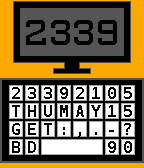
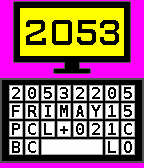
Description
Free!
---
PC - Pebble Computer

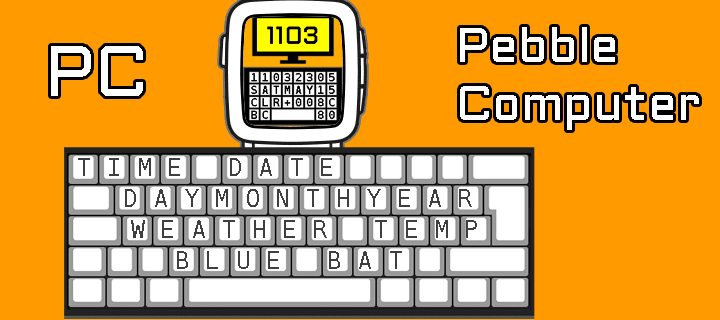
The timeboard, the keytime, I mean the keyboard, is not a QWERTY exactly... Each key has information!

- Display is off when the Pebble is disconnected from phone.

- Setting: Weather temperature units (C, F, K)
- Setting: Vibes on phone disconnect
- Setting: Day/month order
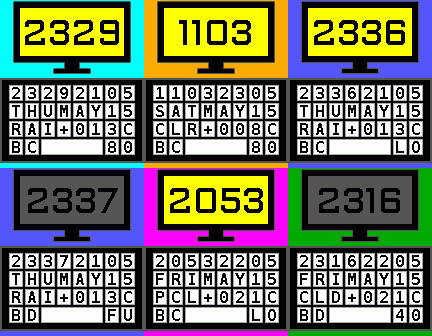
- Setting: Multiple color themes (Pebble Time only)

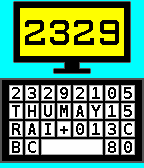
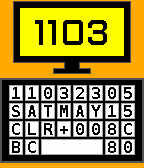
- Abbreviation for the day of the week (automatic in spanish or english)
- Abbreviation for the month of the year (automatic in spanish or english)

- Abbreviation for the weather condition (automatic in spanish or english):
*In english: GET (getting info), SUN (Sunny), CLR (Clear), PCL (Partly cloudy), CLD (Clouds), RAI (Rain), THN (Thunderstorm), SNW (Snow), FOG (fog).
*In spanish: LOC (localizando), SOL (Soleado), CLR (Claro), PAR (Parcialmente nublado), NUB (Nublado), LLU (Lluvia), TOR (Tormenta eléctrica), NVE (Nieve) y NBL (Niebla).

- Abbreviation for the bluetooth status (BC: connected, BD: disconnected)
- Abbreviation for battery charged level (LO: Low, FU: Full, 30-90%)

Designed and developed by dP-faces
https://dp-faces.com/
---
Consider supporting me by purchasing my Premium pack at a great price! It includes all current paid watch faces and any future ones I create. Thanks for your support! ❤️ https://bit.ly/dp-pebble
- DeveloperdP-faces
- CategoryFaces
- PlatformsOG Pebble, Steel, Time/Time Steel, 2, 2 Duo, Time 2 (scaled)
- Updated2025-01-30
- Version1.2