Changelog
The Pebble Appstore changes based on your specific choices. Use the options below to look around!
Pebble smartwatch
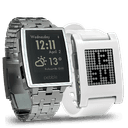 Pebble Original
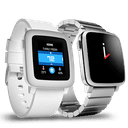 Pebble Time
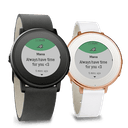 Pebble Time Round
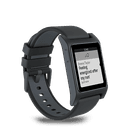 Pebble 2
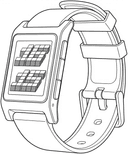 Pebble 2 Duo
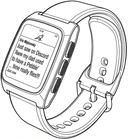 Pebble Time 2
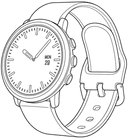 Pebble Round 2
Version 3.22016-11-29T14:40:45.542
Notification Center now respects watch's Quiet Time, bug fixes
Version 3.12016-11-13T21:47:48.999
- Fixed notifications sometimes being stuck in the main menu
- Fixed some messages sometimes not being delivered to the watch
- Fixed text being cutoff on PTR
- Fixed tasker crash
- Fixed phone voice not working
Version 3.02016-11-03T19:07:12.784
- Added notification icons (only on Pebble Time and newer)
- Added scrolling gestures
- Improved Pebble 2 support (I don't have the watch so thanks to Neil and Justin for helping me test)
- Added enhanced messaging support
- Added mute app action
- Added mute app for X minutes action
- Added icons to the watch app (OS 4 only)
- Added developer connection keep-alive.
- Advanced per-app settings are now hidden (Can be unhidden by enabling Advanced mode in the global settings menu).
- Added additional Xposed module features
- New vibration pattern picking UI
- Notifications opened via Active list will now work with dismiss upwards
- Improved Android 7.0 support
- Various fixes and improvements
Version 2.812016-03-14T23:04:31.338
- Fixed hourglass being stuck

- Fixed UI on round watches
Version 2.802016-03-12T07:52:37.118
- Fixed whatsapp notifications
- Added back white text on black background option
- BT disconnected notification will now dismiss itself when BT is re-connected.
- Added option to use notification-provided vibration
- Improved idle battery life (when notification is displayed for longer periods of time)
- Fixed native icons not loading
- Miscellaneous fixes.
Version 2.752016-02-15T15:09:52.037
Fixed crash when dismissing single history/active notification.
Version 2.742015-12-23T18:23:26.661
- Improved OS 3.X support for classic Pebbles
- Removed support for 2.x OS for classic Pebbles
- Removed inverted mode (Not supported on 3.x, sorry)
Version 2.732015-11-27T14:14:47.216
Fixed text display on PTR.
Version 2.722015-11-16T18:11:22.953
- Fixed frequent crashes on classic Pebbles
- Improved per-page-scrolling
- Fixed loading bigger images
- Improved background image placement on Pebble Time Round
- Updated Tertiary Text for Pebble Time Round
- Fixed hourglass not disappearing when cancelling Time Voice
Version 2.702015-11-03T22:08:33.464
- Significantly improved speed of the image loading
- Removed hideously slow text with white outline
- Background image is now washed out to make text visible. It clears when you scroll all the text away (scroll to the top)
- Removed 20 character limit from subtitle and title
- Time Voice is now using native voice dictation API
- Added option to display all missed notifications when Pebble reconnects
- Added disconnected notification to watchapp
- All options now state if they only work on watchapp or native.
- Added option to scroll page-by-page
- Added ability to change periodic vibration pattern
- Setting per-app setting to option that matches default value will link it back to default settings again
- Preliminary Pebble Time Round support (images and tertiary text still not fully supported)
- Added option to clear history from the watch
- Added new spam filtering option that does not vibrate notifications that just updated text of the old notification that is still being displayed on the Pebble.
- Fixed tasker per-app-settings black page
Version 2.512015-07-06T21:24:33.58
- Fixed circular notification switching
- Added option to hide scroll shadow
- Crash fixes
Version 2.502015-06-27T11:44:08.592
- Pebble Time: display notification image
- Pebble Time: statusbar is colored to notification's app color (for example Gmail notifications are red, Facebook blue etc.)
- Added identical notification filtering (can be turned off)
- Fixed notifications not being dismissed properly (blank menu bug)
Version 2.482015-06-14T08:19:17.143
- Added voice reply via Pebble Time microphone
- Fixed 5 second notification delay with Pebble Time and Developer Connection enabled.
- Menu selector is now colored on Pebble Time
- Fixed per-app-settings window going crazy when rotating the phone
Version 2.442015-02-16T17:02:17.334
- Fixed sometimes app closing too soon when close to last app is disabled
- Fixed parsing statusbar notifications in Lollipop
- Moved font settings to per-app settings
- Added option to always parse statusbar notification
Version 2.432015-01-05T20:39:50.5
- Fixed error where notification would not be delivered quickly after another one being dismissed
- Fixed actions on pre-4.3 devices
- Crash fixes
Version 2.422015-01-02T16:29:41.138
- Added option to disable instant menu
- Improved performance
- Crash fixes
Version 2.402014-12-28T09:16:06.48
- Improved performance and reability
- Hourglass now only appears when user interaction is blocked
- Action menu now opens instantly, allowing you to pick action even before its text loads
- Phone now displays watchapp update notification, update with single tap
- Support for actions on 2.9 firmware native notifications
- Added writing replies from Pebble
- Added "Set all to X" convenience option to Pebble apps menu
- Added "Dismiss after reply" option
- Added "Custom title" option
- Added "Light timeout" option
- Added FAQ link to android app menu
- Moved shake action setting to per-app-settings and added more options (this resets it, sorry)
Version 2.352014-11-21T19:51:34.001
- Moved "No notifications with screen on" to per-app settings
- Added vibration option to watchapp
- Added "Dismiss from Pebble" tasker action
- Changed use defaults checkbox to reset to defaults button
- Bug and crash fixes
Version 2.32014-11-16T11:12:07.404
- Added ability to reply via canned response or via voice on all apps that suport Wear voice reply
- Added ability to execute notification actions from the Pebble (buttons that appear under notification text on the phone)
- Added ability to execute Wear actions from the Pebble (buttons that would appear when swiping right from notification on Wear watch)
- Added ability to execute Tasker tasks from Pebble notification
- Added option to view one message per notification instead of one summary notification (for apps that support Wear group notifications)
- Added minimum time between vibration (spam limiter)
- Added option to disable notifications when Lollipop's do not disturb mode is on
- Improved Lollipop support
- Native notification parsing is now supported from Android 4.1+ (previously 4.4+)
- Material theme
- Bug fixes (lots of them)
- Performance and reliability improvements
Version 2.22014-09-18T19:55:38.618
2.2:
- Per-App Settings (that includes Per-App regex expressions and vibration patterns)
- Fixed Emoji support in character replacement
- Added clear history button
- Added ability to disable NC or swith to regular Pebble notifications when specified app is active on Pebble
- Added ability to turn off notifications directly form Pebble
- Fixed not being able to go back to main menu from notification list
- Added several new settings (including reverse option that fixes new Whatsapp messages)
- New tasker plugin that allows changing practically any option directly from tasker
- Added settings backup/restore