Notesview for Nextcloud
Christian Sandmann
Watchapp
Description
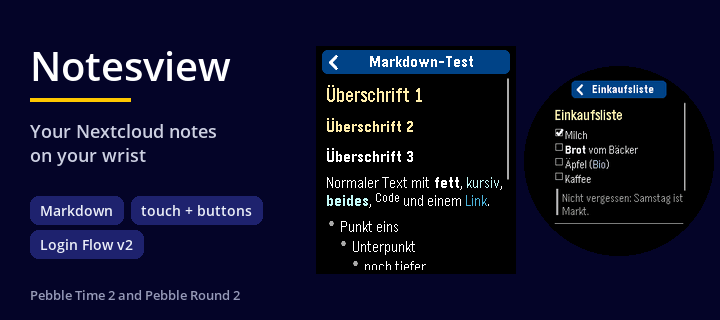
Notesview shows selected notes of your own Nextcloud on the watch via the phone app.
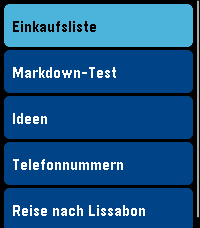
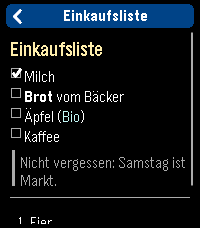
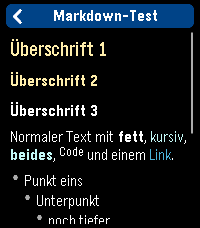
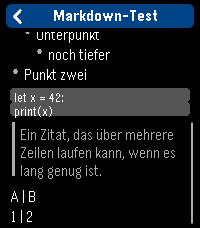
The whole screen is a list of your notes, select one (touch enabled or buttons as you like) and it opens as a second screen with its Markdown rendered. BACK returns to the list, BACK in the list leaves the app.

- Your own Nextcloud, no other service: the notes come from the Notes app of your Nextcloud server over HTTPS. There is nothing in between that stores them
- Notes are read only (use f.e. 'Nextcloud Notes' on your (I)phone to edit the notes on the go
- Sign in with an app password: create one in your Nextcloud (Settings > Security > "Create new app password"), then enter the server address, your user name and that app password in the app settings on the phone. The connection is checked before it is saved. The password stays on your phone, and you can delete it in the Nextcloud at any time. Your normal password is never needed.
- Typing "demo" as the address shows a few sample notes without any server.
- Pick what is shown: the list shows the notes of one category of the Nextcloud Notes app (default "Pebble", you can choose any name) and up to 12 notes (to keep it fast and with regards to limited memory on Pebble), favorites first, then the newest
- Markdown rendered on the watch: headings, bold, italic, code, code blocks, links (shown as colored text), bullet, numbered and task lists with check boxes, quotes, horizontal rules. Tables are shown as plain text. Very long notes are cut after about 3 KB with a "(gekuerzt)" note
- Buttons: UP / DOWN select a note, SELECT opens it, hold SELECT refreshes the list. In a note UP / DOWN scroll, SELECT scrolls a page, hold SELECT jumps to the top, BACK returns
- Touch: drag the list or a note to scroll, tap a note to open it, tap the top or bottom third of a note to scroll a page, tap the title bar or swipe right to go back
- The last list is kept on the watch, so it is there immediately when you start the app; the notes themselves are fetched when you open them
- Colors for the list, the selected row and the note (text, headings, quotes, code, links) can be changed in the app settings.
- German and English messages, following the language of your watch

For Pebble Time 2 and Pebble Round 2. Nothing leaves your phone except the requests to your own Nextcloud server. Development supported by Claude and the skill for it.
- DeveloperChristian Sandmann
- CategoryTools & Utilities
- PlatformsTime 2, Round 2
- Updated2026-10-13
- Version1.1.1