Nostalgic Commander
bemyak
Watchface
Description
Your watch, circa 1992.

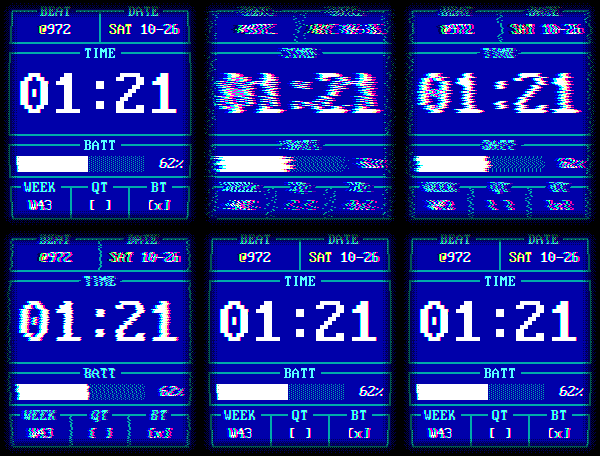
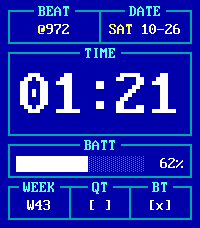
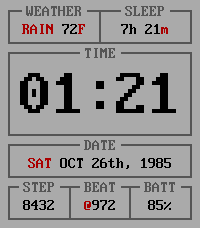
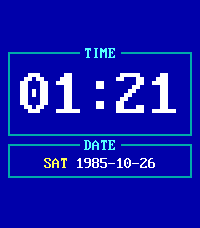
Nostalgic Commander turns your Pebble Time 2 into a DOS-era panel: cyan frames over Norton blue, an IBM VGA bitmap font, caption-titled status bars, solid block-glyph progress bars with percentages. Exact EGA colors — Pebble's display uses the same channel steps DOS did.

Four themes, picked not guessed:

- **Turbo Vision** — the dialog box, black on light grey
- **Norton** — cyan frames, white entries over EGA blue (the default)
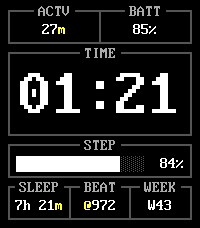
- **Dark** — the panel dimmed to grey on black, Turbo Vision's shadow trick
- **Navigator** — DOS Navigator as it renders: dark grey, light chrome, yellow marks

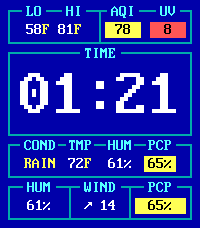
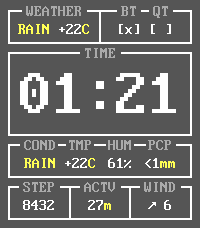
Six complication slots, filled your way. The wide middle one holds the date, a block-glyph progress bar (steps or battery), or the full-weather strip: condition, temperature, humidity and rain as four captioned chips inside their own frame.

Around it: weather temperature, day high/low with hours, precipitation, humidity, wind, AQI, UV, a combined AQI/UV view, steps, sleep, heart rate, active minutes, Bluetooth, quiet time, short and full dates, ISO week number, Swatch .beat time, battery percent — or leave any slot empty.

The details are opinionated. Celsius is always signed (+22°). Status colors appear only where they mean something — humidity stays quiet between 30 and 60%. Weather reads ahead over a forecast window you choose (now, or up to 24 hours): while it's actually raining, the chance field shows the observed rate instead, because the guess is settled.

The settings page is the theme picker, units, the forecast window, date formats and day-of-week placement — plus the six slots. Good defaults over knob sprawl.

Weather and AQI/UV by Open-Meteo, straight from the phone: no API key, no account, refreshed every 30 minutes.

Weather data: Open-Meteo.com (CC BY 4.0).

Based on tuiface by Elizardbeth, used under the PolyForm Noncommercial license.
- Developerbemyak
- CategoryFaces
- PlatformsTime 2
- Updated2026-08-30
- Version1.9.0