Changelog
The Pebble Appstore changes based on your specific choices. Use the options below to look around!
Pebble smartwatch
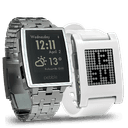 Pebble Original
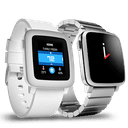 Pebble Time
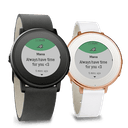 Pebble Time Round
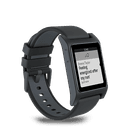 Pebble 2
 Pebble 2 Duo
 Pebble Time 2
 Pebble Round 2
Version 1.12016-03-27T16:16:41.719
MacID for Pebble 1.1 includes a minor change to swap the "previous" and "next" track controls, so that they're the same as the stock Pebble Music app.

To get to audio controls in MacID for Pebble, long-select on a connected Mac. Long-press again to swap between track and volume controls.

If you have any feedback or suggestions on MacID for Pebble, I'd love to hear them! You can find me on Twitter: @MacIDHelp

As always, I'll never hassle you in the app for a review, but if you do have a moment spare I'd really appreciate a rating in the iOS App Store. It really does help small independent developers like me! Thanks!
Version 1.02015-12-18T14:14:40.784
Welcoming MacID for Pebble to the MacID family!

v1 of MacID for Pebble brings the ability to lock and unlock all Macs currently connected to MacID for iOS, as well as the ability to control audio just like MacID for iOS and MacID for Apple Watch.

To lock or unlock a Mac, select a connected Mac. It couldn't be simpler.
To control a Mac's audio, long-select on a connected Mac. You'll see an audio control screen, with information about the currently playing track. Long-select again on audio controls to swap between track and volume controls.
To speed up unlocking even further, if a Mac wakes as you walk up to it using Proximity Wake (enabled in MacID for OS X) while MacID for Pebble is active, you'll get a handy unlock notification in the app. From there you can choose to unlock or snooze requests for an hour, just like MacID for iOS and MacID for Pebble.

Got feedback? Let me know at @MacIDHelp on Twitter.