JR East Yamanote Loop
Jaybon
Watchface
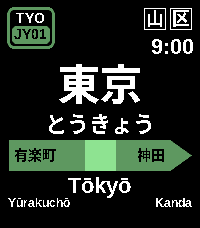
Description
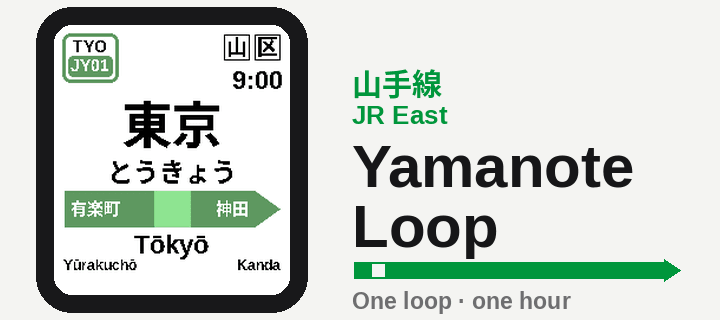
Your wrist becomes a JR East Yamanote Line platform — and the station tells the time.

The Yamanote Line circles central Tokyo in about 60 minutes, so this watchface turns one loop into one hour. Every two minutes the nameboard advances one station around all 30 stops: at the top of the hour you're at Tokyo (JY01), rolling station-by-station back around to Yūrakuchō by :58. Which station is showing tells you the minute — and for the exact time, just read the platform clock in the corner, the way every JR platform has one.

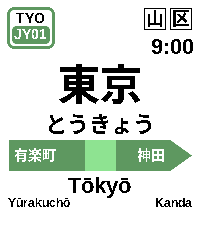
It's a real sign at every moment: the correct JY station number on the badge, the authentic station name in kanji, hiragana, and rōmaji, and the actual neighbouring stations on the green direction bar. When the station changes, the sign slides in like an arriving train and settles onto the platform.

Features
Authentic Yamanote nameboard (駅名標 ekimeihyō) — JY number badge, station name in kanji / kana / rōmaji, and the green directional arrow bar with the real adjacent stations.
Tells time the Yamanote way — one loop = one hour, a new station every two minutes across all 30 real stops, anchored to Tokyo on the hour.
Platform clock for the precise time (12- or 24-hour).
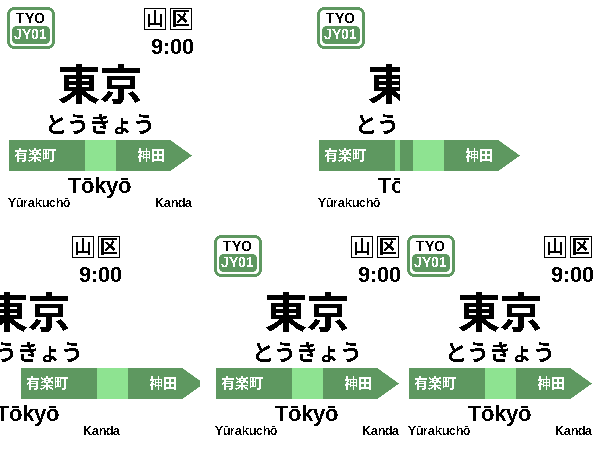
Train-arrival animation on every station change — the sign slides in and gives a little settle, like a train pulling into the platform.
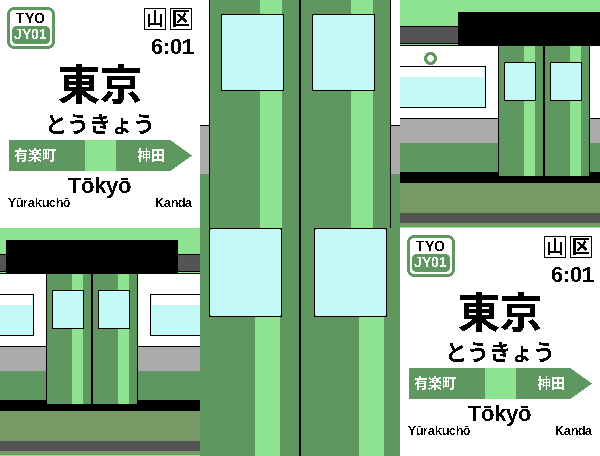
Optional Yamanote Cinema transition — switch the station change to a full speed-ramped sequence: the green doors close over the sign, the camera pulls back to the whole E235 train, it departs, the next train arrives, and the doors open onto the new station. (Off by default.)
Tap or flick your wrist to peek — replays the animation on demand (and lights the screen).
Dark mode and Timeline Quick View support — the board steps aside when a timeline event peeks in.
Fits every Pebble screen — rectangular and round, colour and black-and-white, with layouts tuned so the Japanese names always stay crisp and uncut.
Compatible watches
Pebble Time 2 (primary) · Pebble Round 2 · Pebble Time / Pebble Time Steel · Pebble Time Round · Pebble 2 (black & white)
Settings (Pebble app → this watchface → Settings)
24-hour time — 12- or 24-hour platform clock. (Default: 12-hour.)
Dark mode — black board with white text; the line bar stays Yamanote green. (Default: off.)
Cinema — play the cinematic train transition instead of the quick slide: Off, Wrist-flick only, or Every station change. (Default: off.)
Peek on tap — turn the tap/flick-to-peek animation on or off. (Default: on.)
Backlight on tap — turn the tap/flick-to-light-the-screen behaviour on or off. (Default: on.)
- DeveloperJaybon
- CategoryFaces
- PlatformsTime/Time Steel, Time Round, 2, 2 Duo, Time 2, Round 2
- Updated2026-06-10
- Version1.1.0