Hotpot (Weather and Health)
hkv3
⚠️ This apps settings page may not work anymore
Watchface
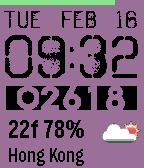
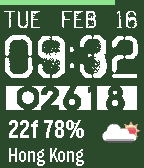

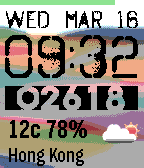
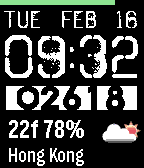
Description
Hotpot

Put all your favorites into the pot.

Ingredients:
- Battery bar
- Date
- Time (12/24hr style, auto selection)
- Steps
- Temperature ('C or 'F)
- Humidity
- Weather icon
- Location
- Configurable background color
Show the hidden background (as the above first screenshot) by choosing the light yellow grid at the top right corner in the configuration page.

Notes:
The configuration page is using slate-config-example.
So, the toggle of "High Contrast Mode" is used as a toggle of "Temperature Unit".

If "High Contrast Mode" is On, the temperature unit is Fahrenheit.
If "High Contrast Mode" is Off, the temperature unit is Celsius.

Step source: Pebble Health.
Weather source: OpenWeatherMap, GPS, update every 20 minutes.
Fonts: Octin Spraypaint, Radicalblock and Gothic.

Please Enjoy :-)

V1.6
- Quick fix for PTR.

V1.5
- Optimized UI

V1.4
- Fixed weather icon in PTR

V1.3
- support PTR now
(verified in emulator only, and the weather icon seems disappear at bottom)

V1.2
- Support 12/24hr style, auto selection

V1.1
- Optimized UI
- Added Configuration Page (using slate-config-example, https://github.com/pebble-examples/slate-config-example.git)
Note:
If "High Contrast Mode" is On, the temperature unit is Fahrenheit.
If "High Contrast Mode" is Off, the temperature unit is Celsius.

V1.0
- First Release.- Developerhkv3 · Is this you? Claim your app ›
- CategoryFaces
- PlatformsTime/Time Steel, Time Round, Time 2 (scaled), Round 2 (scaled)
- Updated2016-03-16
- Version1.6