Healthoverview
Christian Sandmann
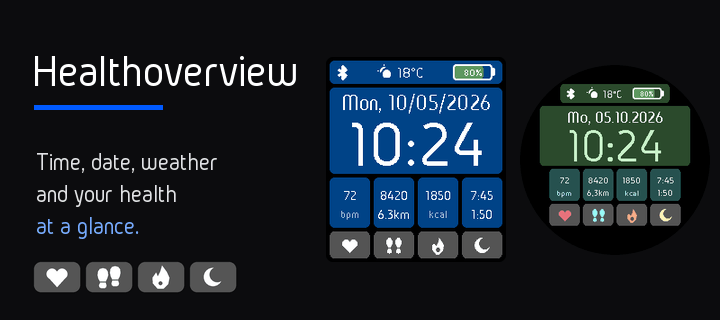
Watchface
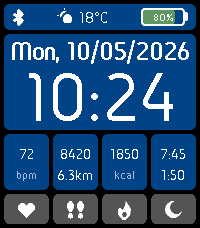
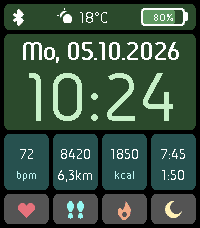
Description
Healthoverview puts your day and your health on one watchface: the time, the date, the weather and four health values you can read at a glance.

- The time in 24 hour format, large and clear, with the weekday and the full date above it
- A status bar with the Bluetooth connection, the current weather as an icon with the temperature (degrees Celsius or Fahrenheit, as you prefer), and the battery level with the percent shown inside the battery icon
- Four tabs with an information box above each one: heart rate, steps with the distance in km, calories burned today, and sleep with deep sleep

Health values come from Pebble Health. The weather comes from your phone and needs the location permission.

Make it yours from the phone settings:
- 29 colors: the display, the status bar, the date and time panel and, for every tab, its information box, its text, the tab and its icon. By default it is white text on deep blue with dark gray tabs
- A button that resets all colors to the defaults in one tap
- The temperature unit: Celsius (default) or Fahrenheit
- The weekday and the date follow the language your Pebble is set to. Or choose German, English, French, Spanish, Italian or Portuguese. The date format follows: German 05.10.2026, English 10/05/2026, the others 05/10/2026

For Pebble Time 2 and Pebble Round 2. The settings page is in German.
Development supported by Claude and the skill for it.
- DeveloperChristian Sandmann
- CategoryFaces
- PlatformsTime 2, Round 2
- Updated2026-10-05
- Version1.0.2