Focus
SetPebble
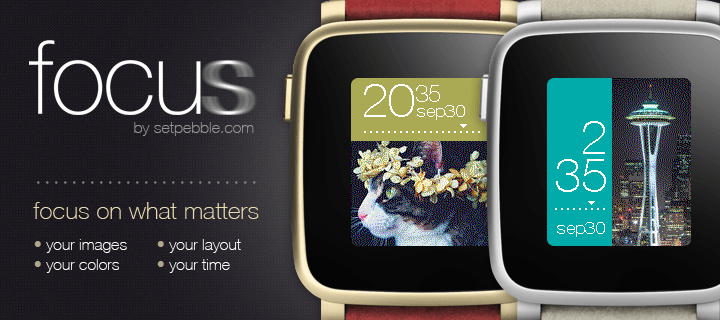
Watchface





Description
Focus displays images from your photo library or from online sources.

Open the Pebble Settings to choose your images. iOS users can choose to take an image from the camera or photo library. Both iOS and Android users can enter the URL of an image.

Once an image is selected, you can adjust the image by dragging it or using the sliders to change the scale, brightness, and contrast.

Custom settings include location of time, colors, date format, battery, connection, and vibration alerts.
- DeveloperSetPebble
- CategoryFaces
- PlatformsOG Pebble, Steel, Time/Time Steel, Time Round, 2, 2 Duo, Time 2, Round 2
- Updated2026-09-07
- Version2.0