Cruisin'
Jaybon
Watchface
Description
Cruisin'
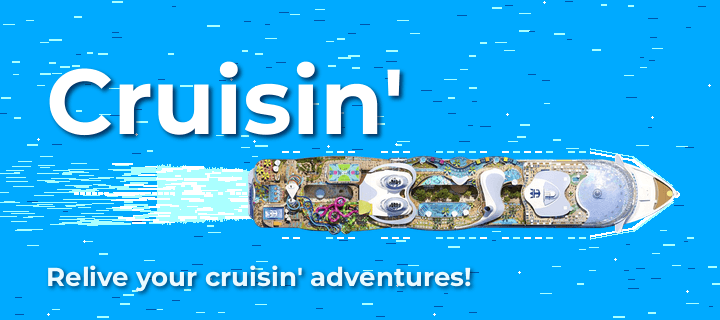
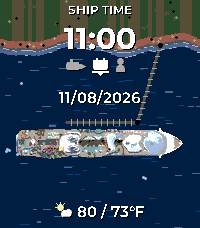
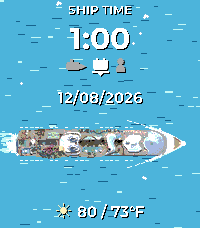
Set sail from your wrist. Cruisin' recreates the feel of a cruise-line
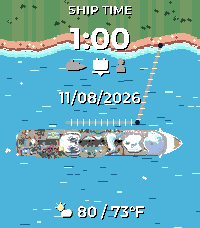
app's home screen as a Pebble watchface: a top-down mega cruise ship glides
across live tropical water beneath your ship time, date, and weather.
Features
A new itinerary every day — each date is deterministically a sea day
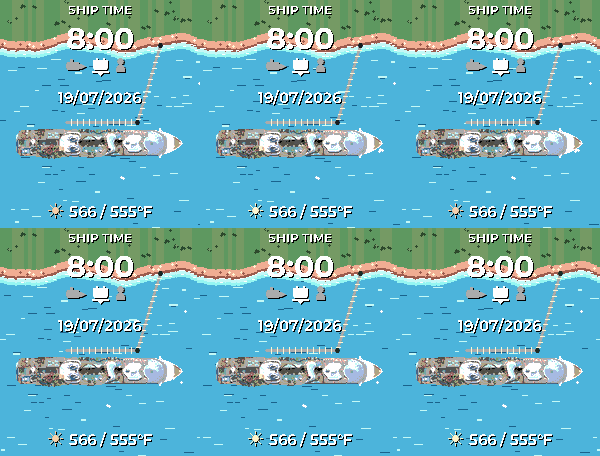
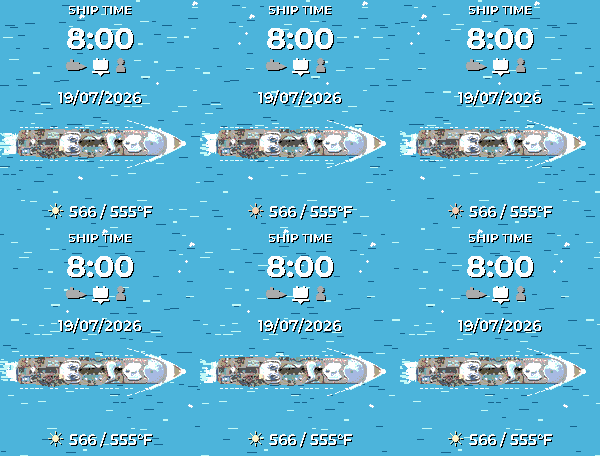
(open water, churned white wake trailing the stern) or a port day (tropical
shoreline with palm canopy, sandy beach, turquoise shallows, and a gangway to
shore). Same date, same scene — it's your ship's schedule. Prefer one view?
Pin the scene to always at sea or always in port in Settings.
Live weather with bespoke icons — high/low temperature plus a matching
hand-drawn condition icon (sun, clouds, rain, thunder, snow, fog — and a
crescent moon on clear nights), in °C or °F.
Day & night — after sunset the ocean and coast dim to night tones, at
your own custom times or automatically from your local sunset.
Water in motion (optional) — flick your wrist and the ocean comes alive:
water streams fast past the hull on sea days and laps gently in port.
Off by default to save battery.
Configurable — 12/24-hour time, six date formats, temperature unit,
weather on/off, scene mode (random / port / sea), day/night mode and times,
and water motion — all in the Settings page.
Get the most out of it (one-time setup)
Weather starts off so the face is clean out of the box. To light it up:
Grab a free OpenWeatherMap API key and paste it into the watchface
Settings page.
Turn Show weather on.
Optionally switch Day & night from "At custom times" to
"Automatically (from weather)" for sunset-accurate dimming.
Compatible watches
Pebble Time 2 (Emery, 200×228 color)
Pebble Round 2 (Gabbro, 260×260 round color)
- DeveloperJaybon
- CategoryFaces
- PlatformsTime 2, Round 2
- Updated2026-07-20
- Version1.0.1