 23
23Game of Thrones Countdown for Pebble
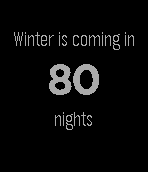
DailyCountdown to the series 6 premiere of Game of Thrones on HBO. Includes the Night's Watch Oath.
 23
23Remote for LIFX
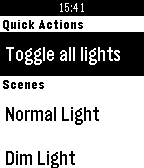
RemotesToggle your LIFX lights and activate your scenes using Remote for LIFX. Suggestions? Bugs? Feel free to get in touch! Disclaimer: Remote for LIFX is an unofficial app and is not affiliated with LIFX. LIFX® is a registered trademark of LiFi Labs, Inc.
 23
23raceQs Marine GPS app
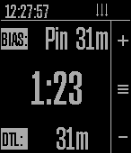
Health & FitnessFree beta App marine GPS and sailboat race computer. www.raceQs.com/smartwatch
 23
23Flynformer
Tools & UtilitiesType the flight number on the watch. No hunting through the phone app: two letters, up to four digits, done. It stays until you change it. Meet Flyn — your flight companion. Three pages, in the order you travel. Before the flight — the gate in large type, terminal, departure time, countdown, delay. In flight — time remaining, a segmented progress bar, arrival time, flight time. At the destination — temperature, weather, local time, baggage belt, arrival gate. The app opens on the page that matches the current phase of your flight. It tells you when something changes. Your flight goes into the Pebble timeline as a pin, carrying two reminders: two hours and thirty minutes before departure. Those buzz on their own, without the app running. If the gate, terminal, status, baggage belt or a time changes by more than five minutes, the pin goes out again and the watch lets you know — even with the app closed. Countdowns and progress deliberately don't count as changes: they move on every fetch and would be noise, not news. You bring your own API key. Flight data costs money. Flynformer uses aviationstack, whose free tier allows 100 requests per month.
 23
23Unpack
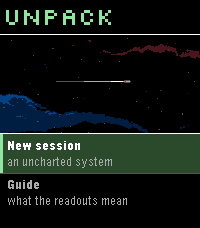
GamesA von Neumann probe game for Pebble. You arrive in an uncharted system with a seed payload and no infrastructure. Unpack yourself into power and extraction, work the bodies you find, and build what the colonists will arrive to -- factories, colony frames, and finally the orbital ring you leave through. The system keeps interrupting with decisions that have no clean answer, and the clock never stops for them. A run takes 2-4 minutes, start to departure or failure.
 23
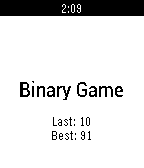
23Binary Game
Games011011100101...
 23
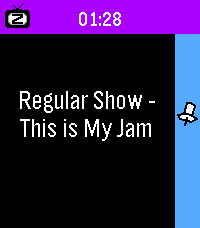
231 More Episode
Daily"#^%$! I fell asleep and woke up watching a different season! What was the last episode I saw?!" - You, probably Well now your Pebble smartwatch can tell you! This app uses your Pebble Health data to match the time you fell asleep with your Jellyfin/Plex watch history. You can even track what you fell asleep to each night on your past timeline! Simply provide your Jellyfin/Plex (Tautulli) API key+URL in settings and let your Pebble keep track! The app changes themes automatically to match your streaming platform of choice. Due to limitations of Pebble sleep data retention, it can only show data for your most recent sleep session, and it has to be within the last day, so be sure to launch the app the day you wake up from your binge! WARNING: Jellyfin is strongly encouraged! Plex support requires installing Tautulli since the official API doesn't seem to want to return watch history (unless you have Plex Pass?).
 23
23Clear Alarm
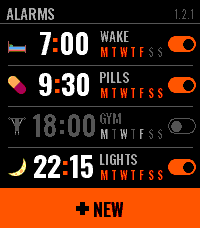
Tools & UtilitiesClear Alarm is an alarm clock for Pebble Time 2 that you can read at a glance. Each alarm has a face — a small picture you choose on the watch — beside its time, its name and the days it keeps, and a switch that shows whether it is on. A tap on the row turns it on or off right there in the list; a hold opens it, and DELETE there removes it after asking once more. Setting one is two wheels, hours and minutes, that turn under your finger and run on when you flick them; the side buttons step and, held, run through the values. A new alarm rings once, at the next time its hour comes round; the week comes as four shapes — daily, weekdays, weekends, custom — and the buzz as four patterns you pick by feeling each one. The list keeps itself in order by the clock. When it rings you get the face, the name, the hour, and two keys: SNOOZE and one big OFF. A palm on the watch silences it. Snooze puts the alarm off by 5, 10, 20 or 30 minutes, an hour or two hours, and the app stays to show when it will ring again; Back leaves when you choose. After OFF the app steps aside within ten seconds and your watchface is back. An alarm that repeats rings again on its next day, and one that does not switches itself off. Names are typed on the phone, in Latin or Cyrillic, and the watch sets them in capitals. Everything else can be set on the phone too, and what you set on the watch shows up there. The faces are Twemoji (CC-BY 4.0), reduced to the watch's colours.
 23
23Twist It!
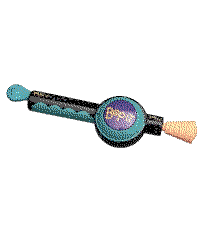
Gamesbop it twist it pull it pull it bop it clone that uses the speaker controls: up: twist (volume up if the game isn't active) select: bop down: pull (volume down if the game isn't active) touch controls: tap: bop swipe down: pull you can flick your wrist to twist it!
 23
23Pebble Retreat Schedule
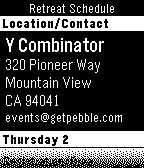
DailyThe perfect watch app to attend the Pebble Developer Retreat 2014.
 23
23Rotate
Tools & UtilitiesHello and welcome to rotate. This app is for any magicians who want to perform the self winding nut and bolt. Quick instructions: Load the app which looks like a standard watch face. When you are ready to perform simply press the top button once and you will feel a short vibration to let you know its ready. 4 seconds late the magic will happen. This will last for 10 seconds then stop. This should be more than enough time to unwind any small nut and bolt Enjoy
 23
23PBLPDX
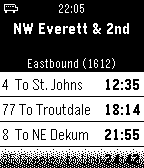
Tools & UtilitiesPblPdx is hands-down the easiest way to plan your trip on TriMet in Portland, OR! Just walk up to any TriMet stop (bus, streetcar, or MAX!) and launch PblPdx from your Pebble watch. In just a moment it will identify your stop and show you the next few buses to arrive, counting down to their arrival. It's that easy. no need to pull out your phone. Just peep your Pebble!
 23
23PJoke
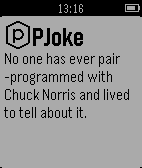
DailyRandom joke about Chuck Norris
 23
23PebbleKuma
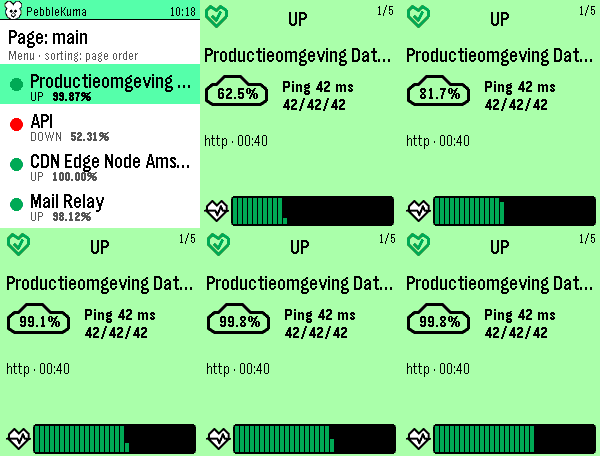
Tools & UtilitiesPebbleKuma brings your Uptime Kuma status pages to your Pebble Time 2. Browse a clean list of your monitors at a glance, a colored dot tells you what's up, down, in maintenance, or pending, with the 24-hour uptime right beside it. Tap a monitor for a full card, color-coded by its status, showing the uptime percentage, current ping (with min/avg/max), monitor type, last check time, the latest status message when something's wrong, and a heartbeat history graph. Page up and down to flip through monitors; the numbers count up and the heartbeats sweep in as you go. Sort by page order, name, or "problems first" (down → pending → maintenance → up, worst uptime leading). Pick a default in settings and switch instantly from the watch. Setup is quick: enter your Uptime Kuma base URL and the status-page slugs you want in the phone settings. Everything is fetched on the phone and streamed to the watch, so it stays light and responsive. Note: your Uptime Kuma server must be reachable from your phone (use your VPN if it's internal).
 23
23BusPro@TW
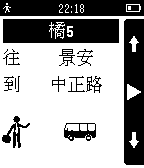
Daily最簡易使用的公車App - BusPro@TW 對於學生族 / 上班族固定通勤的人而言,方便的查詢固定路線是最重要 因此我們只努力地完成這件事情!! 希望大家每天早上都是悠閒地前往公車站牌,當個公車達人