 437
437Workmate
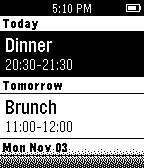
NotificationsWorkmate lets you preview and manage Gmail messages, see your Google Calendar events, and manage your Google Tasks.
 434
434The Day Today
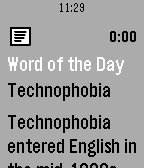
DailySubscribe to amazing daily facts, right in your Timeline. - Famous Deaths - Famous Births - Quote of the Day - Word of the Day - On this Day - Things You Didn't Know - On This Day in Music - Daily Horoscopes - Urban Word of the Day
 429
429Drag Racing
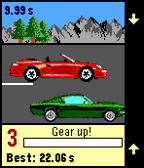
GamesXDA-Pebble Contest Winner It's not easy to create a good game for Pebble that's actually easy to control. Just a very few made this right. But there is a popular game genre that ought to be comfortable and fun to play on your wrist! Three buttons are just about right for this kind of game. Also, there's a zero BS factor. No waiting for gas, no double currency. Just a fair game designed to be fun!
 422
422Weather Graph
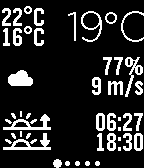
DailyDisplay a graph for the upcoming 24 hours, showing details on temperature, rain precipitation, and wind speed. The interface consists of 7 screens, starting from current conditions, progressing through the next 24 hours, and extending to a 6-day forecast. Rain is displayed as vertical blue bars, with each row representing 1mm of expected precipitation. The temperature line is color-coded: red or blue, depending on whether the temperature is above or below freezing. Additional features include: Wind speed and direction Moon phase Current humidity Daily forecast: Rain precipitation and probability Sunrise and sunset times Weather data can be based on GPS, a fixed location, or voice input. Languages supported for automatic day settings: English French Spanish German Options available: GPS On/Off Fixed Position Metric/Imperial units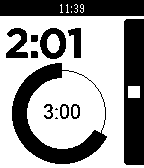 418
418Timer
Tools & UtilitiesTimer-App for Pebble, designed for usability and to look awesome. V2.2 uses the Wakeup API (available in the latest Pebble Firmware). The Timer App will be automatically be started 5 seconds prior to a scheduled timer event.
 412
412Deliveries
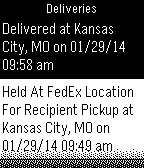
NotificationsAn on-demand universal package tracker. Supports several carriers across the world including UPS, FedEx, DHL, USPS, TNT, Canada Post, China Post, Hongkong Post, Japan Post, Australia Post, Royal Mail and many more!
 411
4113 calendar
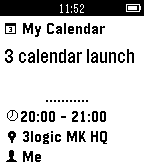
NotificationsDon’t forget next event: look at your Pebble! If you feel it vibrate and you see flashing, then it's time for the next event! Get your Google Calendar in 3Calendar, a Pebble app synchronizes all or a selection of calendars. Just a glance to your smartwatch to discover your next event or scroll your appointments of the day, complete of all details, with a stylish interface in black and white.
 410
410Maze
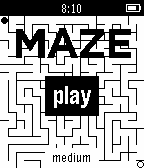
GamesPebbleMaze is a "virtual tabletop" marble maze where you tilt in the direction you want to go to reach your goal. The maze is uniquely procedurally generated each game. The up and down buttons change difficulty.
 409
409Member card
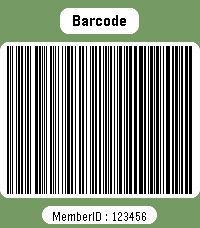
DailyWear your membership cards on your wrist. Works with linear and 2D barcodes: CODE128, CODE39, CODE93, EAN8, EAN13, UPC-A, CODABAR, ITF, Data Matrix, PDF417, Aztec and QR Code. QR Code helpers are included for vCard contact cards and Wi-Fi network sharing. You can also add memo cards for short notes, IDs, locker codes, or any text you want to keep on your watch. Select cards with the up/down buttons. Press select to enter scan mode with forced backlight and a wider display area. Cards are stored on the watch, so no phone is needed to display them. Storage is limited by Pebble's persistent storage: the app uses up to about 4 KB for saved cards. The exact number of cards depends on barcode type and content size.
 408
408Send Message
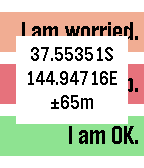
RemotesGPS-aware HTTP client supporting GET and POST requests and server response verification or display. Allows configuration with three sets of label, URL, JSON data segment (if using POST) and string to check for in the response to verify that the server accepted the message or specifying which part of the response to display on the watch (if starting with ~). For example, the label might be 'I am OK." and the URL/data fields contain the string: http://server.domain.com/folder/subfolder {"SenderId":"Peter","Text":"~Lbl", "Lat":~Lat,"Long":~Lon,"Accuracy":~Acc}. The URL and data can be spread across four setting strings to allow for long URL's. In the URL and data, ~Lat will be replaced with the latitude, ~Lon with the longitude, ~Acc with the accuracy, ~Alt with the altitude, ~Spd with the speed, ~Hed with the heading, ~Lbl with the label text, ~Adr with your street address, ~Gmp with a URL to your location on Google maps and ~Txt with your dictated text. If you don't have a server of your own, you could use one of the many public SMS-sending services to send text messages for you, e.g. http://www.smsglobal.com/http-api.php? action=sendsms&user=<user>&password=<password> &from=Peter&to=61456789123&text=~Lbl at ~Adr (see ~Gmp). This app is provided as is - you are responsible for testing this app thoroughly and determining whether it works appropriately and meets your needs. The source code is available if you want to examine how it works or customize it. If you find it useful, please give it a heart.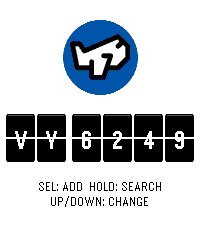 402
402Flights
DailyNever miss a flight update from your wrist. Pebble Flights lets you track any flight in real time — just enter a flight code and get departure and arrival times, gates, terminals, aircraft details, delay predictions, destination weather, and more, right on your Pebble. The app is a premium app, and to continue the development of it we made it premium. It has 12h free trial and the cost afterwards will be $5.99. If you have any inquiry please contact at [email protected]. Thanks for supporting ♥️. Features: - Real-time flight tracking with smart auto-refresh that speeds up near departure time. - Aircraft details: model, registration, seats, engine type, and more. - Airport delay predictions for departure and arrival. - Route distance and estimated flight time between airports. - GPS distance to your departure airport. - Destination weather: current temperature and conditions at your arrival city. - Live countdown to departure with context-aware tips. - Offline mode: view your last tracked flight without connectivity. - App settings: set your flight code, units (metric/imperial), and time format from your phone. - Timeline pins: add your flight to the Pebble timeline from the options menu. - Multi-flight: Up to 3 flights stored to check on their status How it works: 1. Enter a flight code on the watch or set it from the phone settings. 2. The app fetches live data through your phone and displays it across multiple pages (route, times, aircraft, delays, weather and countdown). 3. Data refreshes automatically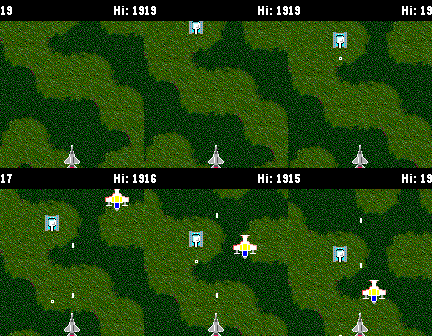 398
398Strike Force
GamesAre you ready for this simple top down shooter? Tilt the watch to steer, push down button to shoot. But beware, shooting decreases the score. What will be your high score? You can compare yourself with the whole world and see how your top score ranks among the best.
 397
397Radar
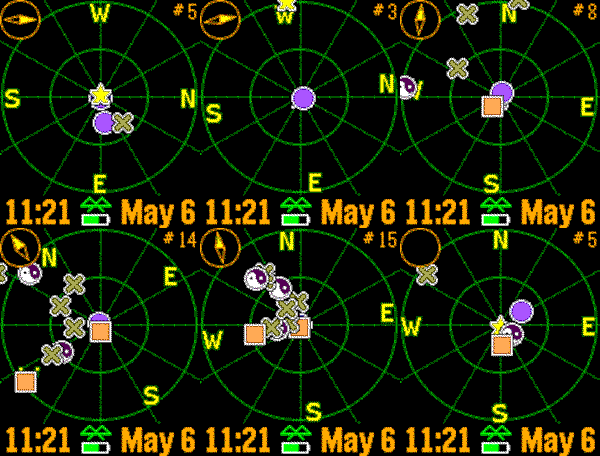
Tools & UtilitiesRealtime tracking of Pebble watches. The closest dozen Pebbles are displayed with approximate distance. Now with compass, droppable marker, and color support! Use the buttons to zoom in and out, and shake to refresh. Custom settings include GPS accuracy, your symbol, distance units, battery, connection, vibration alerts, markers, compass, and more.
 395
395Pebble Pulse
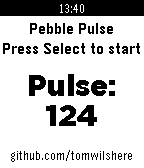
Health & FitnessQuickly, easily and accurately calculate a patient's pulse using this handy pebble app. Simply press the button, count 10 beats and press again, the pulse is displayed immediately on the screen.
 394
394XKCD Comic
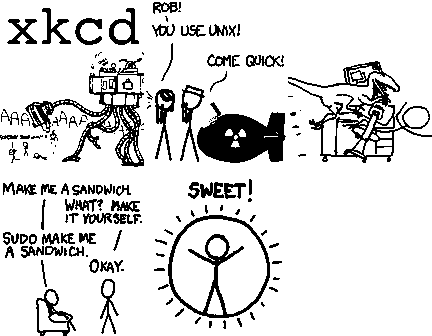
DailyUpdate: More comics, now resumes where you left off. XKCD is webcomic about sarcasm, math, technology, and science. XCDK is licensed under the Creative Commons (CC BY-NC 2.5). uPNG ported for >70 images on Pebble. App by Matt Hungerford & Stuart Harrell