 75
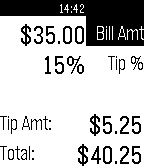
75Tip Calculator
Tools & UtilitiesEnter the check amount and set a tip percentage and this app will calculate the tip amount and bill total
 75
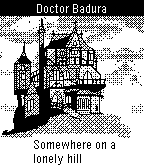
75Doctor Badura Trailer
GamesTrailer for Doctor Badura - a wrist adventure
 75
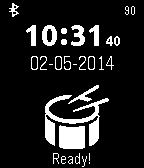
75BaDumTss
GamesJust made an awesome joke? Finish it with a BadUmTss sound! Or that friend of you is whipped? Let him know with the sound of whip! Or swing around your lightsaber! Switch the sounds with the up/down buttons. Sounds are downloaded from the internet so you need an internet connection! NOTE: Apple blocks playing of sounds so this does not work on iOS...
 75
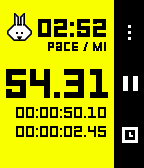
75Stopwatch+
Health & FitnessAn updated Stopwatch that tracks your running stats. Measure and track Distance and Pace - all without a companion app on your phone.
 75
75Tiny Life
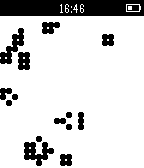
GamesTiny Life is an implementation of the zero-player classic Conway's Game of Life for the Pebble smartwatch. Choose from multiple cell sizes and generation speeds. Get your daily cellular automata fix watching a tiny grid stabilize or lean back and watch a single pixel ecosystem resolve for minutes on end.
 74
74Ski Tracks
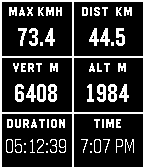
DailyView you day on the mountain live using your Pebble Watch and the Ski Tracks mobile application.
 74
74WatchCraft
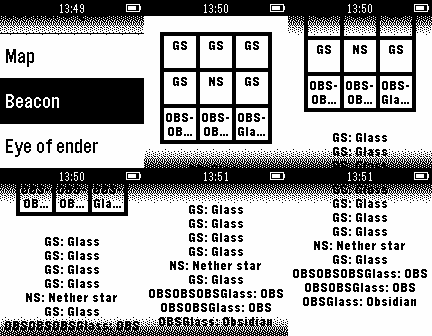
GamesGet Minecraft crafting recipes on your watch! The menus make it simple to find recipes. The key makes it easy to understand the recipes. This is still buggy and not as pretty as it could be. If you're interested in helping, email us at [email protected] 74
74pTerm
Tools & UtilitiesThe first Pebble Command-Line Interface! Updated with new commands! Show of your tech skills with the first pebble CLI. Current commands: clr pwd date bt pwr whoami light [on/off] vibe [long/short] theme [light/dark] font [a/b/c/d/e] Now with Blinking Prompt! Feature Requests Temporarily Suspended (Work and School) Sorry :( Send Bug Reports to my Email and I will address them ASAP
 74
74Tide Aware
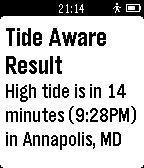
Daily**US Only** Tide Aware is the incredibly simple way to check the closest tides based on GPS, ZIP Codes, or city and state input by the user through the Pebble configuration feature. Now includes tide heights. Best of all it is absolutely free, no subscription for any extra features. For tides outside of the United State search for Tide Aware (Non-US)
 74
74WikiRadius
Tools & UtilitiesWhether you are a tourist exploring a new city or a local wanting to uncover the hidden history of your hometown: WikiRadius turns every simple walk into an interactive journey of discovery. The app uses your smartphone’s high-precision GPS to scan your current coordinates and automatically delivers fascinating facts about landmarks, historical sites, and geographical features right to your wrist. No manual searching required, just start walking, and the world around you begins to "speak". How the Smart 3-Stage Radar Works WikiRadius isn't a normal browser; it's a pure "location-to-information" bridge. To always show you the most relevant destination, an intelligent search logic works in the background in three stages: Local Area (200m): The app primarily searches for major, relevant Wikipedia articles in your immediate vicinity. Monument Scanner (200m): If there is no Wikipedia entry, WikiRadius taps into OpenStreetMap, explicitly searching for hidden historical monuments or structures (historic). Wide-Angle Radar (1km): If your direct surroundings are completely empty, the app automatically expands its search radius to 1,000 meters to find the next major destination for you. Display Symbols Explained So you know exactly what the radar has locked onto at a glance, WikiRadius uses special visual indicators in the headline: No Prefix (e.g., Space Needle): A classic Wikipedia article in your immediate vicinity (under 200m). The [H] Symbol (e.g., [H] Old Water Tower): A historical monument, building, or relic found via the OpenStreetMap scanner. The Double Arrow >> (e.g., >> Golden Gate Bridge): A destination from the wide-angle radar. It is further away (up to 1km) but serves as an excellent long-distance goal for your walk. Once you cross the 200m mark, the arrow disappears. Key Features Live Navigation Cockpit: A smooth real-time compass and dynamic distance display guide you to your discovery, meter by meter. Smart Feedback: Your watch vibrates subtly only when a new destination appears on the radar. No annoying continuous vibrations while navigating. Universal Compatibility: Flawlessly supports all Pebble models (Emery, Basalt, Chalk, Diorite, Aplite, Gabbro...), adapting its UI perfectly to round, rectangular, color, and monochrome screens. Independent Integration: WikiRadius retrieves public data from the Wikipedia API and Overpass API to deliver high-quality knowledge. However, the app is not affiliated with, endorsed by, or connected to the Wikimedia Foundation or OpenStreetMap. It acts purely as an independent, location-based client. Discover what you would have otherwise just walked right past. Best https://atomlabor.de
 74
74ParAid Golf App
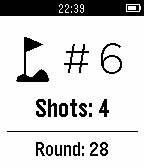
Health & FitnessTired of crummy golf course pencils breaking, or flying off your cart as you pull a tight turn around the eighth green? ParAid Golf App is a nifty golf scorecard app: - Standalone app - no phone needed - Saves last round's score - Tracks round as you go so you know how bad of shape you're in before you even hit the turn - Limit of 9 shots a hole, guaranteeing you'll shoot below 163!
 74
74Lucid Time
Health & FitnessAre you dreaming? Are you dreaming right now? Learn to recognize when you are dreaming. Look away from your watch then look back. Notice anything strange? If you are dreaming, it's likely that the text won't make sense. It might appear as cryptic, meaningless glyphs. Often, when dreaming, digital displays will appear as gibberish when you really take a moment to look. When you get in the habit of entertaining the possibility that you are dreaming at any given moment, the frequency of becoming lucid, i.e., recognizing that you are dreaming while you are dreaming, increases dramatically. ཨ Set time between "reality checks" with + or - (long press to go by 20 minute intervals) ཨ Before bed, choose 8hr (your usual interval will resume in the morning) The app will "pinch" you and ask if you are dreaming. Even if you think you are awake, it's best to do one or more "reality checks" to be sure: ཨ gently attempt to push two fingers through the palm of your other hand ཨ hold your nose, close your mouth and try to breathe ཨ look at a digital watch such as your Pebble ཨ flip a light switch When you are dreaming, you may be surprised that these things don't work as expected. If they don't, go explore your very own dream world! What you can do in a dream is only limited by your imagination and as you become more familiar with dreaming, the limits of your imagination will expand.
 74
74Tiny Pilot
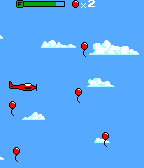
GamesTiny Pilot is a game where you fly a tiny plane and collect as many balloons as you can before you run out of fuel! This is powered by the Pebble GBC Graphics engine, a library that allows you to render Game Boy Color graphics on your Pebble! Check out the Source Code URL for an in-depth tutorial!
 73
73Flyby
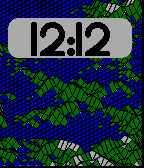
DailyAnimated random terrain generator with time (clock) using diamond square algorithm. I've always loved this stuff, hope you do too. The color pebble looks awesome with it. Top button - flyby/static toggle middle button - wireframe/color toggle bottom button - new random terrain
 73
73Weather v1.2
Daily7 day weather forecast, including hourly forecast of the current day.