 79
79pebble bowling
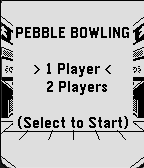
GamesBite size wii bowling for pebble: just shuffle, tilt, and throw! When you release the ball, freeze your arm in that follow-through position until the watch buzzes. Your wrist angle + throw power all get calculated for the perfect roll. The spin logic mimics a real Wii Remote, so swing your arm in the manner you would a real wii mote ie; Thumb up → ball goes straight ahead Palm down → hooks right Palm up → hooks left designed to be worn with pebble on left wrist up to 2 players
 79
79Connect Alert
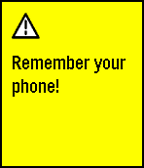
NotificationsRuns a background app that checks if your pebble is connected to your phone. If your pebble gets disconnected, it alerts you by saying: "Remember your phone!". The service can be turned on and off in the app on your pebble. Useful if you tend to leave your phone at random places.
 79
79Find Watch 2
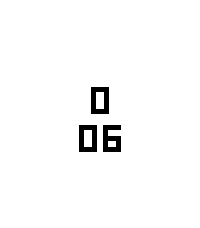
Tools & UtilitiesCan't find your Pebble? If it is still within bluetooth reach and your phone/pad is connected to your watch, installing this app will make your watch vibrate, flash, and beep (on watches with speaker). The app counts minutes and seconds until the watch is found. You can set the maximum duration. And also configure vibrations, screen flashing, and beeps on or off. The app is based on the original Find Watch application https://apps.repebble.com/find-watch_52ed0fe86ccd08de6200004d from Samuel Rinnetmäki
 78
78Just Weather
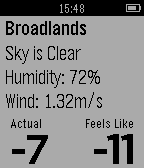
DailyGets current weather stats for current location. Update: Added choice of wind speed units in app config. Displays: Closest location weather data was retrieved from Description of weather Humidity Wind speed Temperature (nice and big) Apparent Temperature (what it really feels like) Default is Celsius, but can you change this in this apps config after installing it. If you have any suggestions, requests, recommendations feel free to email me! I welcome ideas. (Feel free to contact me to add more weather providers and I'll see what I can do) I made this app because I wanted a weather app to access from the app list, which was not a watch face, and was ONLY for weather. This way my main pebble watch face can be only for time.
 78
78IP Cam Remote
RemotesIP Cam Remote Control and view your IP Cam from your wrist! Controls: Select: Refresh Image Up: Pan camera up/left Down: Pan camera down/right Double Click Select: Toggle auto refresh Long Press Select: Toggle Vertical/Horizontal panning Enter IP Cam connection details in the config page.
 78
78Pebble TaskWatch
Tools & UtilitiesPebble TaskWatch is a set of Pebble SDK 2 watchfaces customizable through Tasker You can associate any Tasker task with Top/Middle/Bottom Button Click/Double Click/Long Click You can add to the watchfaces icons and custom text layers editable from Tasker plugin Through the Tasker plugin you can: - Change Watch Face - Change icons and text of the text layers - Send an alert to Pebble - more...
 78
78Workout HR
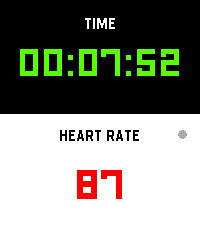
Health & FitnessI’m finally launching my dream workout app, built exclusively to make that glorious Pebble Time 2 screen pop! Get all your vital stats—elapsed time and real-time heart rate—that’s actually easy to read while you're breaking a sweat. It’s time to manage your gains more effectively while keeping that classic Pebble quirkiness alive on your wrist!
 78
78Galaxy Gunner
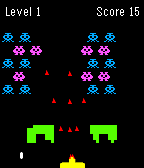
GamesGalaxy Gunner is a space shooter game. Tilt left and right to move the auto-shooting gunner. The galaxy monsters will shoot bullets and gradually move down. Your goal is to destroy all of them before they reach you to move onto the next more difficult level. Shooting the red monster will give you a powerup.
 78
78BringMeHome
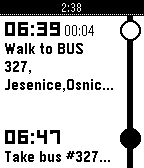
DailyGet directions for public transit to user defined places (using Google Maps service) into TimeLine. Have you ever needed to go somewhere and find directions fast, without getting a map? Can't remember bus and train schedule? Well, now finding those directions is easier than ever with BringMeHome! You will never miss the last bus with BringMeHome notifications. Note: BringMeHome uses Google Maps API to build transit routes. Public transit coverage: https://maps.google.com/landing/transit/cities/index.html
 78
78Notes To Self
Tools & UtilitiesNotes To Self has a whole new main menu screen to view your notes or upcoming reminders. An updated version of Note To Self by Turner Yey. Places pins in the Pebble Timeline corresponding to a reminder or a note. Notes are the default, and will be pinned at the current time. For a reminder later in the timeline say, “remind me at (time)” or a similar phrase.
 78
78Tic Tac Toe
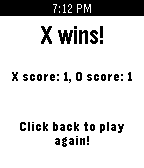
GamesA local two player tic tac toe game for your pebble. Burn time by passing your watch and enjoying this classic game!
 77
77LibreHealth
Health & Fitness# Libre Health Pebble companion app for Libre Health, the open-source, local-only health tracker for Android. Warning: Requires the LibreHealth Android companion app. There you can connect to pebble by clicking the upper right dots, then "Pebble". Automatically syncs your Pebble health data — heart rate, step counts (broken down by hour), and sleep — to the Libre Health app on your phone. Enable automatic mode and the app wakes up every 30 minutes to send your latest stats, no manual intervention needed. ## Features - Hourly step tracking with 24-hour breakdown - Heart rate and sleep data sync - Automatic background sync every 30 minutes - Manual send with one button press - Works on all Pebble platforms (Aplite, Basalt, Chalk, Diorite, Emery) **Your data stays yours.** All data is sent directly to Libre Health on your phone — no cloud, no accounts, no third parties. ## Controls - **UP:** Enable automatic sync - **SELECT:** Send data now - **DOWN:** Disable automatic sync ## Coffee If you like the app and want to buy me a coffee (or simply click the website button): https://www.paypal.com/donate/?hosted_button_id=Y4PDJU84LC3N2
 77
77Yes-No-Button
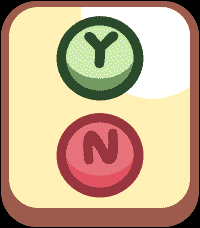
GamesHave kids? Do they love Bluey, or ask A LOT of "trifficult" questions? NO WORRIES! BEHOLD, THE YES NO BUTTON (For Real Life)!!! Answer your kids in style, or Co-Workers (it works on them too!), and save your time and energy for other things like using your Pebble Time 2 as a Calculator for all that adulty business stuff. Just tap the Yes or No button for the response you need and enjoy your time in your relaxy chair while you sip your drink from a coconut. Use the side Top and Bottom buttons to control the volume, some situations require more volume... I mean we can't all be like the Magic Claw who has no kids who's days are free and easy (remember those days? Sigh). This is way more funner than a touch enabled Calculator on your wrist, I mean that's a no brainer unless you're a Freak! (jk jk jk jk)
 77
77Block Breaker
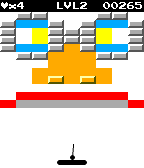
GamesIt all started when Steve Wozniak created Breakout, a single player version of Pong. Since then many games have been created with the same style (Arkanoid, Brick Breaker, etc.). Block Breaker brings all of the excitement and skill of the classic Breakout arcade game to the Pebble smartwatch. Use the paddle to bounce the ball and break the bricks. Collect power-ups and finish levels to collect points. Compare high scores with your friends. Available for the original Pebble and in glorious technicolour for the Pebble Time! Hours of mindless fun! Set high scores! New levels are being created all the time!
 77
77Pushbutton
DailyIFTTT for your Pebble, at long last! Works with any IFTTT Do Button action, so you can send emails, post tweets, record your location & more - all from your wrist. NOTE: This app is not an official product of IFTTT. "IFTTT" and "Do Button" are trademarks of IFTTT Inc.