 0
0KasugaBus
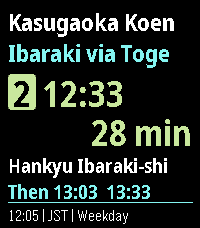
DailyLocal buses for Minami-kasugaoka, Ibaraki, Osaka, Japan. KasugaBus shows the next scheduled Kintetsu and Hankyu buses at eight stops around Minami-kasugaoka: Kasugaoka Koen, Toge, Midorigaoka, Handai Higashiguchi, Handai Igakubu Byoin-mae, Handai Igakubu-mae, Nihon Teien-mae and Handai Honbu-mae. The home screen shows your stop, direction, route, departure time, countdown and the next buses. - Works offline; timetables update through your phone without reinstalling. - Favourites, Nearby (approximate distance from your phone's location), departure board and full trip details. - Leave-now reminders and a daily commute alarm. - Configurable Up/Down buttons, three text sizes and four themes. - Times follow the weekday, Saturday and Sunday/holiday timetables in Japan time. Times are scheduled, not live arrivals. Coverage is local, not all of Osaka.
 0
0HA-launch script from shortcut 01
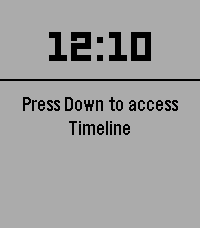
Tools & UtilitiesLaunch any Home Assistant script from a physical button of the watch. - Faceless app (just the button-click) - Vibrates after fire Settings from phone: - HA url - Token - script, e.g.: script.unlock_door:user=me,from=pebble_watch
 0
0地图
Tools & Utilities一个基于中国大陆可用性优化的地图软件(主要使用vibe coding 可能有bug)
 0
0Bus/Tram Strasbourg
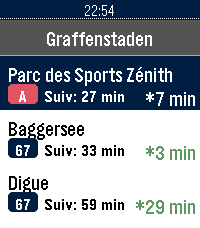
DailyApplication non officielle pour le réseau de transport de Strasbourg (CTS). Fonctionnalités : Horaires en temps réel (SIRI) avec rafraîchissement automatique et décompte à la minute Secours 100% hors-ligne avec horaires théoriques complets (GTFS) : Tram A–F, Bus G, H, C1–C9, 10–76 Recherche rapide d'arrêt avec clavier tactile T9 Arrêts à proximité par localisation GPS et favoris enregistrés sur la montre Info Trafic en direct (perturbations et alertes du réseau) Disponibilité en temps réel des Parkings Relais (P+R) et guide des tarifs Mentions légales : Données fournies par la CTS et l'Eurométropole de Strasbourg sous Licence Ouverte 2.0 (Etalab). Projet indépendant, non affilié ni approuvé par la Compagnie des Transports Strasbourgeois (CTS).
 0
0Ratio
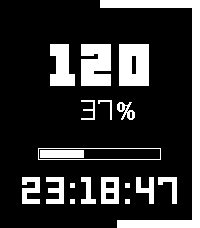
Tools & UtilitiesTrack attempts and successes and see your hit rate in real time, expressed as a percentage. A progress bar counts up to 250. Select logs a success, down logs a failed attempt, up removes an attempt, reducing the count by one. Also includes a time clock with seconds. This app was primarily developed for my canvassing work, so its features are tailored to my needs, but I will work in the future on implementing custom settings so the goal number, colors, and other elements can be adjusted to your needs. Feel free to reach out to me with feedback or bugs. DM me on X @AbeTheShinzo or email through the Pebble app. Tags for searchability: Counter, tally, percentage.
 0
0D666_Weather
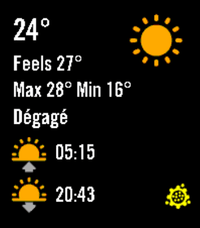
DailyWeather dashboard that only works for Montreal, Quebec, Canada with data from meteomedia.com
 0
0SleepMode
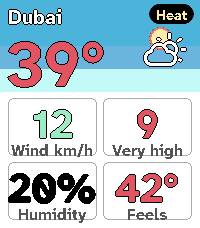
Tools & UtilitiesSleepMode Screen is black with only the time displayed. Buttons for up, down and select don't work so you don't press them by accident while sleeping. Pressing on the back button for 2 seconds stops the app. (Standard Pebble behavior) Alarm clock works. With vibrations and/or sound (if applicable) (except when Quiet Time is on) Made for and tested on Pebble Time 2
 0
0Aura Weather
DailyAura Weather carries my Spain weather app's design language onto the Pebble Time 2: a living sky you read at a glance. The hero screen draws the sun (a moon at night) arcing over a day-to-night gradient computed from the real sunrise and sunset times for your location, with no baked art, so it always matches the light outside. Page through a deck of cards with UP and DOWN, with SELECT to refresh: the next eight hours, the next six days, a sun-and-moon card with golden and blue hour, a wind compass, UV and air-quality rings, a details grid, and a colour-coded warning card when one is active. Every number is tinted by Aura's own data ramps, so a hot day reads red, a calm wind reads teal, and the whole deck reads as one system. Cards appear only when they have something to say, and you choose which to show, reorder them, and pick the one the app opens on. It fetches its own weather on the phone through Open-Meteo, worldwide, with no account and no API key, so it just works on install. In Spain you can switch to the official AEMET source with a free key. There is a light theme alongside the default dark one: long-press UP to switch it on the watch, or set it from the phone. The last forecast is kept, so a card shows the moment you raise your wrist, before the phone answers. Free and open source.
 0
0JustText
Tools & UtilitiesFor learning
 0
0N-Gage Collection Deck
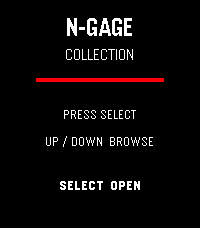
Tools & UtilitiesN-Gage Collection Deck A visual checklist for Nokia N-Gage collectors. Track Release Games, G3.0, G2.0, G1.5 and Not For Sale cards with individual collection status.
 0
0Idle 64
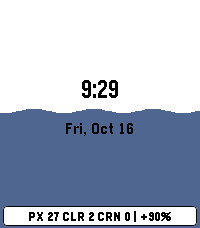
GamesIdle game for filling grids with all colours.
 0
0Osteo Recall
Tools & UtilitiesRecall app for osteo students
 0
0UOR Queues
Tools & UtilitiesSkip the guesswork. UOR Queues brings live Universal Orlando Resort data straight to your Pebble — no phone-fumbling, no app-switching, no squinting at a tiny map. What you get: - Live wait times for every attraction across Universal Studios, Islands of Adventure, Epic Universe, and Volcano Bay. - Show schedules for every performance, with the next start time highlighted. - Opening and closing hours for each park, shown right on the park picker so you know at a glance where's still open. - Favourites — long-press any ride to pin it to the top of the list, kept in sync across park switches. - Launcher glance: park hours count down live in your app launcher, up to a week ahead, without even opening the app. - Sort by wait (ascending or descending) or alphabetically. Built for the watch: - Readable at a glance. Traffic-light colour coding (green / amber / red) means you don't need to read numbers to know if it's a walk-on or a two-hour queue. - Times follow your watch's 12/24-hour clock setting. - Works on both Pebble Time 2 (rectangular) and Pebble Round 2 (circular) — with native layouts for each. - Auto-refreshes every five minutes while open, without ever losing your place; pull the latest on demand from settings. Powered by ThemeParks.wiki — the community-maintained open API for theme-park wait times.
 0
0PebbleCube
Tools & UtilitiesSimple speedcubing app.