 144
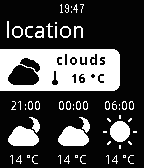
144simple weather
Daily[new release] release new "weahter" app. access to pebble://appstore/56484f66b2013fefdf000062 or search by "noondaymoon weather" ------------------------------ simple weather app.
 143
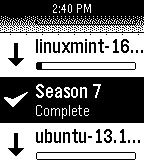
143uTorrent Remote
RemotesA simple remote control for uTorrent. Features: - List of torrents - View size, speed and ETA - Progress bar to quickly see download progress - Start and stop torrents
 143
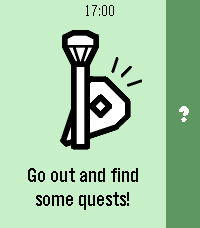
143Pebbles on the Street
DailyThe Pebble version of a popular on-the-go editor for OpenStreetMap — StreetComplete! Not affiliated with StreetComplete itself (yet 😛). This app lets you improve public maps by completing quick and simple quests right from your Pebble. For example: - How many levels does this building have? - Does this pedestrian crossing have audible signals for accessibility? - What road surface does this road have? How it works: 1. Start the app on your Pebble and go for a walk! 2. When you come across a quest nearby, your Pebble will vibrate and point you towards it. 3. When you're at the quest location, you can answer the question from your watch. 4. If you don't feel like answering, you can back out of the quest and search for another one. 5. If something isn't clear in the quest situation, you can dictate a note for other mappers to review later. This app has been developed for the Pebble Spring app contest with no access to actual hardware. Once I get ahold of my Pebble, I will probably significantly revamp the application and polish the experience further.
 143
143This Then That
RemotesInitiate IFTTT triggers from your Pebble using the microphone. HOW TO USE =========== Start the app and say [trigger] [value]: EXAMPLE ========= "Turn lights off" . "Turn thermostat, 70" . "Send text Mary stuck in traffic will be late" . "Remind me meeting at 4 pm" . Other supported formats are: [trigger] [key] [value 1] [value 2] [value 3] FEATURES ========= - Supports multiple keys - Set triggers that fire without confirmation - Jump into dictation mode when opening from quick launch and exit app automatically - Word lookup and replace (useful for converting names to email addresses) - Vibration on success/failure so you can speak without looking - Clean interface and glanceable icons - Event is recorded on your Pebble timeline (optional) - Last command saved and visible in app launcher IFTTT.com ======== To use this app, you need to "connect" your account to the "IF Maker" channel on the IFTTT website. Then copy your maker "Key" to the app in the app settings page. You also need to create some "recipes" on the IFTTT website that use "Maker" as the trigger and give it a name. Then add the same name in the app settings page so that the app can recognize it. With IFTTT you can controls things like Facebook, Twitter, WeMo, Nest, OneNote, Blogger, Dropbox, Evernote, Gmail, Spotify, Wordpress, etc. This app does not require your IFTTT password and cannot access your IFTTT account details. Supports pmkey.xyz. This app is NOT affiliated with IFTTT Inc. FEEDBACK ======== Share your feedback on the Pebble forums here: http://tinyurl.com/tttpbl
 142
142Checklists for Trello
Tools & UtilitiesMark your Trello todos on your wrist! Disclaimer: We are not affiliated, associated, authorized, endorsed by or in any way officially connected to Trello, Inc. (www.trello.com).
 142
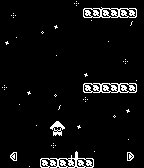
142Squid Jump
GamesA faithful recreation of the minigame "Squid Jump" from Nintendo's Wii U title "Splatoon". Features: - 20 different stages - 4 different types of platforms - 3 kinds power-ups Controls: - Press and hold Up/Down to charge up, release to jump - Tilt the Pebble side to side to control horizontal movement - Press Select to pause and unpause the game
 142
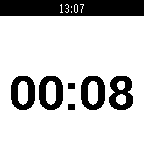
142Slides
RemotesPebble app to toggle slides on Linux, Mac and Windows, includes chronometer and notes to make giving talks easier. The app displays a chronometer and you can go back/forth in your slides using the Up and Down buttons. Follow the install instructions on https://github.com/luisivan/pebble-slides/blob/master/README.md
 141
141Torch/Flash Light
Tools & UtilitiesBasic App that turns on the backlight and makes the screen white, until the back button is pressed. Great if you need a quick light, but dont want to light up the entire room with your phone flash. Controls: Select Button = light on/off Wrist Flick = light on/off Tap screen (semi hard) = light on/off Up Button = Dim mode (screen goes from white to black) Down Button = battery show/hide
 140
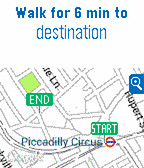
140City Journeys
DailyCity Journeys allows you to get your journeys on your Pebble Time. Features: - Go anywhere in your city from the settings page or configure Home and Work locations for quick access form the app home screen. - Select a route and get all the details just scrolling up and down: walking time to stations, departure info for bus, tube/metro/underground and trains and number of stations to the destination. - Want more detail? Select the map to go full screen and track your position. Supported cities: London, Manchester, Birmingham, New York City, Washington DC, Boston, Philadelphia, San Francisco, Los Angeles, Chicago, Barcelona, Madrid, Singapore, Toronto, Vancouver, Montreal, Brussels, Paris, Lyon, Amsterdam (& Randstad), Lisbon, Milan, Rome, Berlin, Hamburg, Mexico City, São Paulo, Tokyo... ** IMPORTANT: City Journeys uses the Citymapper as a provider for the routes information. However, City Journeys isn't associated with Citymapper in any way or form. This app is totally non-profit and made just for fun. **
 140
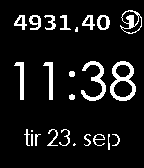
140Klokkebank
DailySjekk saldo på klokka! Med SpareBank 1 Klokkebank får du superenkel tilgang til saldo på konto og dine siste transaksjoner. Companion app for iPhone og Android kan nå lastes ned fra App Store og Google Play.
 140
140Music Playlists for Pebble
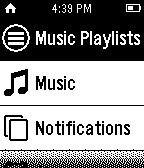
RemotesThis app allows you to start playing your Play Music and Spotify playlists from Pebble watch. Currently works with: * Google Play Music * Spotify (works with Spotify Premium subscription) * Rhapsody Features: * Ordering of playlists * Favorite playlists and get a quick access on Pebble * Preferences - Select your favorite music service for quick access on Pebble - Enable / disable favorites screen on Pebble Other music apps support will come in future updates. We are evaluating SoundCloud, last.fm, rdio for integration.
 140
140Get Back in Time
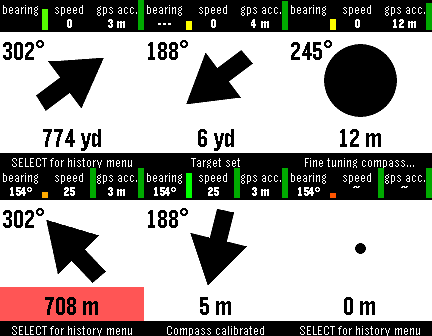
Tools & UtilitiesSave your locations to the Pebble Timeline. See where you have been and when. Choose a location you want to return to. Your Pebble will show you the compass heading and distance. You can push locations using the API documented at http://getback.timelinepush.com/
 139
139dHunt
GamesA complete build from scratch of that classic game that shall not be named, all reimagined and optimized for a small screen with quick bite sessions in mind. Tap on the birds to shoot, get the scores, impress your canine companion! It's all there folks, the best looking (and sounding) game for your brand spanking new Pebble Time 2. What wave can you get to? Think you got the chops to get the maximum score? Let's see what you got on the leaderboards! Each game mode has its own leaderboard and can be viewed from the App Settings. Scores will be pushed only once you've created a player name. Scores are submitted once a game has completed and will be cached if you've got no phone connection. Leaderboards will be reset every 30 days and pruned for fraudsters (yeah nice try with the aimbot bucko!). Features: • Touch Enabled • Classic Sounds • Volume Control (Up/Down Buttons) • Automatic Pause for Notifications • Manual Pause (Select Button) • Leaderboards (Check the App Settings on your phone) If you like this game, follow me on X for insight on what I'm cooking up next (hint: it's good, it's all good). X: @dezign999
 138
138Running assistant
Health & FitnessThis app is specifically designed to help new joggers to gradualy start running, or to confort moderate joggers to reinforce their pace. Working with intervals, the app will strongly vibrate when it is time for you to walk, or to run. The menu propose a program to gradualy and securely improve your strength, the first line can be used to set a specific interval. For the next version : GPS distance and distance goals. Original project : Benoit Serra https://forums.getpebble.com/discussion/29829/watchapp-ointerval
 138
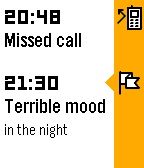
138Track Mood
Health & FitnessRecord your emotional state to your timeline and find happiness! You can rate your mood any time you like. The app will push a corresponding pin to your timeline. You can later browse your timeline and see how you were feeling at different times. Since your timeline is filled with other information, you can try to analyze which events make you feel better and which are depressing. In addition, a history of your recent moods is stored and you can see it as a graph or as a list - directly in the watch! (Long press SELECT to see history.)