 7
7Ultimate Frisbee Timer
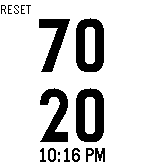
Tools & Utilities70/20 second timer for Ultimate Frisbee
 7
7UR Buses
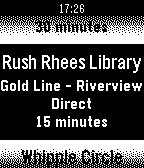
DailyGet real time arrival estimates on your watch for the University of Rochester bus service. Pick any 5 route and stop combinations to view on your Pebble. Changelog at urbuses.tjstein.me/changelog
 7
7UIUCUMTD
DailyThis app will get the 6 nearest bus stops near you and tell you when the bus is coming at each stop. Please email issues/bugs to me! I am always looking to improve the app. Added loading screens (v1.4) Improved algorithm by a bit to speed up loading data (v1.3) Fixed some location errors (v1.2) Updated to improve on getting location (v1.1) Initial release of the CUMTD bus app (v1.0)
 7
7Uni Konstanz Mensa
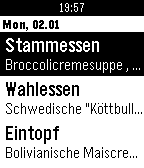
DailyApp für die Mensa der Universität Konstanz
 7
7RennesPark.
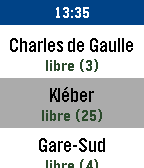
Tools & UtilitiesRennesPark, la seule application dédiée au parkings de Rennes, sur Pebble ! RennesPark liste les parkings à proximité. RennesPark indique, pour chaque parking : - Le nombre de places libres et totales. - La distance vous séparant du parking. *** bientôt : - Horaires et tarifs des parkings.
 7
7What Diocese Am I In?
Tools & UtilitiesEver needed to know or wondered what Catholic diocese you're in or the name of the local bishop? This app can tell you! United States only.
 7
7SGDtoINR ExchRate
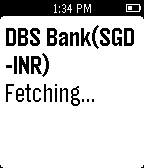
Daily"SGDtoINR ExchRate” App allows you to get exchange rate by launching it.Currently the App supports SGD(Singapore Dollar) to INR(Indian Rupees) from Banks in Singapore.
 7
7Fit Tracker
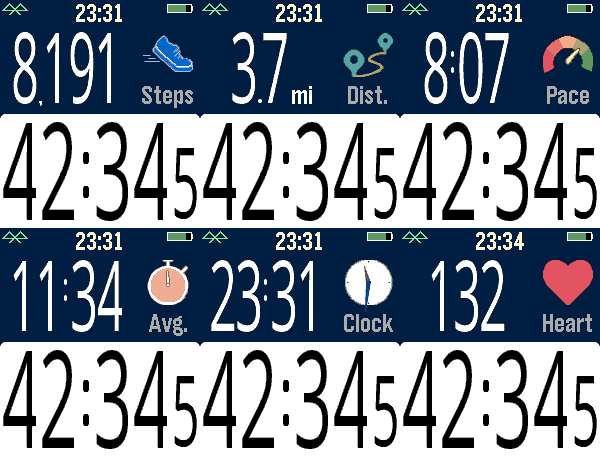
Health & FitnessExercise app that records elapsed time, heartrate, and distance. Exports FIT files for Strava and other online applications. The bottom button is used for starting and stopping. The top button switches the top line mode between steps, distance, current speed, average page, current time, and (if available) heartrate. Device-dependent features are heartrate, speaking, and touchscreen. There are custom settings for the watch to speak the interval distances or times (Pebble Time 2, Pebble Duo). The touch screen can be used to switch between the modes, similar to the up button. A touch over 0.2 seconds is recognized, and the left and right side of the screen change the mode forward or backward. Use the middle button to activate the menu for custom feature. These include showing tenths, bluetooth, battery, metric/imperial. Interval notifications by time or distance are supported, and the notifications can be by vibration or (if available) the speaker announcing the interval. You can see your mapped workouts at https://fit.setpebble.com. In order for your activity to be linked to your account, you will need to enter your Pebble serial number both for your account and when you adjust the app settings using the Pebble companion app. After a workout, do a long press on the up button to either Save or Delete your workout. If saved and you have a SetPebble account, you can see your workout at https://fit.setpebble.com. There is a Strava limit of 10 users (including me!), and I am not allowed to request an increase until we reach 10 users.
 7
7Hourly Steps
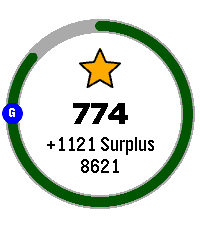
Health & FitnessHourly Steps mimics Fitbit's "Reminder to Move" functionality but with way more user control. Through App settings you can adjust: - What hour to start getting reminders - How many minutes before the end of the hour to get reminded to move - How many hours you want to be reminded to move - The minimum steps you want to be reminded to do each hour - What your daily step goal is - What days of the week you want to receive reminders - All the colors used in the app's visual appearance Hourly Steps will even help you reach your daily step goals by splitting that goal by your active hours and showing it as a stretch goal after hitting the minimum. For example: if you want to do 10,000 steps a day and be active for 10 hours a day, it'll show a stretch goal of 1,000 steps each hour after finishing the minimum steps. That stretch goal will automatically adjust if you get closer to that goal or fall behind, creating a "deficit" or "surplus" value that shows how on track you are. You'll even get a Fireworks show upon completion of daily steps. Please allow an hour after installing for the app to establish steps at the start of the next hour. It may show an incorrect hourly steps value until then. Note: Due to Pebble limitations around tracking steps within a specific time frame, this app uses a background worker to get steps at the start of each hour and determine when to open the app for reminders. You can optionally turn this off if you need the background worker for something else. This will cause Hourly Steps to use wakeup timers instead, however that has some limitations. Since there can only be one Foreground app at a time, it'll close down any other app you have open even if it doesn't need to remind you of steps. This will happen once at the start of an hour and once during active hours at the reminder minute you set (but not outside of active hours). It may also fail to use the timers entirely if another app has scheduled a wakeup for the same minute This should not happen with background worker active. Because of this I highly recommend keeping the background worker active. Fireworks code adapted from: https://apps.repebble.com/fireworks-particle-effects-glancing_5592dc3e53d39fc50500006b
 7
7TTC Subway & Bus
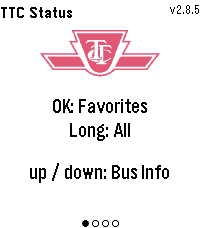
Tools & UtilitiesTTC Subway & Bus — Toronto transit at a glance, right on your wrist. Get real-time bus and streetcar arrivals for up to 5 saved locations (4 routes each), with countdowns that keep ticking between refreshes. Set a per-stop walk time and the watch buzzes the moment you need to leave to catch your bus. Check subway status for Lines 1, 2, 4, 5 and 6. Pick your favourite stations to filter alerts to just the ones that affect your commute, or long-press for all active outages. Features: Live arrival countdowns with "Arriving" and data-freshness indicators "Leave now" vibration based on your walk time to each stop Smart auto-refresh that speeds up as your bus gets closer Subway alerts filtered by your favourite stations Light and dark themes Easy setup from the phone settings page, just enter the route and stop numbers from any TTC bus stop sign
 7
7Slow
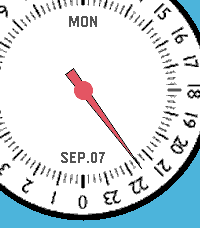
DailySlow - 24-Hour Single Hand Watchapp Experience time at a calm, natural pace with Slow, a minimal 24-hour single-hand watch application for Pebble inspired by classic 24-hour timepieces. Engineered with a custom finite state-machine architecture, Slow completely eliminates redundant screen redraws to deliver ultra-low battery consumption. KEY FEATURES • 24-Hour Single Hand Dial: Follow the full daily cycle with a single continuous hour hand across 4 distinct color styles. • 3D Angle-Aware Second Hand: Toggle a high-precision second hand on demand (Double UP). It tracks smoothly while you look directly at the watch and instantly disappears to freeze screen rendering the moment you turn your wrist away or rest it flat. • Blank (Deep Sleep) Mode: Enter a zero-power standby state with a single UP click, shutting down all timers and sensors for 100% MCU deep sleep while keeping a clean static dial. • Quick Pomodoro & Smart Alarm: Instantly launch a preset countdown timer with a long press on DOWN, or set customized alarms with auto-accelerating buttons and native system wakeup integration. • Auto-Respawn Keep-Alive: Exiting with a single BACK click automatically relaunches Slow via the Wakeup API, giving you full watchapp power with watchface-like accessibility. • Protection Alerts: Visual battery limit rings, Bluetooth disconnect vibration warnings, and flip-to-mute gesture support. BUTTON CONTROLS • UP (Long Press): Open full Settings Menu (Preferences) • UP (Double Click): Toggle angle-aware Second Hand mode • UP (Single Click): Enter Blank (Deep Sleep) Mode • SELECT (Single Click): Open interactive Alarm Setting • SELECT (Double Click): Toggle visual Battery Warning rings • SELECT (Long Press): Cancel all scheduled alarms • DOWN (Single Click): Toggle Day and Date display • DOWN (Double Click): Change dial face style (4 themes) • DOWN (Long Press): Start Quick Alarm (Pomodoro timer) • BACK (Single Click): Exit with Auto-Respawn (auto-relaunch) • BACK (Double Click): Quit application completely • Any Button (in Sleep): Wake up with smooth hand-winding animation For detailed guides, release notes, and configuration options, please visit: https://andrwj.com/pebble-slow-watchapp --- Slow watch for pebble, inspired by slow-watches.com Permission granted by Slow Watch to use design & the name 'Slow'
 7
7Color Picker
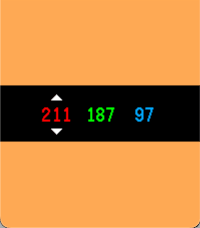
Tools & UtilitiesColor Picker turns your Pebble into a fast, tactile RGB playground. The screen fills with your current color, while bold red, green, and blue values sit centered on a clean black control bar. Start from a random color, tap SELECT to switch channels, and use UP or DOWN to fine-tune each value from 0 to 255. Hold a button to accelerate through values quickly and watch the full-screen preview update instantly as you dial in the exact shade you want.
 7
7Peep My Phone
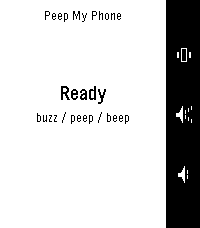
Remotes[Android Companion App Pending on Play Store!] "Press a button, find your phone." To work in ALL occasions, requires the Android companion app. Lost your phone in the sofa again? Press a button on your Pebble and it peeps — loudly. Peep is built to be heard when nothing else can be. It rings through silent mode, through vibrate, through Do Not Disturb [except DNDs which block alarms], and even with the alarm slider turned all the way down — then restores every setting back exactly as it found it. Three ways to find it, one per button: Peep — the full alarm Beep — a single short chirp, for less intrusive Buzz — vibrate only, for more discrete Press again to stop, or tap Stop on the phone. If your watch wanders out of range mid-alarm it keeps ringing, because the phone is usually the thing that's lost. When something would stop the alarm being heard — a missing permission, or a battery saver that has paused the app — the watch tells you instead of pretending it worked. No iOS version yet.
 7
7Calendar for Office 365
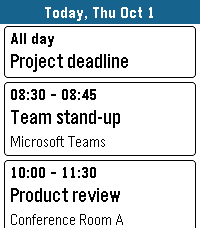
Tools & UtilitiesYour Microsoft 365 and Outlook.com calendar on your wrist. DAY VIEW See all events of a day as clear cards with time, title and location. Swipe left and right to change the day on Pebble Time 2, or long-press up/down on any Pebble. Open an event to see its details, including the description from Outlook. WORKS OFFLINE Today and tomorrow are stored on the watch, so your schedule is there even when your phone is not. DAILY BRIEFING Optional: the app opens at a time you choose, vibrates gently and shows your day. Pick the weekdays you want. MOVE EVENTS Optional: postpone your own events right from the watch – 1 hour, 1 day, 2 days, 1 week later or to next Monday. Turned off by default. MAKE IT YOURS Choose which calendars to show, accent, text and background colors, English or German, touch control, and whether past events are grayed out. The app closes itself after a few minutes without use to save battery. PRIVATE BY DESIGN No server, no tracking, no ads. Your calendar goes straight from Microsoft to your phone and your watch. The developer never sees your data or your sign-in. SIGNING IN Open the app on the watch. It shows a short code – enter it at microsoft.com/devicelogin on your phone or computer and sign in. Keep the app open until your events appear. Microsoft may show the app as "unverified"; this is normal for apps from independent developers. WHICH ACCOUNTS WORK Personal Microsoft accounts (outlook.com, hotmail.com, live.com) work. Work or school accounts usually work in small organizations. Many larger companies block third-party calendar apps or this sign-in method – then the app cannot be used with that account. Made for Pebble Time 2. Also runs on Pebble 2 Duo, Pebble Time, Pebble Time Steel and Pebble 2. Not affiliated with or endorsed by Microsoft. Microsoft 365, Office 365 and Outlook are trademarks of the Microsoft group of companies.
 7
7PebbleAI+
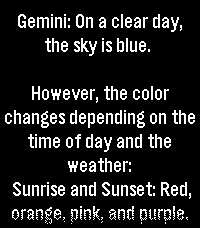
Tools & UtilitiesPress button and talk to the AI of your choice! PebbleAI-Plus is a resource-aware fork of PebbleAI. It keeps the same idea of the original PebbleAI, access to ChatGPT, Gemini, DeepSeek, Grok, or Claude on your Pebble but with a focus on smooth use under tight memory and battery limits. Speak a question on the watch and get a reply from the AI provider you choose. Requires an API key in Settings from your provider of choice: OpenAI: https://platform.openai.com/account/api-keys Claude: https://console.anthropic.com/dashboard Gemini: https://aistudio.google.com/app/apikey Grok: https://console.x.ai/ DeepSeek: https://platform.deepseek.com/api_keys