 8
8Tarot
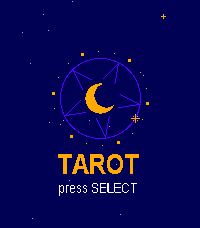
Dailyputs a full 78-card Rider-Waite deck on your wrist and lets the stars do the talking. Choose your reading: a Daily Card that stays yours all day, a quick Yes or No, Past, Present and Future, Mind, Body and Spirit, Love, Decision, or the five-card Cross. Or let the deck surprise you. Then focus on your question, cut the deck at the moment that feels right, and watch the cards flip over in a burst of sparkles while your watch gives a small pulse. Reversed cards spin upside down, and every card comes with its own message, typed out under a sky of twinkling stars. At the end you get a summary of the whole reading. It's beautifully illustrated in full colour on Pebble Time and crisp black and white on Classic.
 8
82Day App Light
Tools & Utilities2Day Appl with light color
 8
8Pi
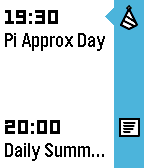
Tools & UtilitiesCelebrate Pi Approximation Day on July 22 with this awesome watch app. Have the first 1000 digits of Pi on your wrist and evaluate how close 22/7 is to the approximation of everyone's favourite irrational number.
 8
8Paddle Time
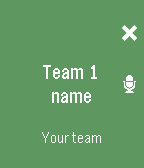
Health & FitnessA simple app to keep track your paddle match points. It will help you know who and where has the service and you can use your real name and your team name. This app is in english and spanish. Please press heart if you like it :-)
 8
8Major System Reference
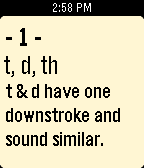
Tools & UtilitiesThe Major System is an ancient method of remembering numbers by converting digits into characters and making words from them in order to make the numbers more memorable. Use this tool to remember the digit-to-character reference. It also includes a random number generator that creates examples of what an encoded number would look like. Have fun!
 8
8Sports Desk
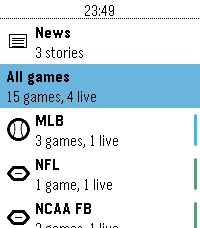
DailyLive scores, box scores and headlines from 93 leagues, on your wrist. This app is a attempt to make a Sports score app in the base theme of the Pebble OS, using the ESPN API.
 8
8Gigante Para Sempre
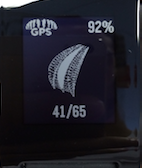
DailyO primeiro e único App para você acompanhar o andamento das obras no nosso Gigante da Beira-Rio direto no seu Pebble! Com ele você saberá em primeiro mão o status atualizado da colocação das membranas e da obra no beira-rio! Mais um produto do maior e melhor grupo do Inter, o GPS :) SEJA UM COLORADO DECISIVO, SEJA SÓCIO!!!! Vamo vamo inter!!
 8
8Sanntid
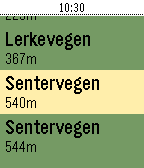
DailyShow realtime schedule info for busses in Rogaland, Norway (Kolumbus)
 8
8Magic: The Gathering Life Counter
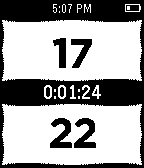
Tools & UtilitiesAllows tracking each player's life in M:TG. In the center, there is a timer that will count up once started. Buttons: Up - remove 1 from top counter Up long - add 1 to top counter, continue until released Down - remove 1 from bottom counter Down long - add 1 to bottom counter, continue until released Vibrations: 45 min - 1 long 46-49 min - one short each 50 min - 3 short
 8
8Saposub
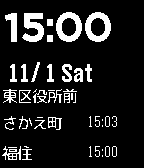
Daily札幌の地下鉄の時刻を表示します。 一番近くの駅の次の出発時刻を表示します。 今のところ東豊線のみです。 This watchapp shows the subway of time of Sapporo. It displays the next departure time of the nearest station. **Currently only Sapporo subway toho line**
 8
8Virta
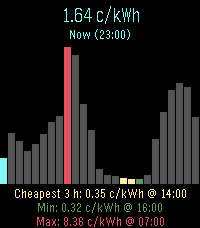
DailyEnergy prices for nordic and baltic countries
 8
8AFL Live Scores
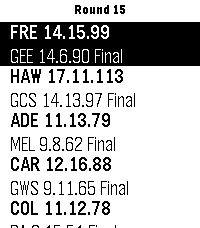
DailySimple Pebble App to display current Australian Football League scores on your Pebble Watch. Games in Progress or all Current Round Games can be selected via Settings or by long pressing the watch middle Button. Configurable Auto-Refresh time in App Settings. Single Press Middle Button - Refresh scores. Long Press Middle Button - Toggle display of current, or all round games. Like this app? Help fund my next pie and sauce! 🥧 Support the project: https://ko-fi.com/chrishardwick17402 Every contribution, big or small, is greatly appreciated. Credit and Thanks to https://api.squiggle.com.au/ for providing the API data.
 8
8SABnzbd for Pebble
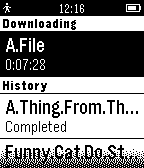
RemotesCheck out your current downloads and your download history from SABnzbd. This app is not official, and is not endoresed by SABnzbd. Remember to set Server-URL and API-key in settings. Server-URL should be in the following format: http://www.example.com:9095/
 8
8Hurry Up! Rennes
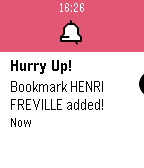
DailyAlpha version! Displays next bus departures for nearest / bookmarked bus stops in realtime. Works only in Rennes (FR). Long click on select button while in stop details to (un)bookmark it. Français Cette application affiche les horaires des prochains bus des arrêts alentours ou favoris, et ce en temps réel. Ne fonctionne que sur le réseau STAR de Rennes. Maintenez le bouton central après sélection d'un arrêt pour le retirer des favoris. Credits Main icon made by Freepik from www.flaticon.com Live data provided by Keolis Rennes. This app is not official, and is not affiliated with Keolis.
 8
8BlueMix IoT Demo
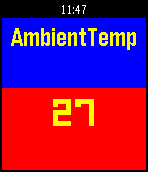
Tools & UtilitiesSimple Pebble.JS (Javascript only) app to fetch data from IBM BlueMix. The data is provided from a TI SensorTag via the IoT Foundation to a Node Red application. As the app expects a simple response from a web site in the form of a JSON structure, it can potentially be used for any site that provides data in an appropriate form. The latest version of the app allows you to configure your own URL. Data consumed by the app from the BlueMix site at present looks like the following:- { "gyro_x": "-3.64", "ambient_temp": "24.03", "gyro_y": "-0.88", "gyro_z": "-0.75", "key_2": "0", "key_1": "0", "compass_x": "0.00", "object_temp": "27.38", "compass_y": "0.00", "compass_z": "0.00", "acc_z": "-0.95", "acc_y": "0.01", "acc_x": "-0.02", "air_pressure": "894.03", "reed_relay": "0", "light": "346.72" } ...exactly as provided by the SensorTag. The app is now configurable so the web site may be selected by you. Use the configure button on your phone to change the URL from which it fetches data. Default is my app which sees data from my SensorTag. Up/Down buttons cycle through the available data. Select refreshes. Data will only change when my SensorTag is on & connected to IBM BlueMix!