 10
10NYC Subway
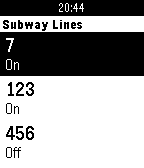
DailyShows up-to-date service status for NYC subway and Staten Island Railroad. Press select for more details on delayed/under construction lines. Hold select (long press) to set the lines you care about. Hold select (long press) on a line in settings to view its current status only.
 10
10MeetingPulse
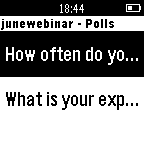
NotificationsMeetingPulse is now compatible with Pebble! Use your Pebble to interact with your meetings, receive notifications, deploy polls and more.
 10
10Deen: Prayer Times & Qibla
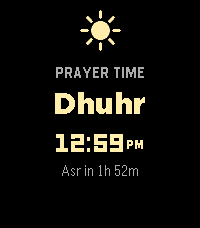
DailyDeen keeps your five daily prayer times right on your watch, and reminds you when each one arrives. Your prayer times stay accurate on their own — you don't need to open the app to keep them current. When it's time to pray, your watch gives a gentle buzz. Each prayer is shown with its own little icon, and the one you're in is highlighted so you always know where you are in the day. Lost your direction? Open the qibla compass, hold your watch flat, and follow the arrow until it turns green — that's Mecca. What you get: - Your five daily prayer times, at a glance - A gentle buzz at each prayer (turn any of them on or off) - A qibla compass that points the way to Mecca - The Islamic (Hijri) date - Set your prayer calculation method, location, and more from your phone - Works even without signal
 10
10SPI
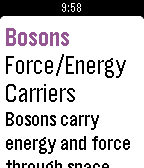
Tools & UtilitiesSPI or Subatomic Particle Index is an app that will tell you about all of the subatomic particles. On the main page press the up, select or down button. I build this app about subatomic particles because I am super interested in particle physics and I wanted to share it with the pebble community. Hope you enjoy! Please leave feedback! My email is [email protected] 10
10Randomizer
Tools & UtilitiesThis is a simple random number generator. From 1 to how many you want.
 10
10JsConf
Notifications- Events - Talks - Info Beta version Open source project
 10
10Shutter
RemotesFOR ROOTED DEVICES ONLY. This app allows you to take a photo on your Android phone It emulates touchscreen press on the app's shutter button and takes a picture/starts or stops a video. Android companion app needed.
 10
10Dicey Depths
Games**** This is in early release state. I've not received my pebble yet so unable to test on real device. Game will be updated soon :) *** Every turn you roll your dice face up, and then decide how to spend them across the equipment you brought in. You always see the randomness BEFORE you commit, so a bad roll is a puzzle to solve rather than a punishment to absorb. Drag a die onto a card, tap one then the other, or play entirely with the buttons. Each card takes a die that matches its slot — any, odd, even, 4+, 3- or an exact number. A card fires once per turn, so a spare die is worth nothing without a card to put it in. Fussy cards pay better: one that only accepts a 1 hits far harder than one that takes anything, and is dead weight on the turn you don't roll one. Status effects attack your rolls, not your health. Frozen flattens your best die. Burn sets one alight and charges you 2 HP to put it out. Shocked takes a card offline until you spend a die clearing it. Every debuff is another puzzle. TWO CLASSES — The Warrior rolls dice and rerolls them. The Robot has no dice at all: it builds each number on a CPU meter, pushing for more and losing the lot if it goes past six. FIVE EPISODES — Each is a ruleset that rewrites the game rather than a difficulty step, and each ends in its own boss. Clear all five to unlock three Bonus Rounds. ENDLESS — No boss, no ceiling. Past floor four each floor throws one of the campaign rulesets at you. Your ten best runs are kept on the watch. Three difficulties. Easy is very hard to lose. Normal is the baseline. Hard adds a named curse to every floor. Lose a fight and the run is over. Built for the Pebble Time 2 and Pebble Round 2, with full touch support and a layout that follows the curve of the round display. No phone required. Inspired by Dicey Dungeons by Terry Cavanagh.
 10
10Hackerspace
Daily"Hackerspace" is the application to use with your local hackerspace or smart home spaceAPI. It give you on your wrist all the information from a spaceAPI so you can check them in a glance. The application is compatible with every spaces following the SpaceAPI v0.13 specification.
 10
10Baseball Radar Gun
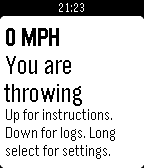
Tools & UtilitiesThis is an app to see how fast the pitcher is throwing. Please leave a "heart" if you like it! First go to the settings and select your type of Baseball (Official Baseball is default), Accuracy (Medium is default), and Recording pitches (Yes is default). Now go back to the main screen. As soon as the pitcher releases the ball click select, and when the catcher catches the ball click it again. The MPH will be displayed at the top. If record pitches is set to "Yes" you can hit down to see the logs of the pitches. Features: • Speed of ball thrown • Accuracy change • Record throws • Change for different types of Baseball games: • Official Baseball • Softball • Little Leauge • Pony Leauge • Bronco Leauge • Mustang Leauge • Pinto Leauge • Coach Pitch • Softball (16 and under)
 10
10Buzz
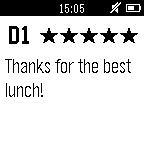
NotificationsSmall watch application for Servers who are at the shift in restaurant.
 10
10It's Tavern Brawl Time
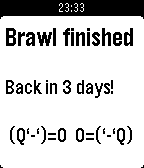
NotificationsSick of opening Hearthstone just to see details of the latest Tavern Brawl? Me too! So why not let your Pebble do the work for you? "It's Tavern Brawl Time" is a simple watchapp that displays the details of the current Hearthstone Tavern Brawl. If there isn't a Brawl active, it displays when next one is starting. It also has Timeline integration to remind you when a Brawl is starting or finishing. Brawl details are sourced from http://hearthstone.gamepedia.com/. Thanks heaps to the dedicated people who keep it up to date!
 10
10Tracks for Pebble
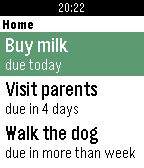
DailyUnofficial client application for Tracks - an excellent Getting Things Done implementation. What it does: - displays list of active todos, together with due dates, - toggles between done and incomplete, - displays task notes. Usage: - select to see item's note, - long select to toggle between done and not done. You need to have Tracks instance setup. This watchapp is useless by itself. For more details how to do it, visit http://getontracks.org/.
 10
10Commuter
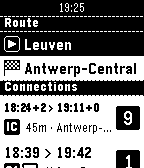
DailyQuickly check SNCB/NMBS (Belgian Railways) train schedules from your wrist. Save favourite stations from your phone to quickly plot routes on your watch. Create "scheduled routes" to immediately see relevant trains whenever you open the app. Not affiliated with SNCB/NMBS, powered by iRail. Made by Werknaam in Leuven
 10
10Just a Dash
NotificationsDaily alerts for your favourite KPI