 11
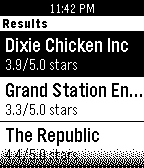
11Adventure is Out There!
DailyFind somewhere nearby to go, whether it's a new coffee shop, bar, bowling alley, or aquarium.
 11
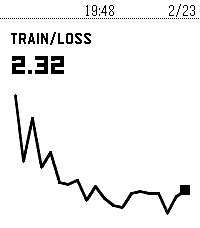
11Wrist & Biases
Tools & UtilitiesMonitor your Weights & Biases ML training runs from your Pebble smartwatch.
 11
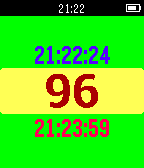
11TeoSuperNovaTimer
Tools & UtilitiesCount Down Timer designed to use in Teostra battle on game The Monster Hunter. When Teostra became angry you shake your wrist and the count down start. Vibe notify you the Super Nova come in 10 seconds after. You can change count down seconds and vibe time on your phone app or long pressing buttons. The Monster Hunter and Teostra are trademarks or registered trademarks of CAPCOM, INC.
 11
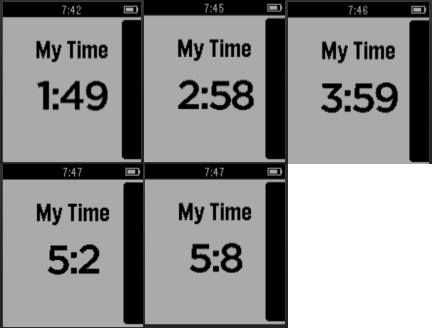
11Feel your time
Tools & UtilitiesThis app will give you tactile feedback for the time elapsed so that you can know the time just from the vibration. For Ex: You want to meditate for 20 minutes. You start the app by pressing the quick launch button. The following is the pattern of vibrations. Starts with 5 short vibrations. Vibrates 2 times for even minutes, 2, 4, 6, 8... On the 9th minute, vibrates 10 times. On the 19th minute vibrates 20 times. On the 29th minute vibrates 30 times. Continues up to 60 minutes. So you will know the time just from the vibration count. Press Top button to Pause Press bottom button to Resume.
 11
11Clapperboard
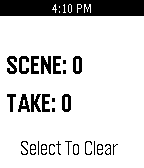
Tools & UtilitiesBasic clapperboard displays takes and scenes Don't worry about exiting the watchapp because Clapperboard saves your scenes and takes Instructions: -The Up Button increases the number of scenes -The Down Button increases the number of takes -The Select Button clears both the scenes and the takes
 11
11Pebble Notes with Reminders
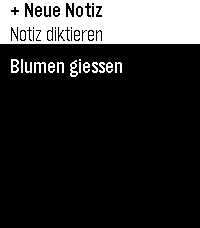
Tools & UtilitiesVoice-dictated notes stored entirely on your watch — no phone app needed. Usefull for doorpin notes or parking lot ids. Add, view, update, and delete notes by speaking. Set reminders just by saying phrases. Multilanguage interface. Speech recognition is done by the app for pebble - it's not part of this app. Basically touch enabled user interface. Limited storage. Works on Pebble Time 2, Round 2, and 2 Duo. No settings, just as it is. Here's the full set of supported "remind me" phrasings — matched case-insensitively, checked in this order, first match wins: 1. Duration — English or German remind me in N minute(s) erinnere mich in N minute(n) 2. English clock time (ambiguous AM/PM) remind me at N o'clock — N is 1–12; resolves to whichever of N-AM or N-PM comes soonest (today or tomorrow). 3. German clock time — explicit 24h erinnere mich [um] HH:MM uhr — colon form, e.g. "erinnere mich um 14:25 uhr" erinnere mich [um] HH uhr[ MM] — natural spoken word order (Uhr between hour and minutes), e.g. "erinnere mich vierzehn Uhr fünfundzwanzig" um is always optional in both forms Minutes are optional in the second form — "erinnere mich um 14 uhr" alone defaults to :00 Rolls to tomorrow if that time today has already passed Numbers, in every phrase above: digits (5) or spoken words work interchangeably, English and German, including German compounds (fünfundzwanzig = 25, einundzwanzig = 21, etc., covering the full 21–59 range needed for hours/minutes). A few concrete working examples: "remind me in 5 minutes" / "remind me in five minutes" "erinnere mich in 3 minuten" / "erinnere mich in drei minuten" "remind me at 7 o'clock" "erinnere mich um 14:25 uhr" / "erinnere mich 14 uhr 25" "erinnere mich vierzehn uhr fünfundzwanzig" "erinnere mich um 9 uhr" (→ 09:00) Anything outside these four patterns is saved as a plain note with no reminder — no error shown, so it's worth sticking to one of these forms. Development supported by Claude and the skill for it.
 11
11Debt Clock
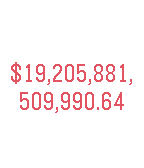
DailyLive US national debt clock.
 11
11Color Browser
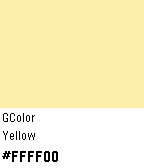
Tools & UtilitiesThis app shows you colors with their hex codes and an example how that color looks on the Pebble Time.
 11
11Choice
DailyDecisions made easy. Choice takes the guess work and mental effort out of any decision. Can't decide between two options? Just ask Choice if an option is right for you. A simple Yes or No answer will clear up the dilemma instantly. You can tap your watch face or press any button on the right to receive your answer.
 11
11US States
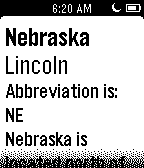
Tools & UtilitiesAbout: http://bit.ly/aboutpdl ---------- This state app allows you to study the states from your wrist! Simply open the app choose the state to study. ------- Donate: http://bit.ly/statepay
 11
11Mölkky scorekeeper
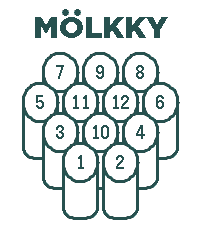
GamesKeep score for Mölkky on your Pebble. Add up to 16 players, record each throw, undo mistakes, and view past games and player stats. Includes optional three-miss and final-round rules, offline watch storage with phone sync, and English/Finnish language support.
 11
11Threaction
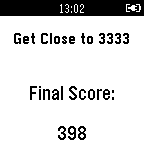
GamesTry and get as close to 3333 as possible.
 10
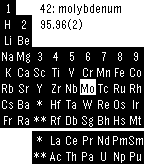
10Periodic Table Mono
Tools & UtilitiesMonochrome version of Periodic Table app for Pebble Classic/Steel. This app needs Pebble software version 3.0 or higher. For details, please see http://help.getpebble.com/customer/portal/articles/2237472-updated-software-for-classic-pebbles?b_id=8309
 10
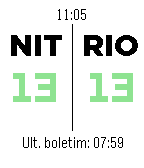
10Ponte Rio-Niterói
DailyWatchapp para saber o tempo de travessia da Ponte Rio-Niterói (RJ - Brasil). --- Watchapp to discover the journey time to cross the Rio-Niterói Bridge. (RJ - Brazil).
 10
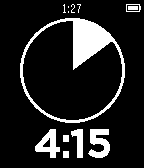
10pTimer
Tools & UtilitiesModded Presenter Timer with different timesteps