 13
13Spark Core Control
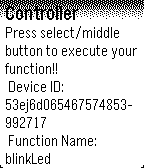
RemotesThis app lets you easily control a Spark Core device with your Pebble Smartwatch. Go into the app settings and enter your Core ID, Token and function name.
 13
13WheelLog
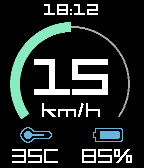
Tools & UtilitiesA Dashboard for KingSong and Gotway electric unicycles.
 13
13Intervals
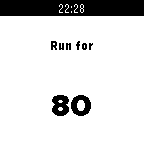
Health & FitnessAn app to help when training intervals. Use the up button to set your walk (or rest) interval in seconds, the down button sets your run (or work) interval. Select button starts. A short vibrate means start running, long vibrate means start walking.
 13
13DigiTaro
Tools & UtilitiesTarot Cards on your wrist! It's DigiTaro! NOTE: This app is still sort of in a developmental stage but I don't have that much time to work on it anymore so I have released it for your enjoyment pleasure. It will crash on you and it will lag and be rather slow a lot of the time. I may rewrite it in C to work better. I can't provide support but hopefully the most you might need to do is restart it to get it working.
 13
13Slope Buddy
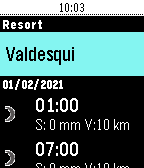
Health & FitnessSlope Buddy tells you what you need to know before heading out to ski. See the weather 1-7 days ahead, see how much fresh snow there'll be at the top of the resort, see which lifts are open and which ones are closed, get notified of storms and bad conditions via timeline.
 13
13Notebble
Tools & UtilitiesPush text from your phone to Pebble!
 13
13TabiTabi
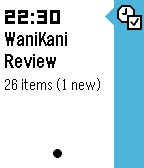
NotificationsKeep track of your WaniKani review schedule on your Pebble timeline. WaniKani (https://www.wanakani.com) is an awesome Japanese Kanji learning website, and this app will help you keep up with your studies.
 13
13Trigalarm
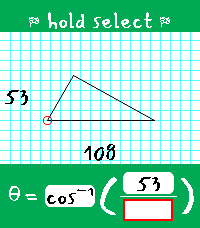
DailyTrigalarm is a habit-correcting alarm for heavy sleepers that forces you to solve for theta in right triangles. It's the perfect amount of thought to activate your brain in the morning! ## The Pitch ### Simple The alarm setter is only one page. You can only set one alarm. There is no snooze, there is no weekly schedule, and there is no way to disable the alarm (you'll always have one set - every day - like it or not). ### Persistent The alarm goes off at least twice. The first time, you must solve a triangle to silence the alarm. The second time, you must do it again, but within a strict time limit (and no constant vibration). Fail to solve it within the time limit? The alarm is scheduled for a third time. This process continues until you solve within the time limit - this is to prove you managed to stay awake between alarms before allowing it to be fully disarmed. Even if you force-quit Trigalarm, it will shortly re-open to continue nagging you. ### Adaptable Trigalarm is meant to be adapted to your needs, and you should adjust its settings as you progress on your sleep journey. For example, as your trig skills improve, you may want to lower the time limit for the disarming alarm. You can also adjust the gap between alarms to account for how quickly you find yourself getting out of bed. Perhaps the most unique, Trigalarm features optional Pavlok API integration to punish you via minor electrocution if you fall back asleep, force-quit the app, or attempt to overwrite your active alarm cycle. ## Learn the Lingo - Main alarm - The first alarm that goes off; comes with continuous vibration and does not disarm Trigalarm when solved. If Pavlok integration is enabled, this alarm can zap the user after a configurable amount of time if they do not respond. Solving this alarm will schedule an awareness alarm. - Awareness alarm - Any subsequent alarm after the main alarm has been solved; comes with only one brief vibration to indicate to the user it has opened. It has a configurable time limit it must be solved within to disarm Trigalarm. If the time limit expires, it will begin vibrations (and optionally Pavlok zaps), and once solved, it will schedule another awareness alarm. ## Tips & Tricks - When you successfully disarm the alarm, you are prompted with the options to either exit and keep the same alarm time for tomorrow, or to select a new time. If choosing the latter, whatever time you select will assume you mean tomorrow. This avoids situations where you wake up at 6 on a Friday, set an alarm intended for 9 on Saturday, and end up with your wrist buzzing in three hours! - If you are stuck waiting for an awareness alarm or there is a bug that schedules an alarm incorrectly, there is a "Reset Alarm" button in the phone-side settings that will set your alarm to 00:00.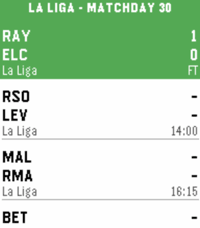 13
13La Liga Scores
Tools & UtilitiesStay on top of Spanish football right from your wrist. Track La Liga matches, standings, and never miss a game with timeline integration. Features: - Live Scores - Real-time match updates with current scores and match minute - Upcoming Matches - Browse scheduled fixtures with kick-off times - League Standings - Full table with points, goal difference, and position indicators for Champions League, Europa League, and relegation zones - Timeline Pins - Add matches to your Pebble timeline with reminders 1 hour and 15 minutes before kick-off. Scroll for details including stadium, referee, and matchday info.
 13
13NGFFL Referee Timer (30/60 play clock)
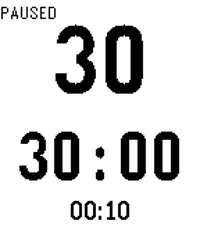
Tools & UtilitiesA game clock and 30-second play clock that can be controlled independently. New: Game clock defaults to 30 minutes but can be adjusted to any value and will be saved in memory. Instructions ************** UP BUTTON: Start 30s play clock/Reset play clock LONG PRESS UP: Start 60s play clock DOWN BUTTON: Start/Stop game clock SELECT BUTTON (Long Press): Enters setting mode. If game clock is in the middle of a countdown, up and down buttons adjust the game clock. Single click the select button again to exit the settings mode. Long click to reset the game clock to the original value. If game clock is already reset, long pressing the select button will enter a special mode to adjust the game clock's value. For example, if you change the game clock from 30 minutes to 25 minutes, the clock will automatically reset to 25 minutes in the future. The current mode of the clock is displayed in the top left corner of the screen.
 13
13QRaQ
Tools & UtilitiesDisplay QR codes on your Pebble Watch. Use the Android companion app to encode a QR image and send it to your Pebble Watch. (This is in beta testing release in Google Play Store, but soon to be available.) Access to the QRAQ's QR images does not require being connected to your Android device after the QR code image are updated on your Pebble.
 13
13EveningNews
DailyTop 5 google rss headlines posted at ~6:30pm ET & again at ~6:30 PT. Note: sorry guys, only ET & PT timezones for the moment. To do more, I'd have to track per-user TZ in a database on the server ... & I'm not prepared to do that; not yet anyway. :)
 13
13IP Address Calculator
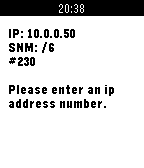
Tools & UtilitiesCalculates network, broadcast and ip address number x. All you need to enter is an ip address and a subnetmask in format /x. Change values with up/down button and commit it with the select button.
 13
13TransmiPebble
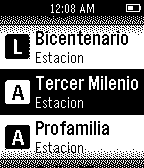
DailyPerfect companion for the typical Transmilenio user. Don't know what's the next stop ? TrasmiPebble knows! every single route in your wrist
 13
13RockerCalc
Tools & UtilitiesA simple four-function calculator using the accelerometer to move the cursor around the screen and the middle button to click