 15
15HF Band Conditions
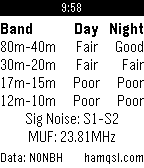
DailyUses data from NONBH's solar weather information at http://hamqsl.com/solar.html to deliver band conditions, signal noise, and MUF right to your watch. Icon from NASA SDO
 15
15RefWatch
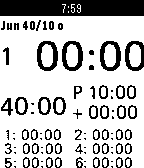
Health & FitnessThis is a soccer referee watch app with pre defined profiles for swiss football Up Button: * Long - Start / Pause * Long while game running - Time penalty * Short after break - Shift period (1.2) * Double - Shorten break to start immediately Select Button: * Before Game - Profile Change * While Game - Player change for time reasons
 15
15Bookmarks
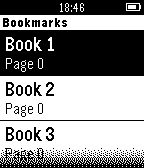
Tools & UtilitiesSimple watchapp that can save your page numbers when reading books. No Bluetooth connection required. Book names can be edited.
 15
15DinkyPop
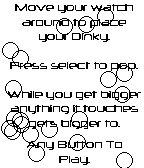
GamesDinkyPop is a super simple ball popping experience! Angle your watch to move your ball to a spot you want. How to play Look for a time where you think you can catch the most balls. Pick your target and press any button. Your ball will start to grow. Any other ball moving in the way of your ball, will start to grow to grow, so on and so forth.
 15
15SolarEdge Status
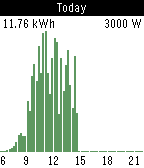
DailyKeep track of your solar energy production from your Pebble. Contains a view with detailed information, and a graph displaying your generated power per 15 minutes. Works with SolarEdge inverters and requires a SolarEdge API key to read data from your online dashboard. Development on this app continues, if you encounter any problems please contact me using the "email developer for support" button below. * This app is not affiliated with SolarEdge in any way. I just created it to keep track of my production.
 15
15SlopeShift
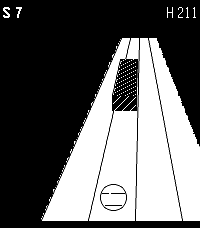
GamesA perfect way to waste your time or keep someone else from wasting it for you. In slopeshift you try to avoid rolling into things.
 15
15Tick Every
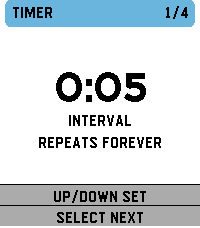
Tools & UtilitiesSupports: Aplite, Basalt, Chalk, Diorite, Emery, Flint and Gabbro. English by default; French and optional local session history are available from Configure in the Pebble mobile app. Tick Every is a simple haptic timer that keeps running until you stop it. Choose an interval, optionally add a start delay, then launch the timer. The watch gives two short pulses when timing begins. It then vibrates at every cycle. A long pulse represents five cycles and short pulses represent the remainder, with clear pauses between pulses. Includes pause/resume, optional haptic counting and opt-in local history: 32 recent sessions on the watch, plus every successfully synchronized session in the phone archive with no app-imposed count limit. The timer and watch history work offline. Français Tick Every est un timer haptique simple qui tourne jusqu’à ce que vous l’arrêtiez. Choisissez un intervalle et, si besoin, un délai de démarrage. La montre émet deux petites vibrations au démarrage, puis vibre à chaque cycle. Une vibration longue représente cinq cycles et les courtes le reste, avec des pauses nettes entre impulsions. Pause/reprise, comptage haptique désactivable et historique local optionnel : 32 sessions récentes sur la montre, plus toutes les sessions synchronisées dans l’archive du téléphone sans plafond imposé par l’app. Le timer et l'historique montre fonctionnent hors ligne.
 15
15Time To Feierabend
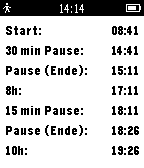
Tools & UtilitiesDeutsch: Die App zeigt die relevanten Uhrzeiten entsprechend dem deutschen Arbeitszeitgesetz an. Dazu gehören Arbeitsbeginn, Arbeitsende, eine 30 Minuten Pause nach 6h, eine 15 Minuten Pause nach 9h und die Uhrzeit zu der 10h erreicht werden. Einfach den Up-Button zu Arbeitsbeginn drücken! English: This app shows the times of interest according to German working hours regulation. Just push the up-button to mark the beginning of your working day.
 15
15Is Deadpool Out Yet?
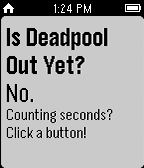
DailyIs Deadpool out yet? You won't know until you put this on your watch!
 15
15Milktime
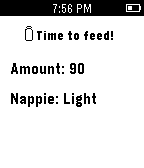
Tools & UtilitiesMilktime is good for mum and dad who have a newborn or an infant. This app alert you the next time your baby has milk, the amount and the potential of soiled nappie base on previous entries. Milktime runs everything on pebble watch so there is no need for phone app. Note: This app was built in a couple of hours when my baby boy asleep so It probably has a whole bunch of bugs unfortunately.
 15
15Meme Wars
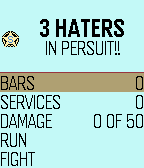
GamesThis is a sort of "hack" of Drug Wars for pebble. ABSOLUTELY ALL CREDIT GOES TO ACLYMER HE CREATED THIS GAME. IM JUST TRYING TO HAVE SOME FUN WITH IT. Your job is to sell and buy memes so that you can pay off your debt to the Meme Shark. Look out for Haters! Try to get some services, e.g. IFunny, Google+, Facebook. This will allow to fight the haters. P.s. ODNS is One Does Not Simply, and faggotry is the "cease your faggotry" memes.
 15
15World BloxX
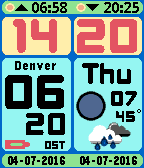
DailyThe ultimate World time clock for Pebble Time and Round. Configurable for 35+ cities/time zones, including half-hour offset zones. Supports 3 favorite time zones. Cycle through the 3 favorites using up and down buttons. Push middle button for other functions. Compass included as extra function. Configuration menu on your watch. No need to use your phone for configuration. Other features: Supports 12/24 hour local clock Weather icon with temperature in C or F (local weather) Moon phase display Battery load indicator Local sunrise and sunset time Days of week in English, Dutch, French, German, Italian, Spanish and Klingon. A-Grade energy friendly (extremely low battery usage). BT disconnect warning (temp goes red with optional vibration) Keeps track of DST (US rules) and timezone date DST on dual time can be set to Automatic, On or Off. This watchapp comes with a bonus watchface. Both watchface and app for just $4.95 ! Download the watchface separately from the Pebble Store.
 15
15Burabuchi
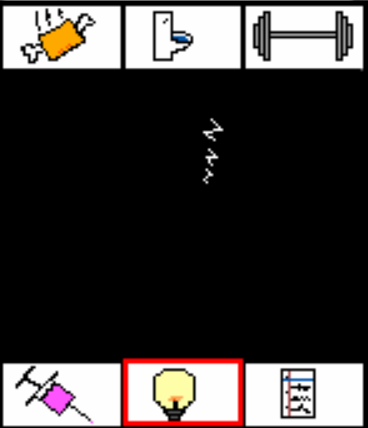
GamesBurabuchi, the virtual pet app. Take care of your burabuchi and watch as it grows into a marvelous being of total perfection. Your burabuchi has the potential to grow into three mid-evolutions and nine final evolutions! All dependent on how well you take care of your burabuchi. You can squander its limitless potential or nurture it until it grows into the ultimate being. Make sure to take really good care of it all the way until the end for it to live on! The app has visual indicators for your burabuchi's status and cut-scenes for each action. Also, a super-secret, secret menu where you'll be able to see all of its evolutions! hint: press down five times on the normal menu and hit the middle button Good luck bringing all the untapped potential out of your burabuchi!!!
 15
15Nuovo Multi Timer
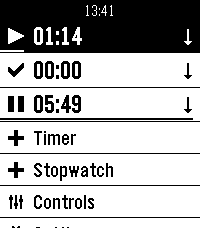
Tools & UtilitiesMulti Timer is simply the best timer and stopwatch app for Pebble. It was developed by Matthew Tole in 2014. Nuovo Multi Timer is an adaption for Pebble Time 2.
 15
15Crisis
DailyThis app detects impact of fall or crash using Pebble Acceleration sensor. After 15 seconds it sends pre-selected contacts an emergency message along with your location. This app thus has various applications like 'elderly fall alert' and 'car crash alert'. In clock mode you can also send emergency SMS by just pressing the select button.