 278
278The Fapp
Health & FitnessThis handy tool helps you train for the most important part of your day. Use it to train your speed and endurance.
 278
2782048 for Pebble
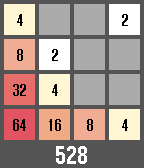
GamesA port of the famous 2048 game on the Pebble. Features : - Uses all four buttons (BACK for left, SELECT for right, UP for up, DOWN for down, long press SELECT to exit the app). - Saves the progress when you exit and resumes any save when you launch the app again. - Keeps track of your best score. Don't hesitate to make any suggestion or criticism ! (Note : Do not use a long press on the back button to close the app, it will simply kill the app and won't save your progress. Instead, use the long press on the select button, this way your progress is saved and resumed when you start the app again.)
 276
276Weather Radar
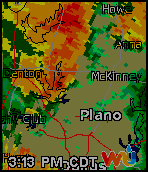
DailyThis app displays your local weather radar. It uses Weather Underground for its data. You will need to get a free key from them to use this app. You can get your key at http://api.wunderground.com/api. When the apps loads it will display the current radar. Press the middle button to see the past 4 radars and the current radar in animation. Please note this is not stored it goes to WU each time. A short press of the top button will go back one radar frame. A long press will increase the zoom by 10 and reload the current radar. A short press of the down button will go forward one radar frame. A long press will decrease the zoom by 10 and reload the current radar. Enter the WU key and default zoom level on the configuration page. If you like this app please heart it.
 275
275Timer - Instant Timer
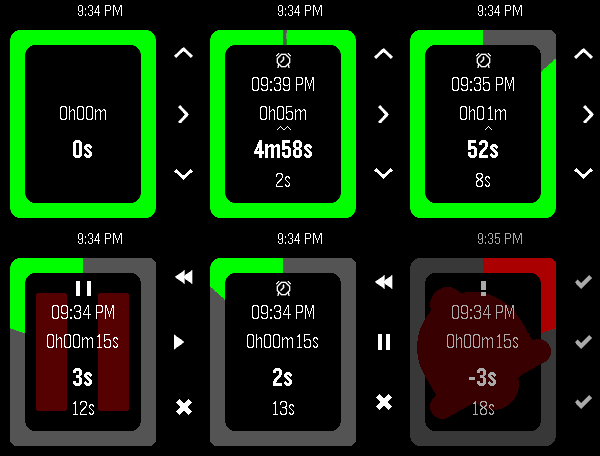
Tools & UtilitiesStopwatch / Alarm / Timer combo designed for quick launch; everyday cooking, reminders and alarms. Touch controls; set with one swipe! Optional audio. Packed with unique, detailed behaviour to optimise easy frequent use. Optional touch controls (PT2/PR2): Set with just one or two swipes! - Timer: touch, hold and drag to select minutes; circle clockwise to wind-up hours, or anticlockwise for seconds - Alarm: touch, hold and drag to select hours, then minutes - Start touching from the middle to set a timer duration, or from the edge to set an alarm time - To cancel, finish touching in the middle or don't select any minutes This app does 3 things I couldn't find anywhere else: - Start counting immediately on launch - Show all 4 relevant values (alarm time, duration, remaining, elapsed) at all times - Modify the duration at any point without any pause or confirmation Other features: - Timer modification controls optimised for speed (1h, 5m, 1m increments) - Configuration: - Alarm audio; beep sound volume - Full colour customisation & Themes - Vibe patterns - Battery saving - Various touch options - Battery saving: - Auto switch between seconds/minutes update rate, synced with backlight and/or remaining time - Zero background power use - Auto-cancel alarm vibe after 1m - Runs in background, wakeup for alarm - Counts overtime after alarm vibe - After expiry, set a new alarm from the same base just by increasing the duration again - Short vibe on start/stop for blind operation - Glance info in system app launcher - Pause, resume, restart, reset - Round and rect, black, white and colour pebbles Button controls: - Select/Back to choose modification digits (15/30 seconds available while under 2/5mins) - Up/Down to increment/decrement. Hold to repeat. Down at 0 wraps up. - Select Long-press (or Press at lowest digit) to toggle pause/resume and enter "control mode": - Up (rewind icon) to restart the timer (i.e. set elapsed time to 0) while retaining the timer/alarm duration - Up Long-press to reset the entire app to 0 - Select (play/pause icon) to pause/resume counting - Down (save icon) to save and exit - Down Long-press to discard and exit - Back to return to timer modification - Back while at the largest digit to exit with options: - Up/Back (save icon) to save and exit - Down (X icon) to discard and exit - Select (> icon) to return to timer modification - Back Long-press to save and exit - Select (✓ icon) or Back to dismiss alarm bell. This app is great if you want to: - Set a generic egg timer running fast without looking in the middle of cooking, and then change it as you go along - Often quickly set an alarm clock to remind you about something in the near future - Set a wakeup alarm quick at a varying time just before you go to sleep - Do all of the above with a single app using one quick-launch slot Use (a) different app(s) if you want: - More than one alarm/timer/stopwatch at once i.e. multi timers - To slowly set a timer/alarm to a long but precise time - Automatically repeat alarms daily/weekly - Millisecond precision - Sports-stopwatch split times / lap times - A history of previously set times - Voice control Suggestions for further improvements welcome, open source btw. Thanks for checking this out! Let me know if you end up using it :)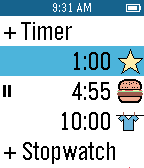 274
274Multi-Timer+
Tools & UtilitiesMultiple countdown timers for cooking, reminders, more! Multiple count-up timers (stopwatches) for timing activities and projects. Timers can be as short as a few seconds to multiple days. Timers run in the background and wake up the app 5 seconds before they finish. A variety of icons and vibrations are available to customize timers. A long press of the center button starts/stops timers from the main screen. A long press of the up button on the timer screen to delete the timer. UX design & icons, Nicola Schäppi, Werbeschluessel.ch
 273
273Mood Tracker
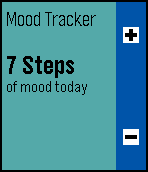
Health & FitnessMood Tracking for Pebble. With this app you can log how the mood has been during the last week. The data can be viewed in an overview graph when pressing the select button.
 273
273Plex Advance Remote
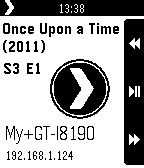
Remotes- Configuration inside JS Pebble App (need connection to internet for one time for configuration). - 2 Clients Setup with persist data after the first time you set it. - UI display with information of the clients. - Plex Pass support. - Control Video, Music, and Navigation. - Refresh the Library. - Work with the new HTTP API - Home Theater and Android/iOS apps of Plex.
 273
273Health Sync
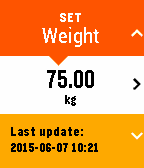
Health & FitnessStore your current weight, height and body fat measurements on your Pebble watch. - Connect your Google Fit / Fitbit accounts to sync your statistics through the Watchapp settings section of the Pebble phone app - Use your statistics to calculate your daily calorie intake (currently using the Katch-Mcardle formula) - Set a weekly measurement remind via an app wake up Connected account notes: Google Fit - currently only your weight and height can be synced through Google Fit Fitbit - your weight and body fat can be synced through your Fitbit account, your height will only be sent to Fitbit as there is no date stored against the height in the account. Fitbit will only return data for up to 31 days so if you haven't updated in that period the app will not be able to download that data.
 271
271Notifier
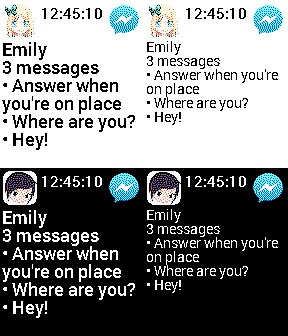
NotificationsReceive ALL notifications with FULL content on Pebble! (Android < 4.3) • Chinese, Hebrew, Japanese... • White and Black list of apps! • "Ignored phrases" list! • "Do not disturb" mode! • Launching an app on the phone from Pebble! • Setting vibrations number for each app! • Light & Dark themes. • Glance support • ...
 268
2683 Things: An ADHD-Friendly Task Manager
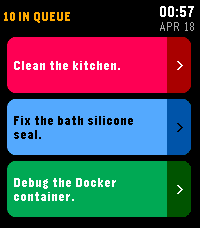
Tools & Utilities3 Things keeps you focused on what matters most by showing only your top 3 tasks at a time. Any additional tasks are queued and automatically replace completed ones. Designed especially for people with ADHD or executive dysfunction - by limiting what's visible to just 3 items, it reduces decision paralysis and overwhelm while keeping your full to-do list just out of sight and ready to sub in.
 267
267EuroFootball
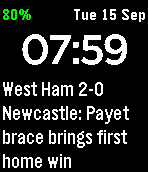
DailyStay up-to-date with 20 European football / soccer leagues from 15 different countries, now with Timeline integration! Get live scores, breaking news, and table data right to your wrist at as low as two minute intervals. Never miss a kick with EuroFootball, the most comprehensive football / soccer app for Pebble! Featuring: - Premier League [EN] - Bundesliga [DE] - La Liga (Liga BBVA) [ES] - Serie A [IT] - Ligue 1 [FR] - Allsvenskan [SE] - Superettan [SE] - Super League [GR] - Champions League [INT] - Süper Lig [TR] - Eredivisie [NL] - 2. Bundesliga [DE] - Jupiler Pro League [BE] - Primeira Liga (Liga NOS) [PT] - Superliga [DK] - Bundesliga [AT] - Championship [EN] - Jupiler League [NL] - Premiership [UK] - Super League [CH] --- Live score data provided by Football-API.com ---
 263
263Infinite Notes
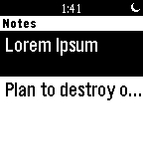
Tools & UtilitiesApp allows you to store notes with infinite length. You can edit them throught Settings in Pebble or via our website. Now with OFFLINE mode! Read notes from wrist without internet connection.
 262
262Stopwatch
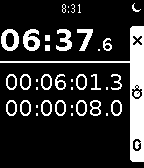
Tools & UtilitiesStopwatch with thirty lap history.
 260
260Toggles
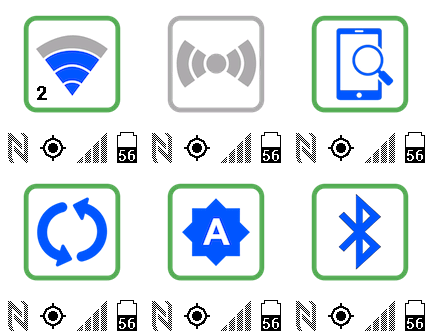
RemotesSwitch on/off settings on your mobile phone: •Wi-Fi •Wi-Fi Hotspot (Tethering) •Vibrate/Mute mode •Mobile data •Lock the screen •Find my phone •Power saving •Data synchronization •Brightness mode •Bluetooth •Flashlight. Displays: •GPS state •NFC state •Battery level •Wi-Fi Hotspots •Wi-Fi signal strength •Phone signal strength. Customizable!
 259
259Xplorer
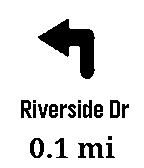
NotificationsNavigation using deCarta's Xplorer navigation SDK reference application.