 15
15天眼通
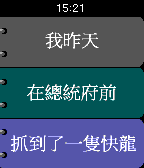
Games[ This app only for Traditional Chinese user. If your Pebble watch don't display Traditional Chinese, do not install this app! ] 還記得小時候常玩的趣味翻頁書嗎? 每次都會翻出十分搞笑的句子. 現在你可以在手錶上面玩到這個簡單的遊戲! 甩動你的手錶, 看看會出現什麼樣有趣的小故事吧?! 操作提示: 除了翻轉手錶創造新故事之外, 你也可以透過手錶右邊的三顆按鈕, 來分別調整 [人物] , [地點] 與 [事件] 唷!
 5
5First 5km
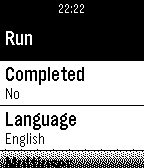
Health & FitnessCan you run 5km? With this app you can. The First 5km app can be found in the Pebble AppStore. This app tracks your progress over 16 weeks with three days of running per week. A run day is usually a combination of running and walking. Day 1, f.ex. is: 1. Run for 2 minutes and 30 seconds 2. Walk for 2 minutes and 30 seconds 3. Run for 3 minutes 4. Walk for 2 minutes and 30 seconds 5. Run for 2 minutes and 30 seconds You should run 3 times a week and preferably the same days and having at least one day of rest between to run days. So something like monday-wednesday-friday is good. Multiple users can share the app on the same watch. Each user is tracked individually.
 2
210-20-30
Health & Fitness10-20-30 is a way to spice up your running giving you good results. This app tracks an entire run.
 15
15Wrastle
GamesAn arm wrestling referee, score keeper and excuse to challenge your friends! Download this app if you ever arm wrestle so many people that you lose track of score, or if you want to walk up to your friends and family saying "let me show you this cool new watch app, but first we need to Wrastle!" Instructions: 1. Install and launch Wrastle 2. Put the watch on the wrist of the arm you will be using the wrestle 3. Get in the ready position and press the center button 4. Wrastle! 5. When your arm goes down in either direction, the watch will vibrate to indicate when the match is complete and the score is registered. 6. The watch will indicate the winner and show the updated score
 5
5json_pull
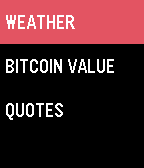
Dailymy first pebble app. basically just pulls information from json apis. credit goes to openweathermap, bitcoinaverage and theysaidso for the apis.
 166
166Email for Pebble
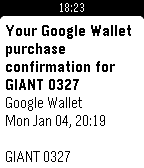
Tools & UtilitiesRead email on your wrist! Email for Pebble lets you access your Gmail accounts without having to dig out your phone.
 10
10Java String Methods
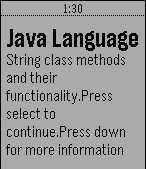
Tools & UtilitiesUseful app for programmers.
 4
4FloodWatch
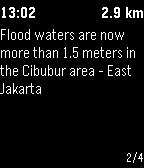
DailyOn-Hand Flood Alerts FloodWatch is a Pebble app that shows nearby reports of flooding in Jakarta, Indonesia. Reports are collected from the open source flood map PetaJakarta.org. The app lists reports within five kilometers of the watch location, and displays the time the report was listed and the current distance from the watch. The app allows the user to select individual reports on the watch to view more details.
 817
817Pokémon GO Radar (BETA)
GamesThis app represents a collaborative proof-of-concept for a full Pokémon tracking app for Pokémon GO. Currently working: * Pokemon sprites * Distance/bearing * Real-time compass * Duplicate elimination * Splash/loading * Server maintenance check * Server error check * GPS status check * Bluetooth connectivity check * Data source config
 21
21Flight Companion
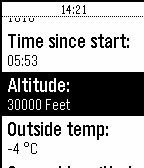
NotificationsFlight Companion shows you flight data directly on your Pebble! Information like remaining flight time, groundspeed or altitude are directly and instantly readable on your wrist. This App works on all Lufthansa Board Connect Flights (also Eurowings continental Flights with Wings Entertain) and uses an certified and safe open API. Just connect to the in-flight-WiFi and it will work like magic. If not connected to Lufthansa Board Connect or Eurowings Wings Connect Flight Companion will only show some Demo Data. If you press the select-button you will be able to set an alarm for any desired time before your arrival. Simply shake your wrist to update data!
 9
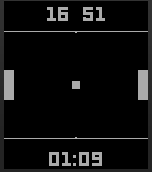
9Pong Ball
GamesGreat game also shows time.
 39
39URL Launcher
Tools & UtilitiesLaunch actions via URL. No companion app needed. * Long vibrate = Success * Double short vibrate = Error (Error message shown) Add URLs in the app settings and trigger them from your Pebble. Simple as that. Add location variables to your URLs. See settings for more information. More variables to come.
 22
222 Steps RPG
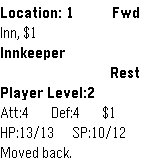
Games2 Steps RPG is a role playing game in which the kingdom is under threat, and you've been asked to investigate the source of the threat and confront it. As you venture further from your home, the enemies you confront will become more challenging. Although you'll start weak at first, soon you'll grow much more powerful and able to travel much further from home. Many times you'll find yourself going two steps forward then make one step back to safety. The user interface was specifically designed for the Pebble. You travel forward (to the danger) or back (to safety). The game automatically saves when you exit and automatically loads when you open it to continue right where you left off. The select button handles a variety of location specific actions. Once you've won, try again to see if you can do it in fewer moves. Or for a bigger challenge, try focusing on training attack or defense or neither! Please join us on the Pebble Discussion Board for feedback and feature requests. Good luck!
 161
161Stroke Keeper
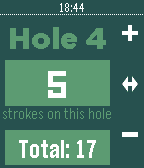
Health & FitnessStroke Keeper is the perfect watch app that you need to keep track of your golf score whenever your out on the course. I am proud to say that after a couple thousand of downloads we are still improving Stroke keeper's usability. New Features in v3.0: - an updated UI and layout - Stroke Keeper is now in color for Pebble Time! - confirmation window before starting a new round and erasing a past score - bug fixes *email me below for anymore suggestions.
 10
10Subte Buenos Aires
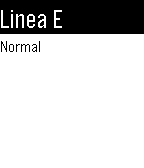
DailyCurrent status for all subway lines in Buenos Aires Estado actual de las lineas de subte en Buenos Aires. English Use this app to view the current status for all subway lines in Buenos Aires. This is still in beta. Please email me with any doubts or suggestions you may have. Don't forget to hit the ❤ button if you do. Thanks! :) Español Con esta app puedes ver el estado actual de todas las lineas de subte en Buenos Aires. Esta app está todavía en beta. Cualquier duda o sugerencia es bienvenida al email que está abajo. Si te gusta, no te olvides de darle un ❤. Gracias! :) Twitter: @bensmithperez