 8
8getme for Pebble
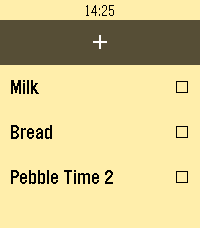
Tools & UtilitiesKeep your self-hosted getme grocery list on your wrist. getme for Pebble brings a fast, button-first checklist experience to Pebble, backed by your own getme server. Sync your list from your phone, check items off while shopping, add new items with Pebble dictation, and clear completed items when you’re done. Features: - Syncs with your self-hosted getme grocery list - Add items from the watch using dictation - Toggle items checked or unchecked - Clear completed items from getme - Keeps showing your last synced list if your phone or server is unavailable - Configure your getme URL from the Pebble/Rebble companion app Requires a running getme install and a configured server URL. Check it out at https://github.com/tylxr59/getme
 8
8Golf Score
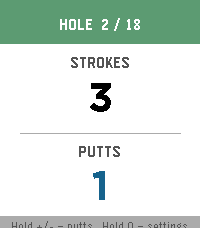
Health & FitnessAn app to track golf score (strokes and putts) Open source here: https://git.mikeeberlein.com/meberlein/PebbleGolfScore/src/branch/master
 8
8Virta
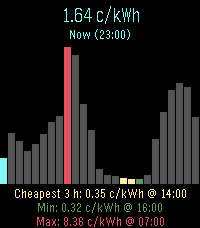
DailyEnergy prices for nordic and baltic countries
 10
10Burh
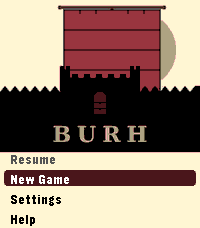
GamesLate ninth-century England. Norse fleets work your coasts every year. You have a small kingdom, a war band, and difficult choices to make before winter closes in. Most turns take thirty seconds. A campaign plays in short sessions across real days - the game waits when you are not watching. Your kingdom is a four-by-four grid of territories, roughly half settled when the campaign begins. Fortifications take years to build. The same people who farm your land fill your fyrd. Monasteries draw Norse attention. Ruins wait to be reclaimed. The Norse learn your settlements over time. A fleet that has raided your coast for two years knows things about your defences that a newly arrived one does not. A shattered war band cannot be quickly rebuilt. Battle outcomes are costly even when you win. Fyrd go home after a fight. Housecarl casualties stay lost until you recruit again. Procedurally generated maps. Four difficulty levels: Learn, Sheltered, Standard, Brutal. Campaign chronicle. For Pebble Time 2. *Burh* is Old English for a fortified town; pronounced "burr." *Note: Claude Code was used in the generation of this app.*
 7
7PoiBoi
DailyA radar-like poi explorer. Point your hand at interesting things around you and PoiBoi will home in on the corresponding POI from OpenStreetMaps.
 14
14Buzz
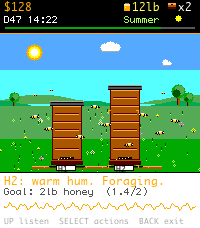
GamesYou've caught a wild swarm. Can you keep it alive through Year 1? Buzz is a pixel-art beekeeping sim for your wrist. The hero mechanic is unique to Pebble: tap your wrist and the watch buzzes your hive's mood back at you — a soft hum for calm, a long roar for queenless, a rapid piping for swarm. Seven mood patterns, all built from Pebble's vibration motor. Learn to feel your hive instead of opening it. Real beekeeping is a sim about restraint. 9 of 10 inspections only stress the colony. Buzz teaches that lesson with outcomes: open the hive too often and stress crushes the queen; do nothing and watch the mood bar climb. A calm-day streak rewards quiet keepers. • 8 actions: Inspect, Check board, Heft, Add super, Feed, Treat mites, Split, Wait • 4 seasons (90 days each): Spring buildup → Summer flow → Fall mite + feed → Winter cluster. Survive Year 1 to win. • Up to 3 hives: catch wild swarms, split strong colonies • 7-milestone progression arc with earned titles (Novice → Master Beekeeper) • 12 badges for restraint, harvest, splits, overwintering • 10 pieces of equipment to buy: smoker, hive tool, bee suit, mite tester, extractor, electric fence, refractometer, observation hive • Beekeeper character strolls the apiary, holds the frame during inspections, stands at the extractor during harvest • One in-game day = 3 real minutes. Save resumes mid-day exactly where you left off. • Vibrations can be toggled off in the menu hub. Made with ❤️ in Manchester , UK 🐝
 2
2JumpingJacks
Health & FitnessJumping Jacks counter
 124
1242048 Touch
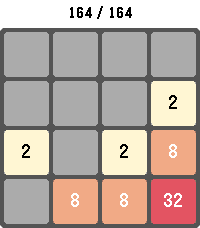
GamesPlay the classic 2048 sliding-tile puzzle on your Pebble. Combine matching numbered tiles to add them together and work your way up to the 2048 tile — and beyond. Swipe to move on touch-capable Pebbles, or use the physical buttons on every other model. Your board, score, and high score are saved automatically, so you can put the watch down and pick the game back up anytime. Long-press SELECT to start a new game, long-press BACK to exit. Supports Pebble Classic, Pebble Time, Pebble Time Round, Pebble 2, Pebble Time 2, Pebble 2 Duo, and Core Devices Pebble.
 102
102PebbleTasks
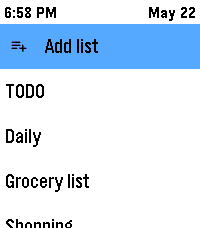
Tools & Utilities📋 PebbleTasks — Google Tasks on your wrist ⌚ Your to-dos, right on your Pebble. 📱➡️⌚ Open lists, tick things off, and stay organised without pulling out your phone. 🎯 ✨ Getting started with Google 🔐 ⚙️ Open PebbleTasks settings on your phone and choose to connect Google Tasks. 🌐 Sign in with Google in your normal browser (Safari, Chrome, etc.) — the same way you’d sign in anywhere else (Pebble's built in web browser is not trusted by Google!) 📋 Finish the short steps on screen — you’ll get a simple code or line to paste back into the app. That’s it: your watch can now load your real Google task lists. 🎉 You will be asked to grant access ONLY to Google Tasks ✅ — not your email 📧, contacts 👥, or anything else. No one other than you is able to view this information. The token is not stored, all code is open source. 📝 Lists — browse and create 📂 👆 Pick a list from your lists on the watch to see its tasks. ➕ Create a new list from the app when you need a fresh place for tasks (same lists you use in Google Tasks on the web or phone). 🖥️📱 ✅ Tasks — quick actions 🎮 On the task list (the list of tasks): 📜 👆 Short press Select on a task → mark it complete ✅ ⏱️ Press and hold Select on a task → open a small menu for that row (for example delete 🗑️) When you’re looking at a single task: 🔍 👆 Short press Select → mark it complete ✅ ⏱️ Press and hold Select → open the task menu: ✅ Mark complete 📅 Add a due date (synced with Google Tasks) — Google only supports a date here, not a time of day, through their side of things. ⏰❌ 📌 Add to your Pebble Timeline with the exact date and time you choose — great for reminders on your watch 🔔 🗑️ Delete the task 🏁 Completed tasks 🎊 There’s a place to see tasks you’ve marked complete on the watch. 👀 ↩️ Tap a completed task if you want to mark it not done again and put it back in play. 🧹 Clear completed when you want a tidy list — this only affects what the watch remembers as recently completed here; it helps you keep the completed view neat without touching your whole Google account in odd ways. 🔒 Privacy — your account, your data 🤝 We don’t store your Google password or secret sign-in details on our servers. 🚫💾 A small, open-source helper 🧩 runs in the middle of the sign-in process so Google can hand you a connection code that lives on your phone 📲 — that’s what lets PebbleTasks talk to your tasks. The helper exists only so you can get that link-up done safely; you can read the code yourself if you like. 👀 ☁️ Or stay offline 📵 Prefer not to link Google? You can use local lists on the watch — everything stays on your phone, no cloud. 🏠🔐 🔗 Links 💾 Source: https://github.com/shan-srini/PebbleTasks 🔒 Privacy: https://pebbletasks.shansrini.com/privacy 📜 ToS: https://pebbletasks.shansrini.com/terms
 38
38Pebble Timer
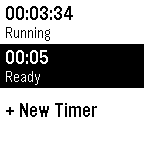
Tools & UtilitiesThe most basic of all timers. Allows you to set hours and minutes for one or more timers. Seriously, it's a no-fluff timer for people who just want simple tools for simple jobs!
 46
46Walk Log
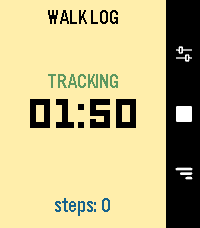
Health & FitnessWalk Log is a Pebble application that tracks the time and steps taken during your walks. Your walk history is stored in the logs view, where you can review past activities and delete entries as needed. You can also send walks to the timeline to view them in the Pebble watch's Past Timeline view. Set it and for get it: an inactivity option will automatically stop your walk after a set period of inactivity, thanks to a background worker. **Quick Use** - Open the app - Press center right button (start symbol) - Press again to end it (stop symbol) **Logs** - Press down right button - Navigate down from latest to oldest - Press center right button to open detail - Long press on center right button to delete, from list or detail page **Settings** - Press up right button - Navigate down to setting you want to change - Press center right button to change it
 5
5Baby StoneFruit
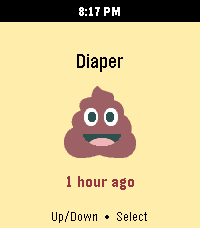
Health & FitnessThis is the Huckleberry baby tracking app on your Pebble! It uses the Home Assistant Huckleberry Integration as a proxy since a pebble watch can't communicate with Huckleberry directly. It's a simple app that has one purpose -- logging your newborn baby's inputs and outputs. Name comes from: Stone -> Pebble Fruit -> (huckle)berry Please feel free to submit any pull requests on GitHub for areas of improvement.
 67
67kijete
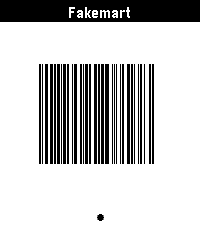
Tools & Utilitieskijete is an app for Pebble that allows you to display Code 128, Aztec, Data Matrix, PDF417, and QR codes on your wrist. It is a fork of Skunk by Harley Watson, and is so named because in toki pona, a skunk would be described by the word kijetesantakalu, or for short, kijete or kije. It swaps out a ruby web app for config and barcode generation for a fully client-side JS application. Its Aztec code support actually works, and it generates codes that are identical to those in my Google Wallet, which is generally a desirable trait. It is using the 2D-Barcode library.
 12
12Box Office
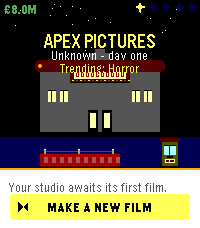
GamesBox Office is a movie maker sim where you run a film studio from your wrist. Pick a genre, set a budget, hire your cast and crew, then watch your film hit cinemas in a real-time 3-minute box-office run. Every decision matters - wages, marketing, reshoots, release strategy - and every hit you ship grows the studio's reputation, signature genre, and roster of signed talent. Make a Masterpiece. Survive a flop. Build an empire one film at a time.
 46
46Cookie Clicker
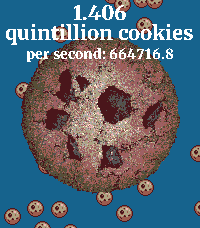
GamesCookie Clicker on the Pebble Watch! Press the button as fast as possible to get MORE cookies. Cookies are still generated when the app is closed. Press down to enter the shop and purchase buildings to generate even more cookies!